Node - Update Record Followers
The Update Record Followers node lets you automatically manage record followers within a workflow. Depending on your business needs, you can add specified users as followers, remove existing followers, or replace the current follower list.
Once a user follows a record, they will receive notifications whenever new discussions are added to that record, even if they are not mentioned.
Use Case
For example, in a customer service application, when a customer creates a support ticket, the assigned support agent may not know when new messages are posted in the ticket discussion. Customers may also be unable to consistently mention the right person, which can cause important discussion messages to be missed.
You can use a workflow to manage record followers automatically:
- A customer creates a support ticket.
- The workflow automatically adds the appropriate support agent as a follower of the ticket based on predefined rules.
- Once added as a follower, the support agent receives notifications about updates and new discussions on the ticket.
- If the ticket is reassigned later, the workflow can automatically update the corresponding followers.
This helps ensure that the person responsible for the ticket stays informed without relying on manual follower management.
Node Configuration
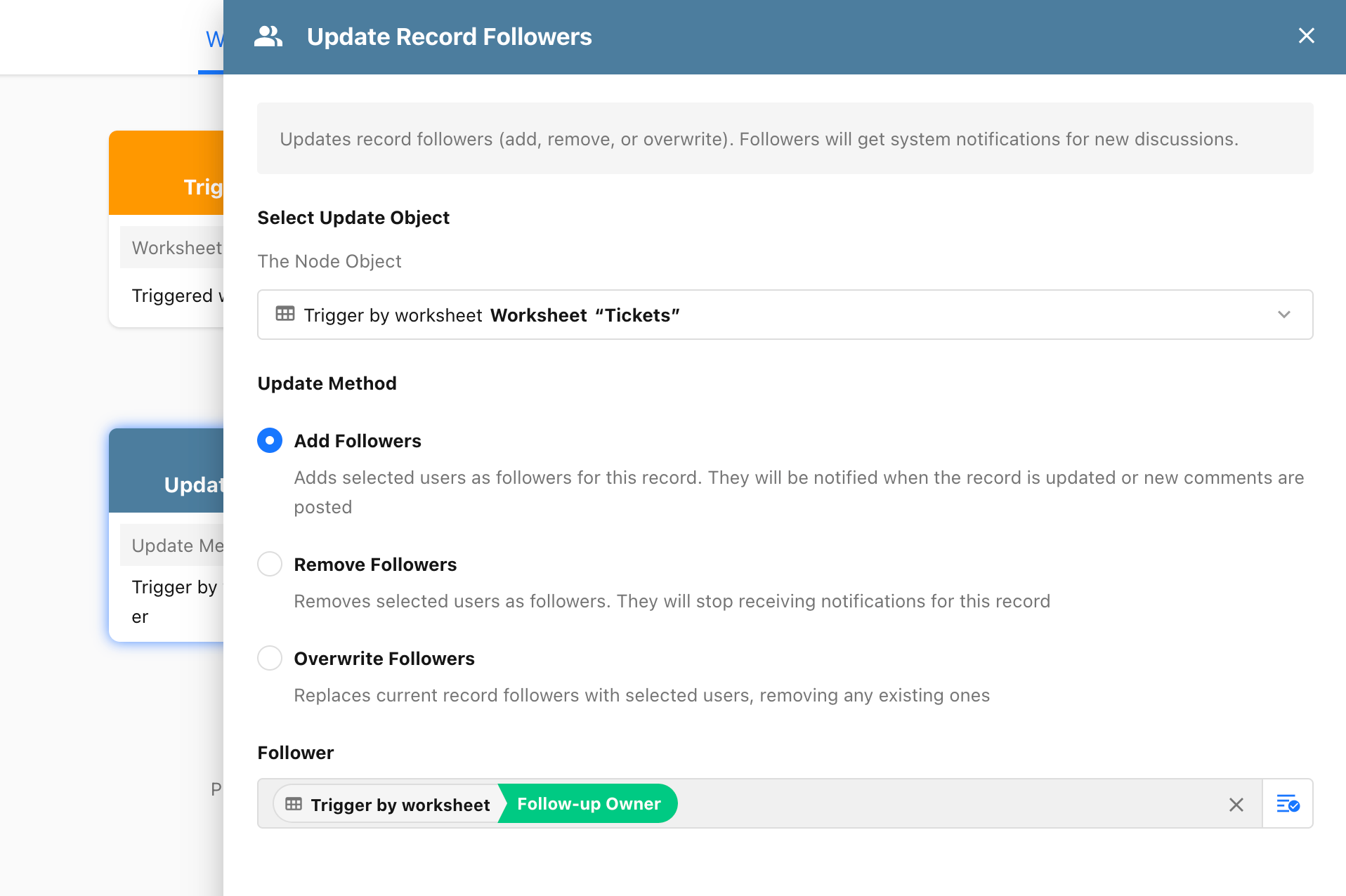
After adding the Update Record Followers node to a workflow, configure the following settings:
-
Select Update Object:
Select the source record whose followers you want to update. In this example, select the support ticket that triggered the workflow.
-
Update Method:
Select how you want to update the follower list:
- Add Followers: Adds the specified users as followers while keeping the existing followers unchanged.
- Remove Followers: Removes the specified users from the follower list. After removal, they will no longer receive notifications for the record.
- Overwrite Followers: Replaces the current follower list with the specified users. Existing followers will be removed.
-
Followers:
Select the users to add, remove, or set as followers.
Followers can also be determined dynamically using member fields in the workflow, including single-select member fields, multi-select member fields, and users retrieved through the Get Multiple Members node.
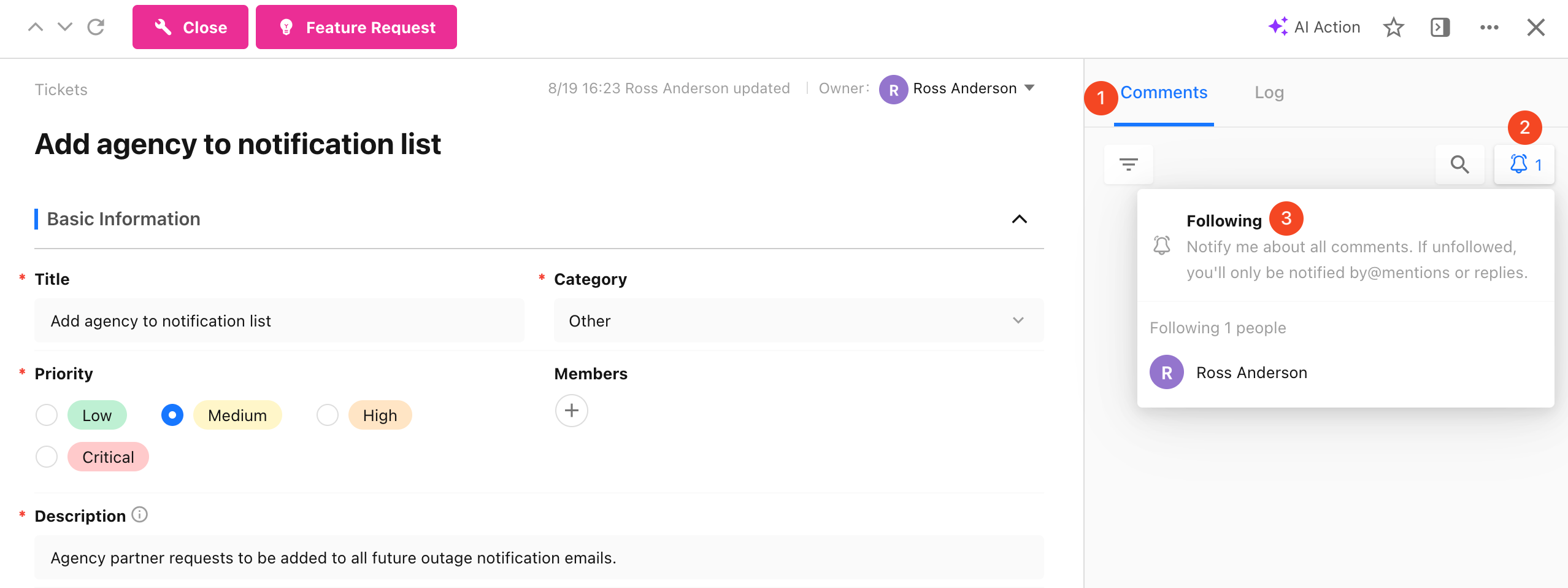
View Record Followers: Open the record discussion and click the follow icon (🔔) to view the current follower list.
Was this document helpful?