Node — Code Block
Node function: Write a script (JavaScript / Python) in the code block node to perform custom processing and calculations on record data within the workflow. The node outputs new data, which can be used by subsequent nodes.
Supported Input Data Types
- Number, text, date/time, single select, member, etc.
- Array type (arrays will be treated as strings after being passed in)
If data is passed from a Get Multiple Data node, up to 100 rows can be received and processed.
Supported Output Data Types
- Text
- Array
Runtime Environment
-
Node.js v10.16.3
API reference: https://nodejs.org/docs/latest-v10.x/api/index)Pre-installed modules (available for direct use):
moment、lodash、node-fetch、form-data、xml2js、node-rsa 、uuid 、pinyin 、sm-crypto -
Python v3.7.5
API reference: https://docs.python.org/3.7/library/index)Pre-installed modules (available for direct use):
requests、xmltodict、pycryptodome、dingtalk-sdk、beautifulsoup4、rsa、uuid 、 xpinyin 、gmssl 、 cryptography 、lxml、pandas、numpy、matplotlib
When calling APIs within the code block, WebService SOAP is supported.
Supported parameter formats: XML / JSON / Form-Data
Supported request methods: GET / POST / PUT / DELETE
I. JavaScript Example
Goal: Extract gender and birth date from an ID card number.
Add and configure a code block node.
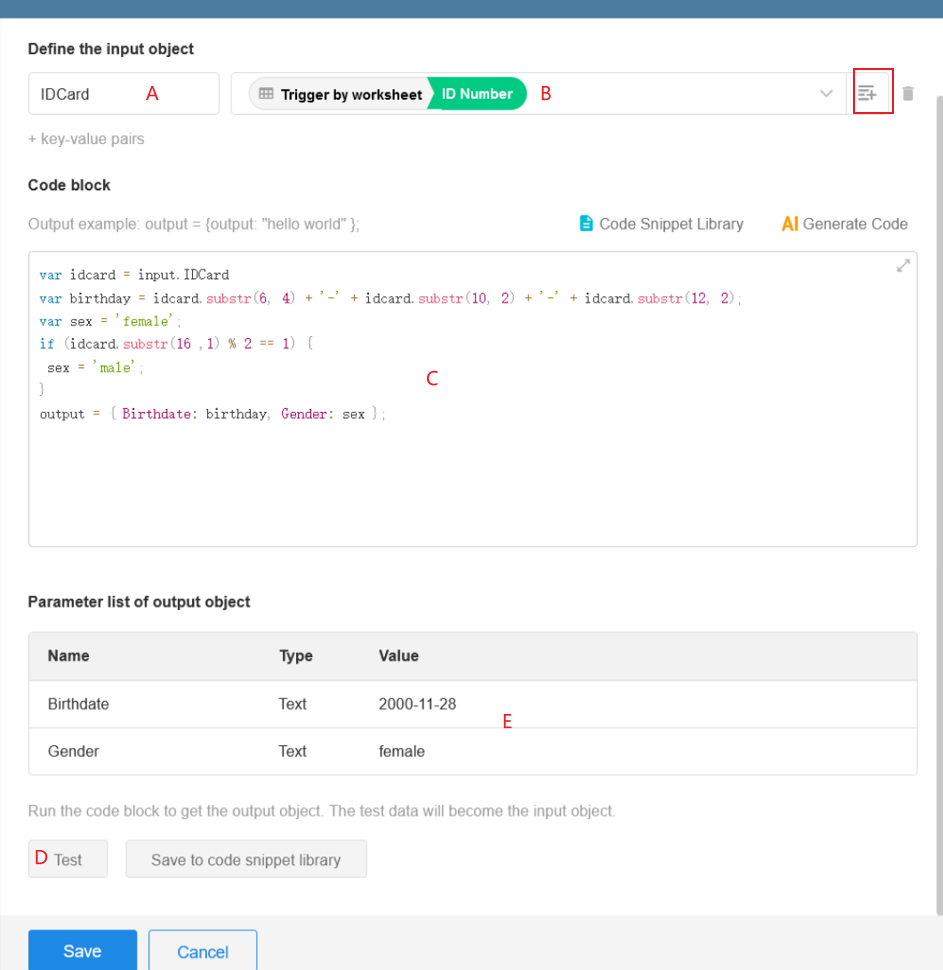
You can copy the following code into your code block node for testing. Keep the configuration consistent with the image above.
var idcard = input.IDCard
var birthday = idcard.substr(6, 4) + '-' + idcard.substr(10, 2) + '-' + idcard.substr(12, 2);
var gender = 'female';
if (idcard.substr(16, 1) % 2 == 1) {
 gender = 'male';
}
output = { Birthdate: birthday, Gender: gender };
Code Explanation
1. Define Input Parameters
A: Define the parameter name
B: Set the parameter value (supports multiple parameters via + Key/Value Pair)

2. Access Input Parameters in Code
Use the following format:
input.parameterName
Example: At position C, the input parameter IDCard is assigned to the variable idcard for processing.

3. Output Parameters
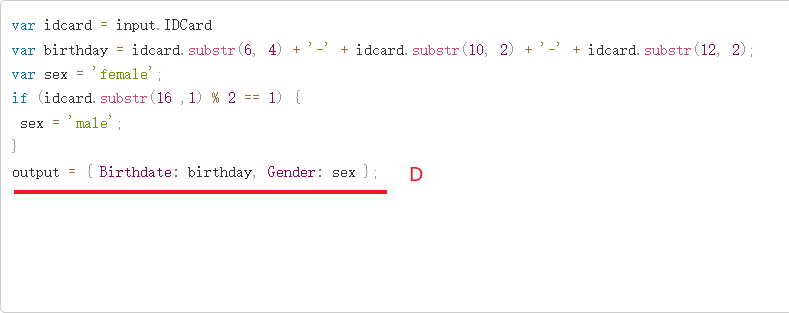
After processing, the code must return output in the following format:
output = {parameterName1: value1, parameterName2: value2}
Multiple outputs are supported, separated by commas.
Example: At position D, both birthday and gender are returned.
4. Test the Code Block
After writing the script, click Test.
If dynamic parameters are used, you must provide test values.

If executed successfully, output results will be displayed:
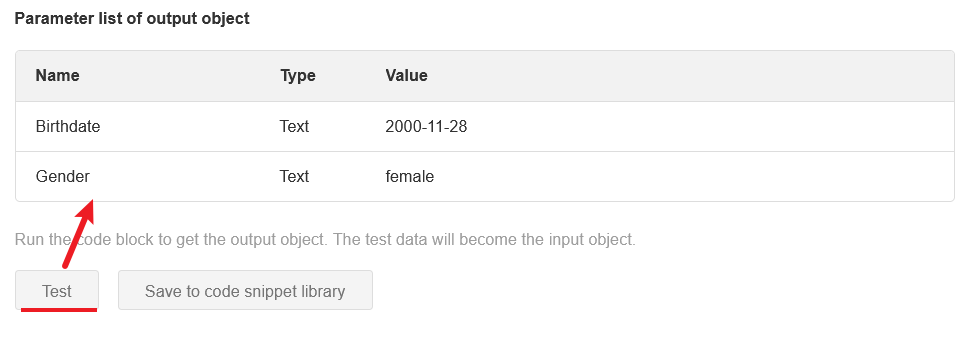
This indicates the code is working correctly. Subsequent nodes can now use the output.
5. Use Output in Subsequent Nodes
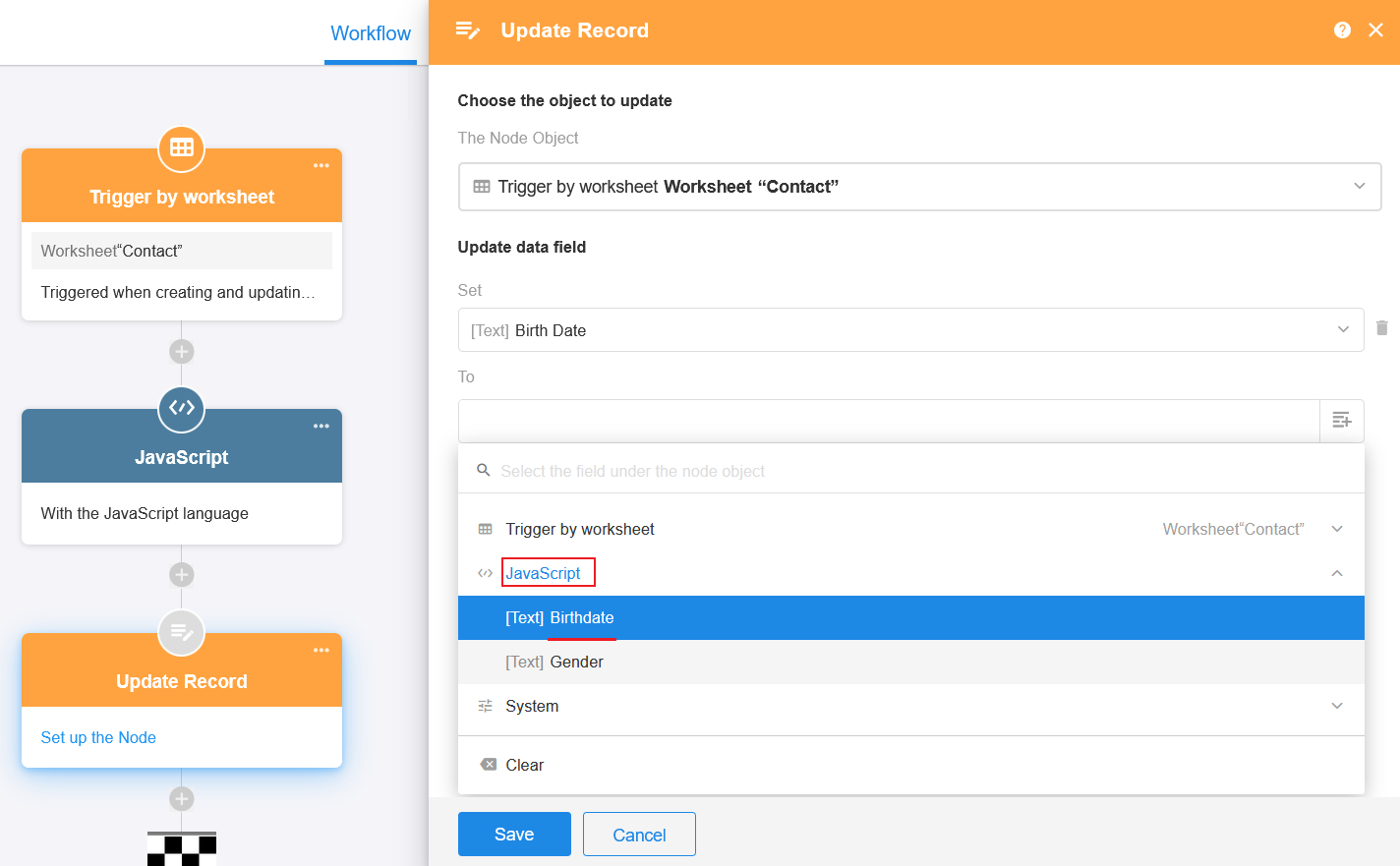
Output parameters from the code block can only be used by subsequent nodes after the node has been tested successfully and its configuration has been saved.
Was this document helpful?