Workflow Parameters
What Are Workflow Parameters?
Workflow parameters are temporary variables available during a workflow execution. They can store field values, calculation results, or data passed from another workflow, and can be referenced by other nodes throughout the workflow.
Parameter values exist only for the current workflow execution and are cleared when the workflow finishes.
Define Workflow Parameters
Create the required parameters in the workflow settings. There is no limit to the number of parameters you can create.
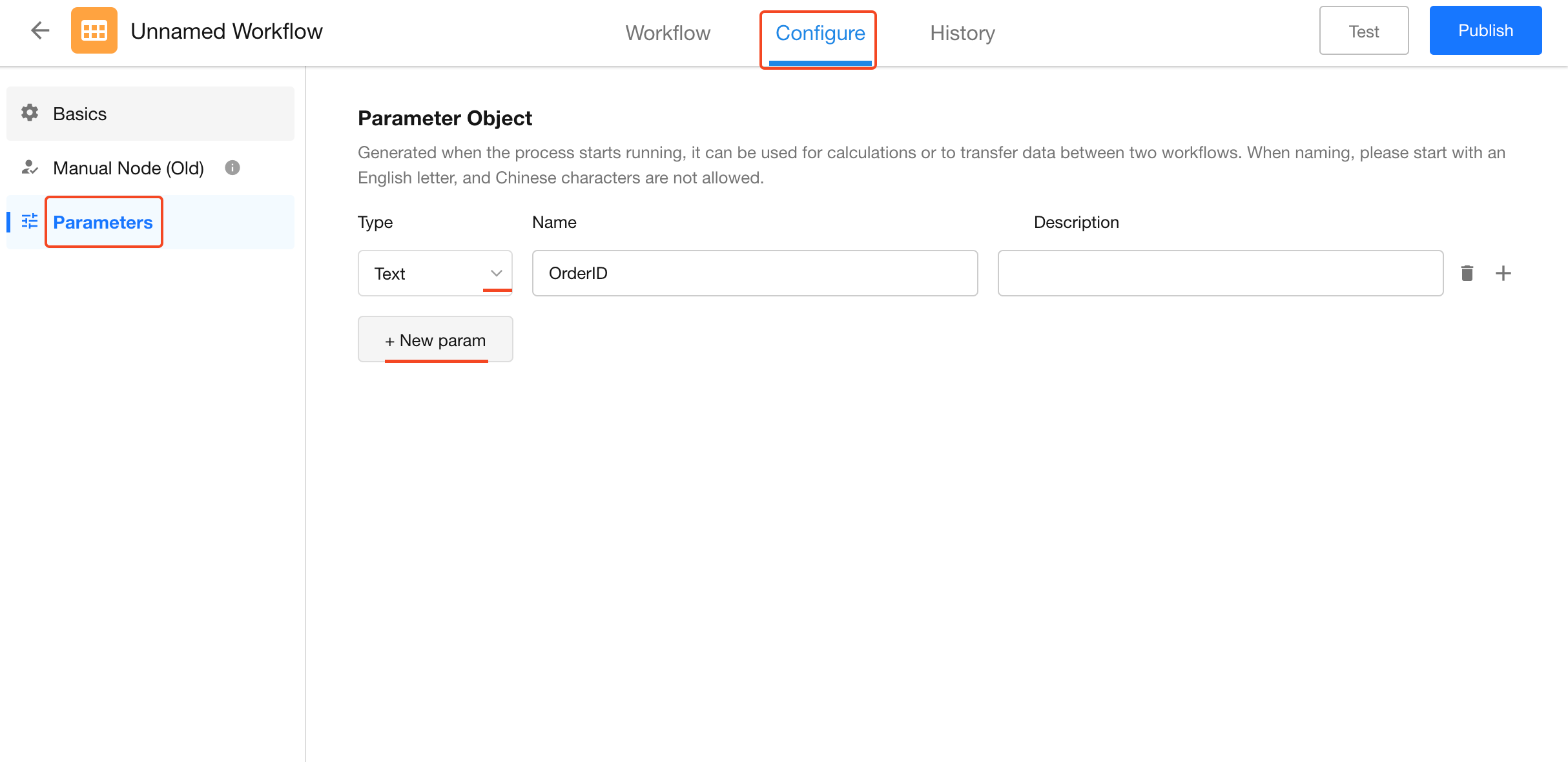
Configure the following settings for each parameter:
-
Parameter Type
Supported types include Text, Number (Currency), Date/Time, Array, Object Array, Member, Department, and Organization Role.
Select a parameter type that matches the type of value that will be assigned to it.
-
Parameter Name
The name must begin with a letter and can contain numbers and underscores.
-
Parameter Description
Enter a description to explain the purpose of the parameter. The description is displayed when the parameter is configured or referenced elsewhere in the workflow.
Assign Values to Workflow Parameters
Workflow parameters do not have initial values when they are created. Values are assigned during workflow execution in either of the following ways:
- Use an Update Parameters node to assign or update values within the current workflow.
- Pass values to the corresponding parameters in a subprocess.
Update Parameters in the Current Workflow
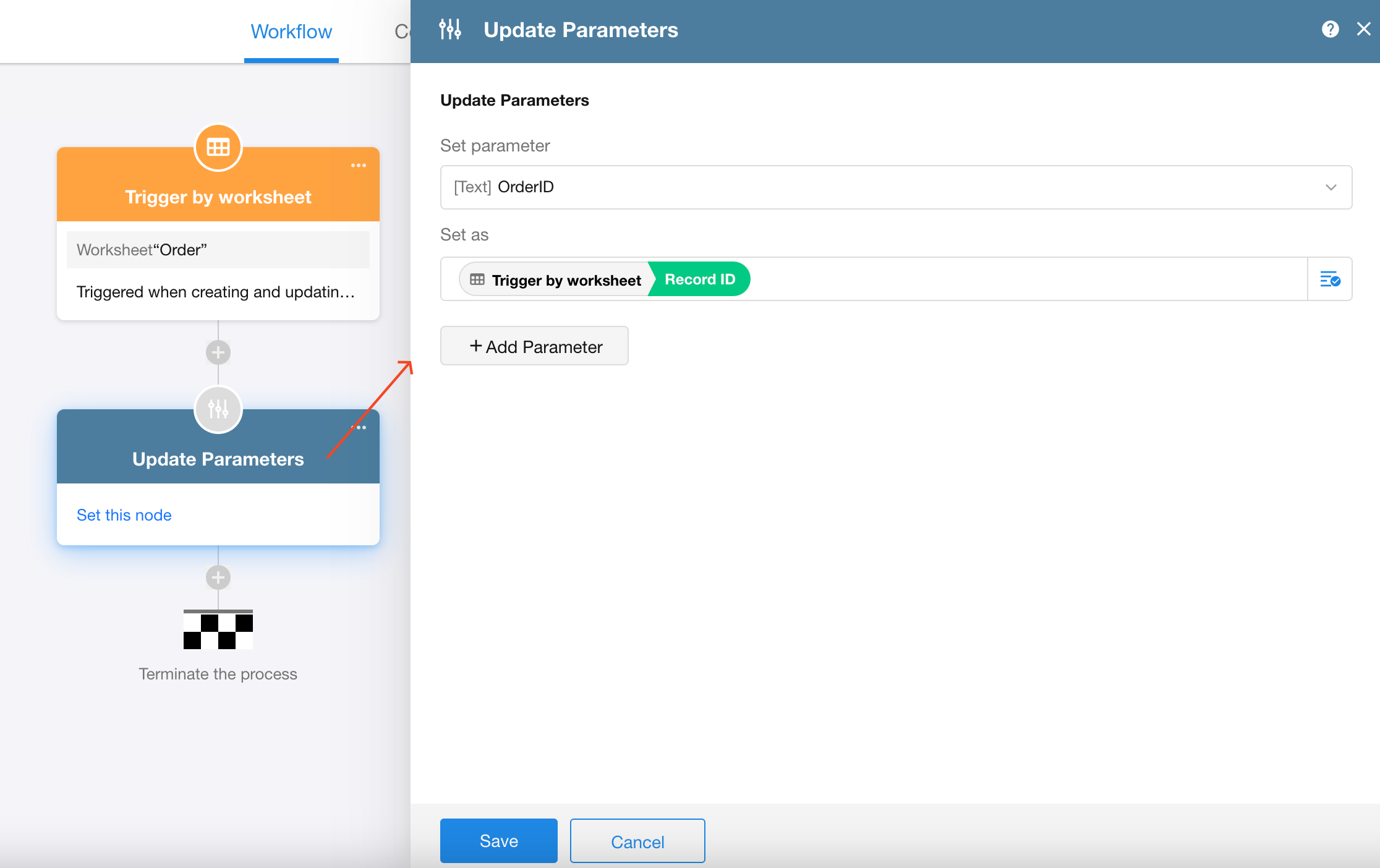
Use an Update Parameters node to assign or update parameter values in the current workflow. Parameters can be updated in much the same way as fields in an Update Record node.
Pass Values to Subprocess Parameters
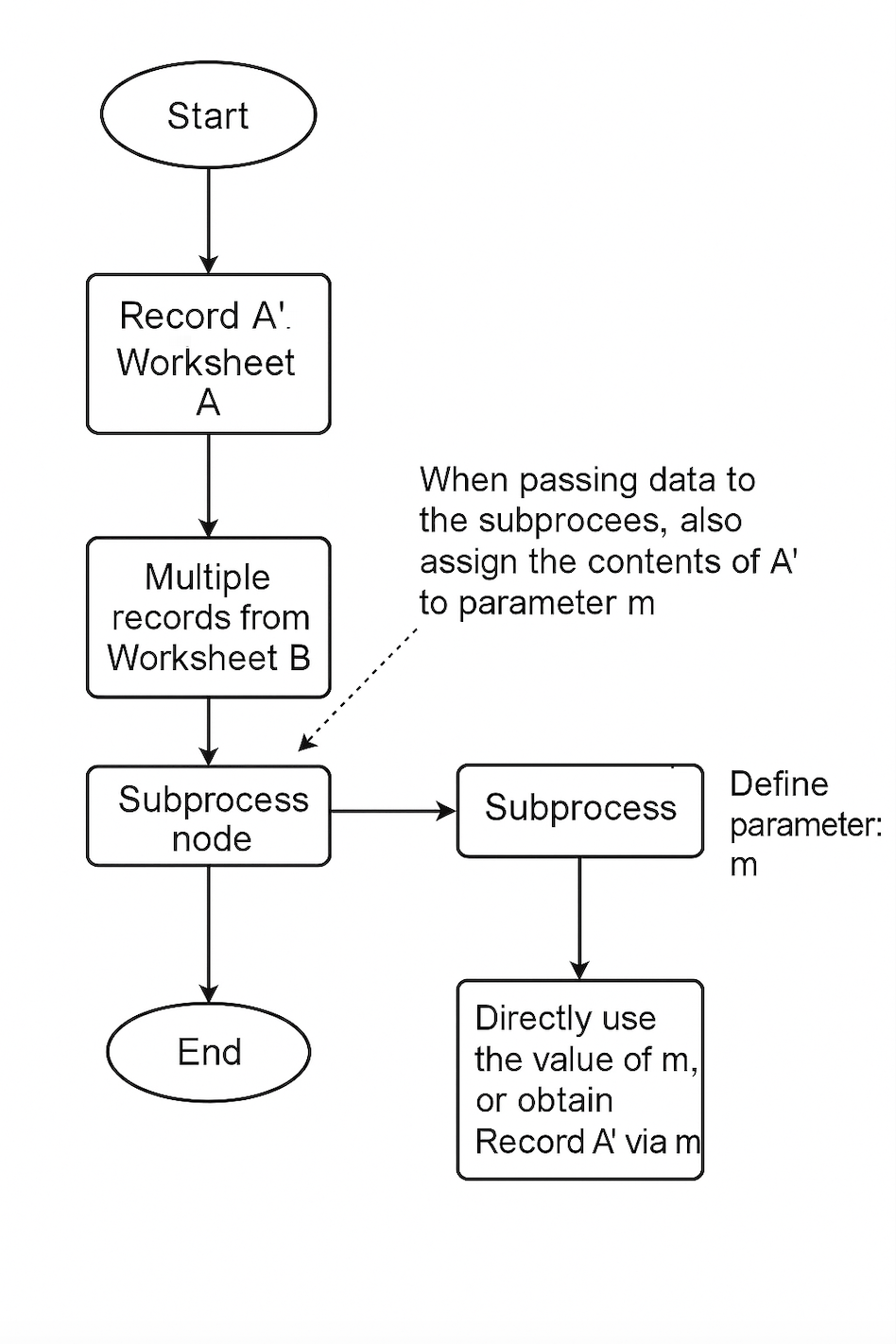
When calling a subprocess, use the Subprocess node to pass values to the corresponding parameters in the subprocess.
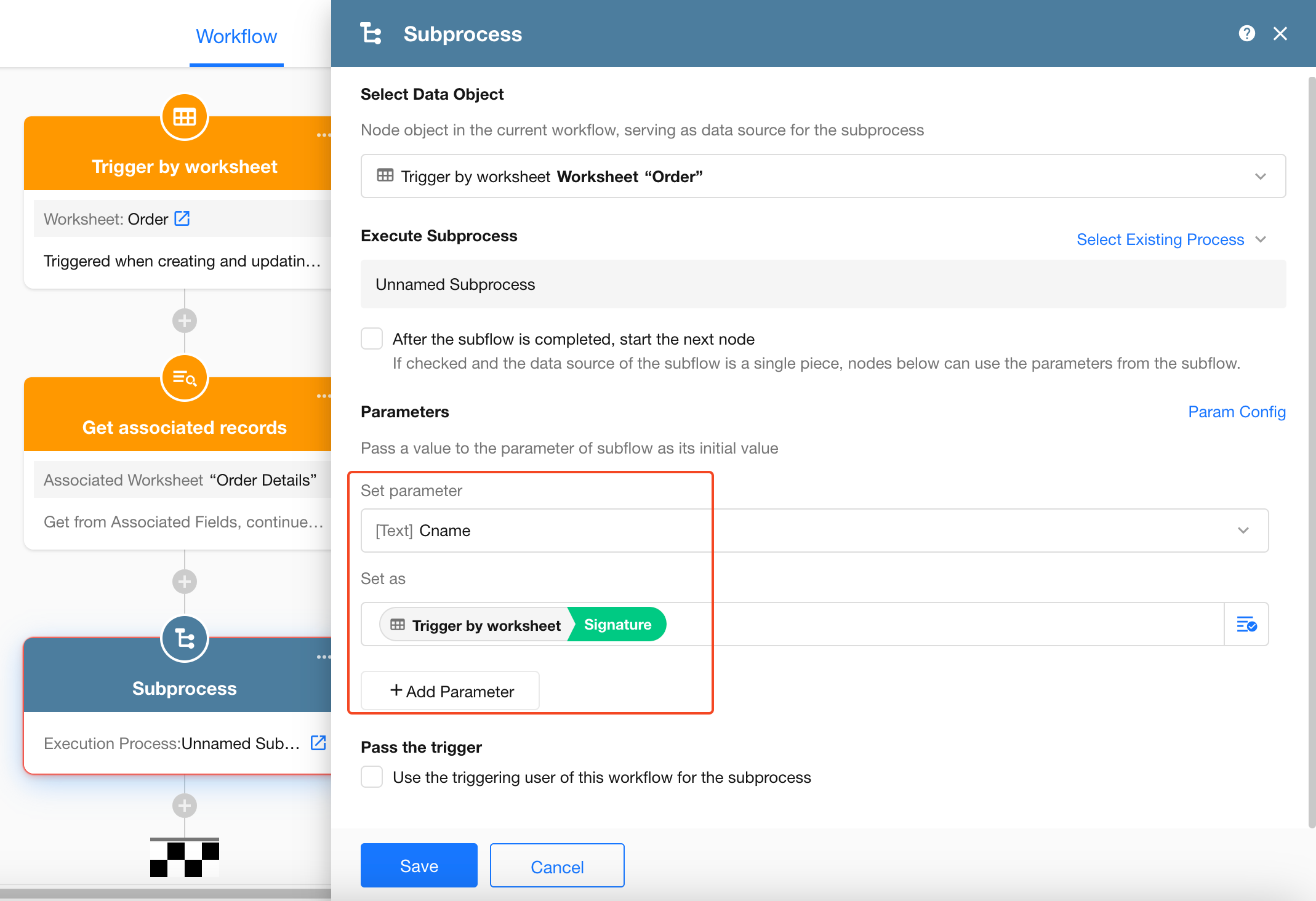
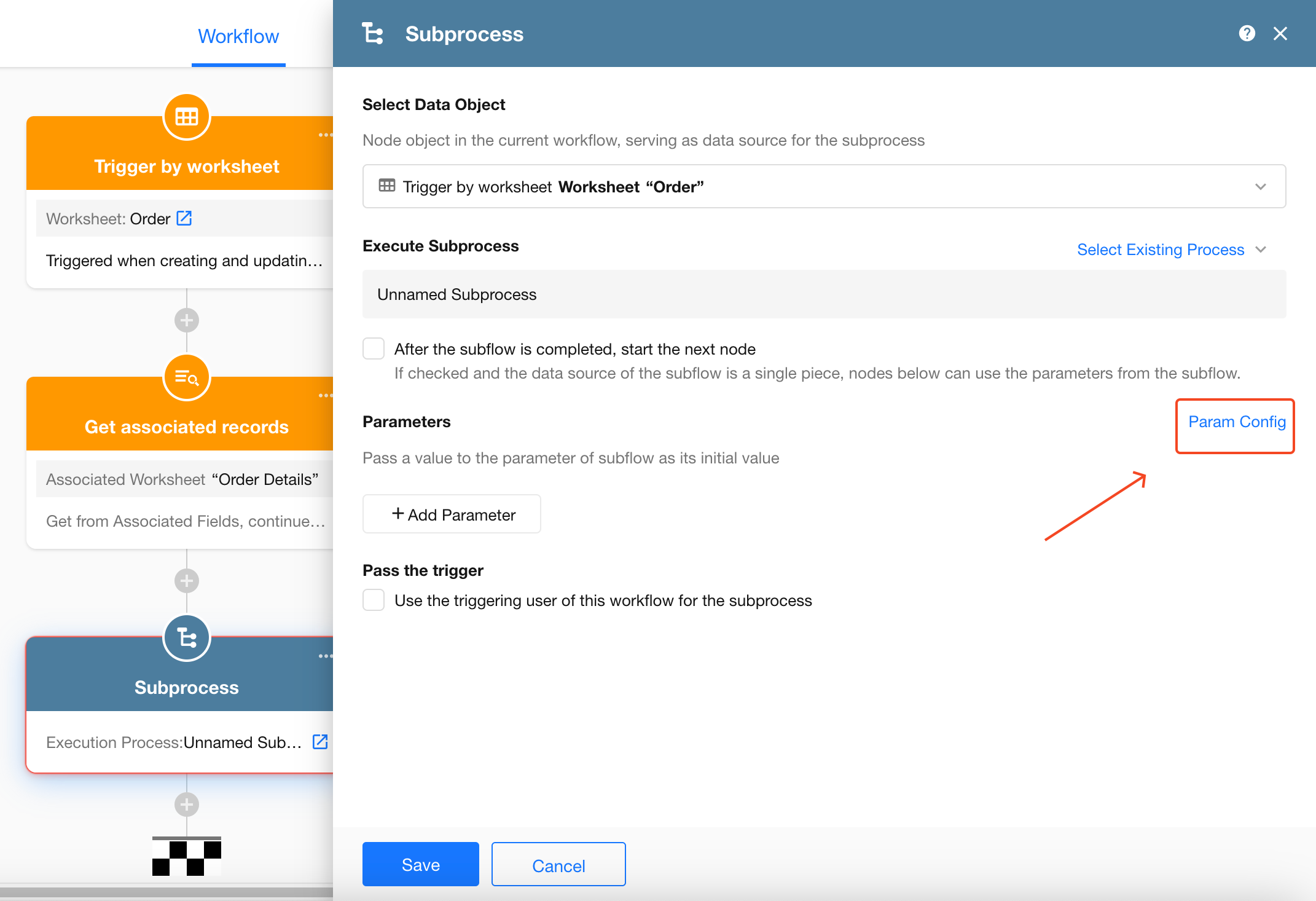
If the required parameters have not yet been defined in the subprocess, you can add them in either of the following ways:
-
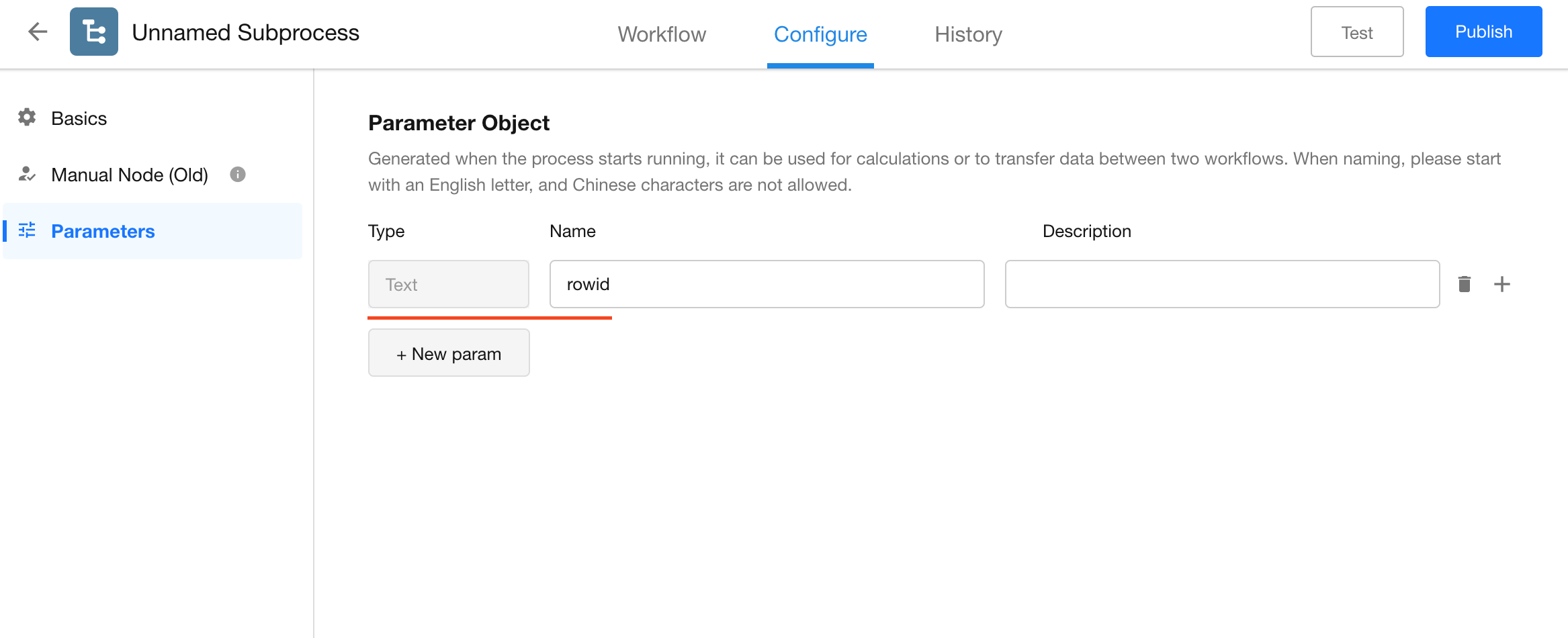
Open the parameter settings from the Subprocess node and add the required parameters.
-
Open the subprocess and add the parameters from its workflow settings.
Example: Pass Data to a Subprocess
Workflow parameters can be used to pass data that would otherwise be unavailable within a subprocess.
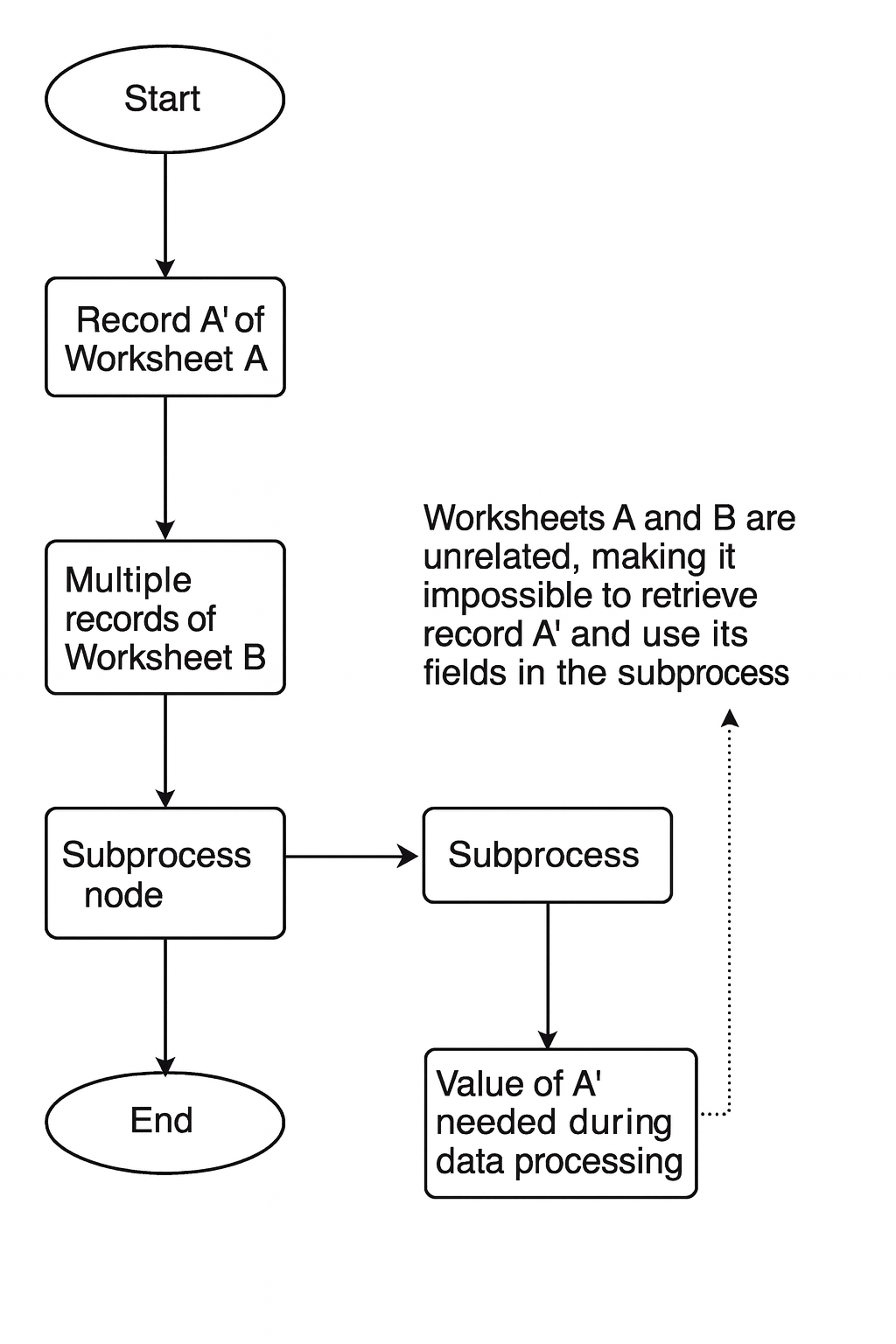
In the example above, Worksheet A and Worksheet B do not have a relationship. The subprocess cannot directly reference Record A' from the parent workflow because the two workflows have separate execution contexts.
By passing information about Record A' as a workflow parameter, the subprocess can locate the record in Worksheet A and reference its values.
Scenario
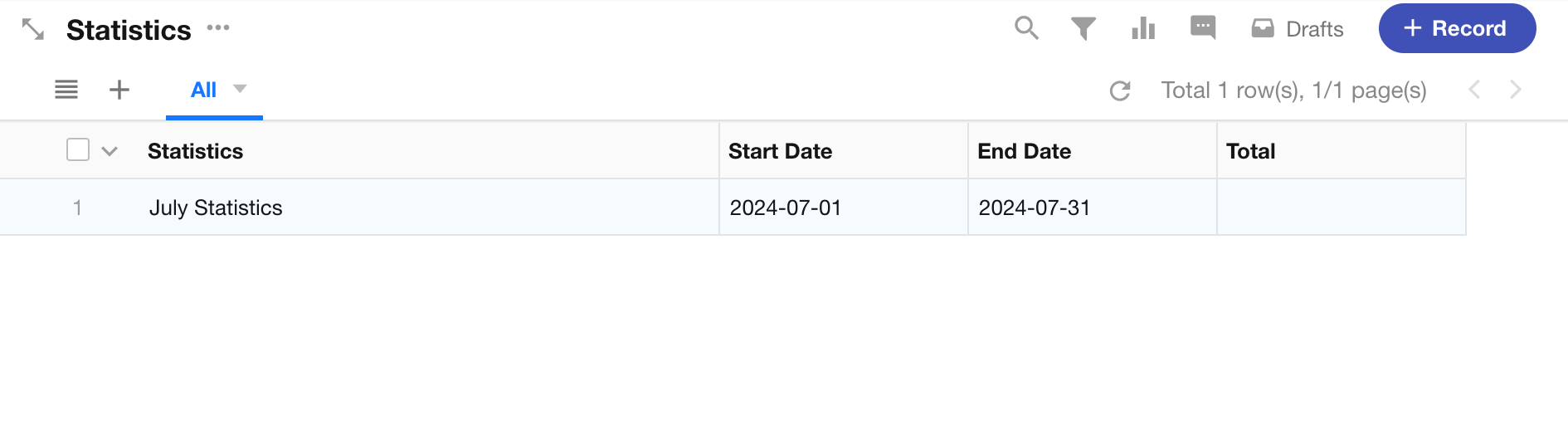
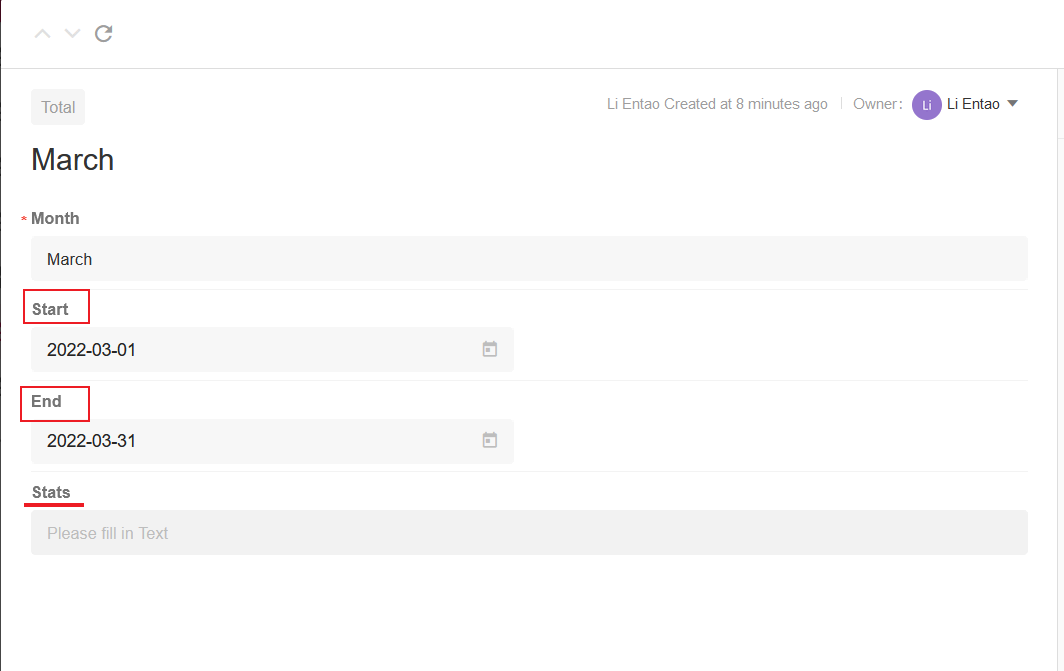
A Statistics worksheet contains records with a start date, an end date, and a field for the calculated total.
When a start date and end date are entered in a statistics record, the workflow retrieves all valid orders within that date range, calculates their total amount, and writes the result back to the statistics record.
Configure the Worksheets
Configure the Statistics Worksheet
Configure the Orders Worksheet
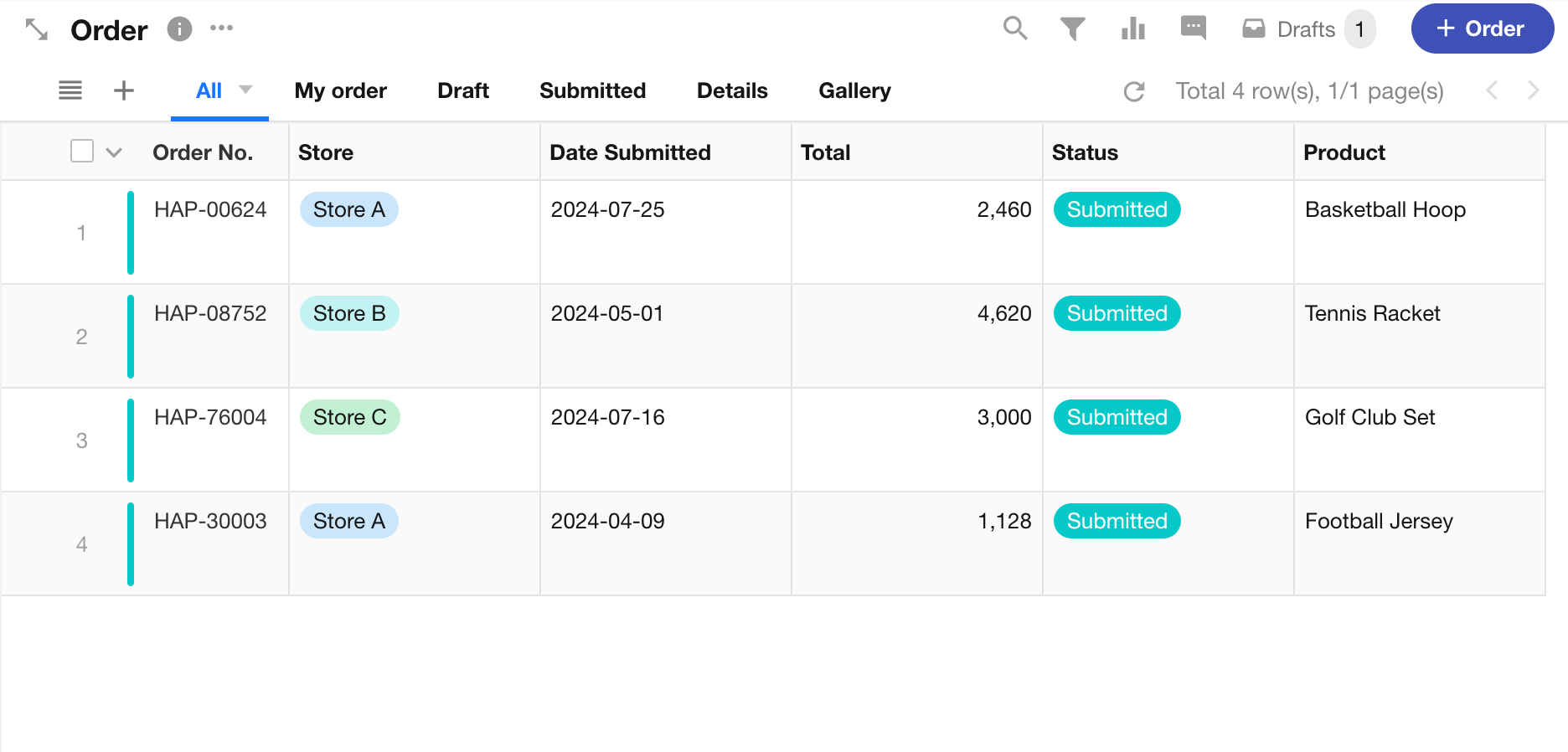
The goal is to enter a start date and end date in a statistics record, automatically calculate the total amount of valid orders within that period, and write the result to the Total field.
Configure the Parent Workflow
Create a workflow triggered by a custom action.
When the workflow is triggered, retrieve the matching records from the Orders worksheet and pass them to the subprocess.
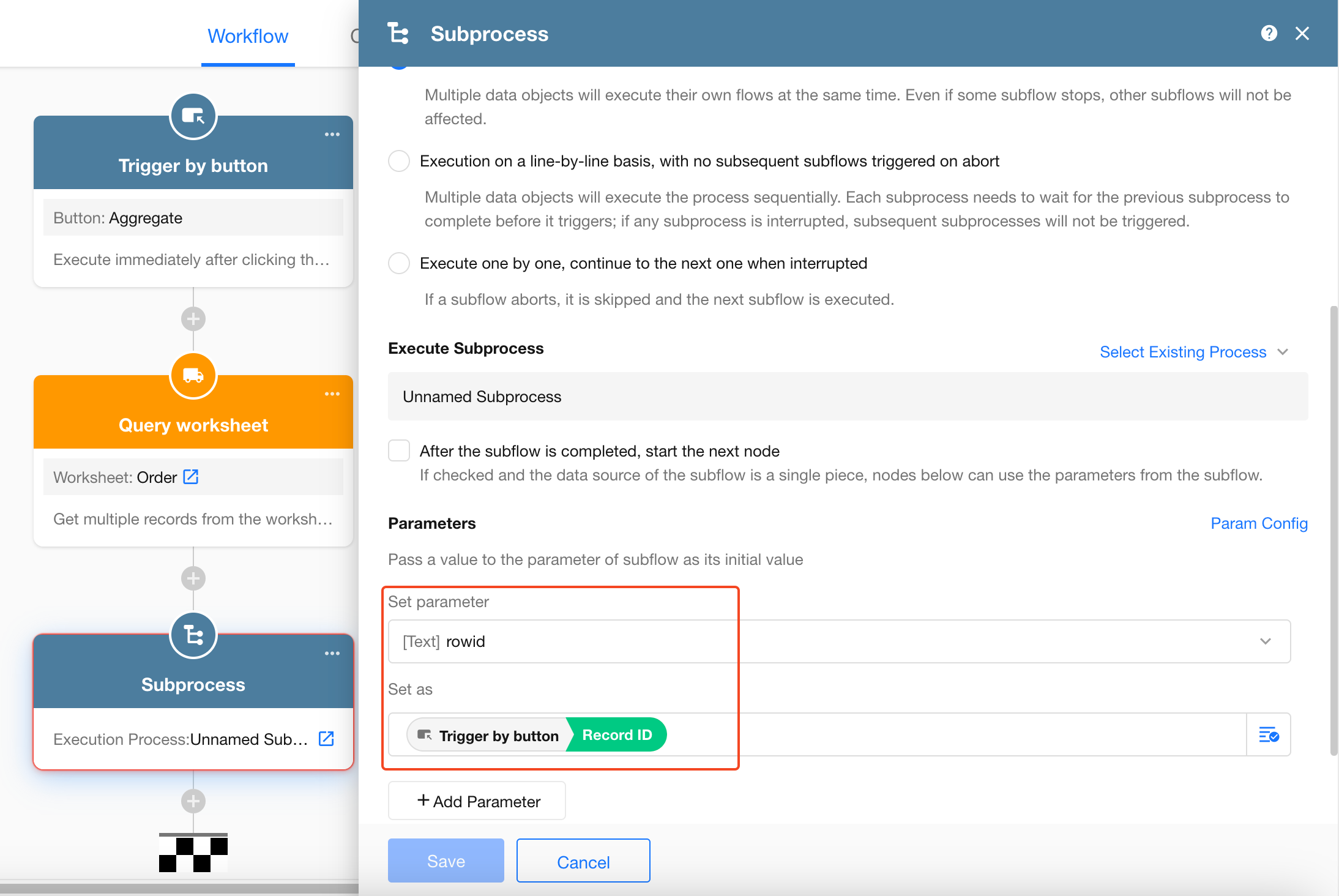
Before passing values to the subprocess, make sure the required parameters have been defined in the subprocess.
Configure the Subprocess
When the subprocess starts, it receives the parameter values passed from the parent workflow. Use a Get Single Data node to retrieve the corresponding statistics record.
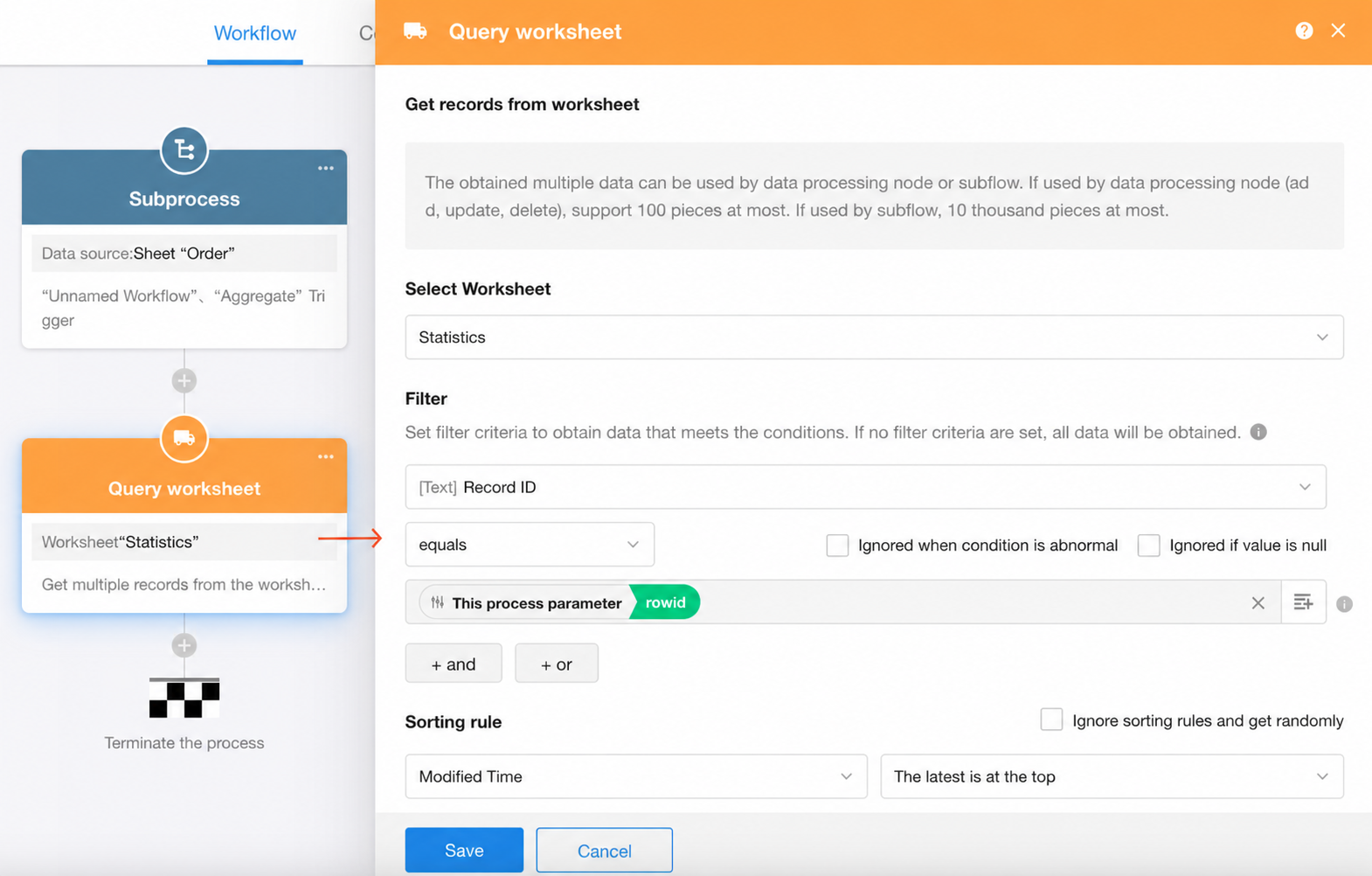
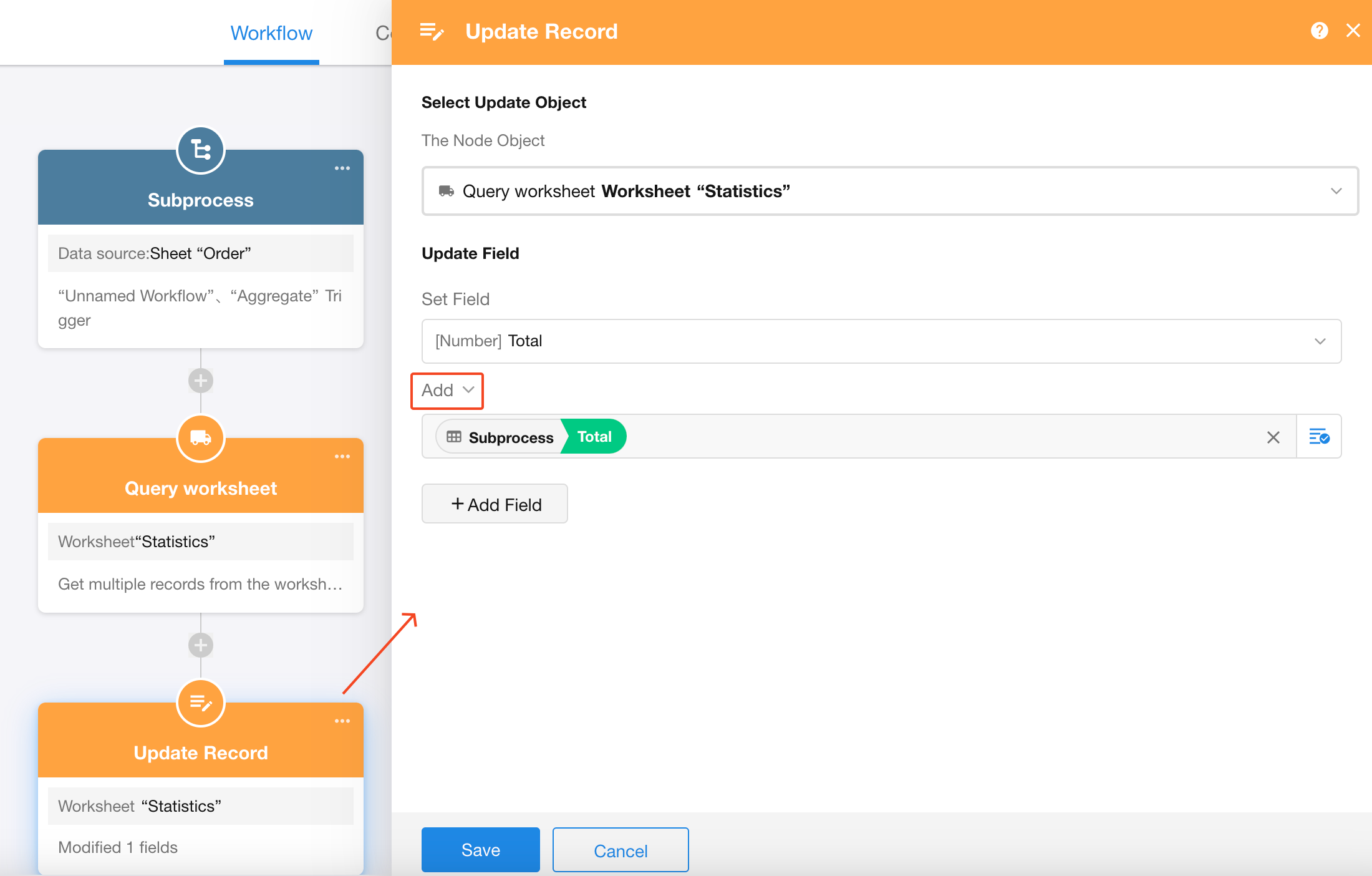
Finally, add the current order amount to the Total field in the statistics record.
Was this document helpful?