Node - AI Generate Text
The AI Generate Text node generates or transforms text based on prompts and workflow data. It can be used for tasks such as translating worksheet content, rewriting or improving text, and generating other text outputs.
This node consumes credits based on token usage. The corresponding credits are deducted from the organization each time the node runs.
Example: Translate a piece of text into Malay.
Add an AI Generate Text Node
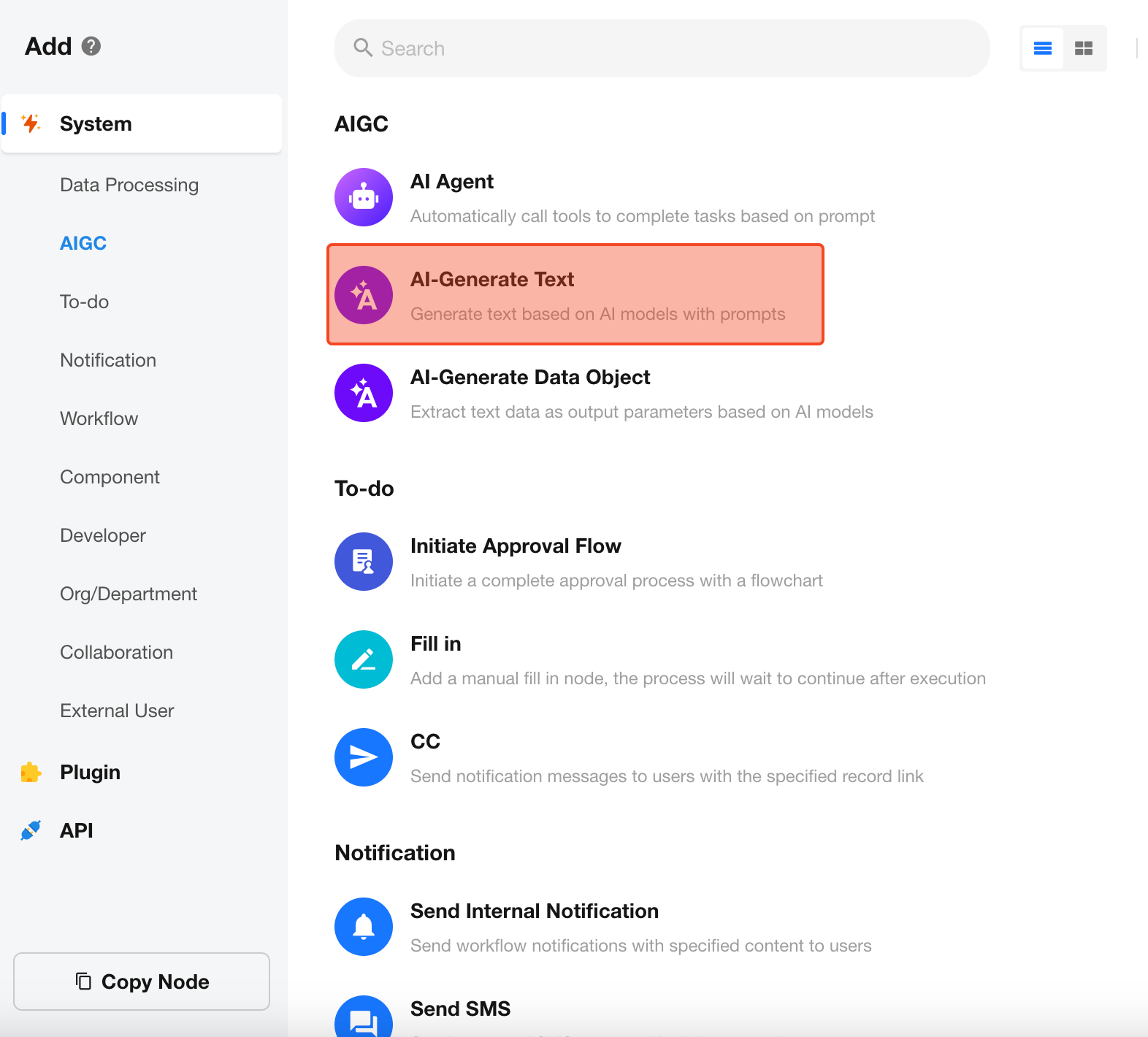
Configure the Node
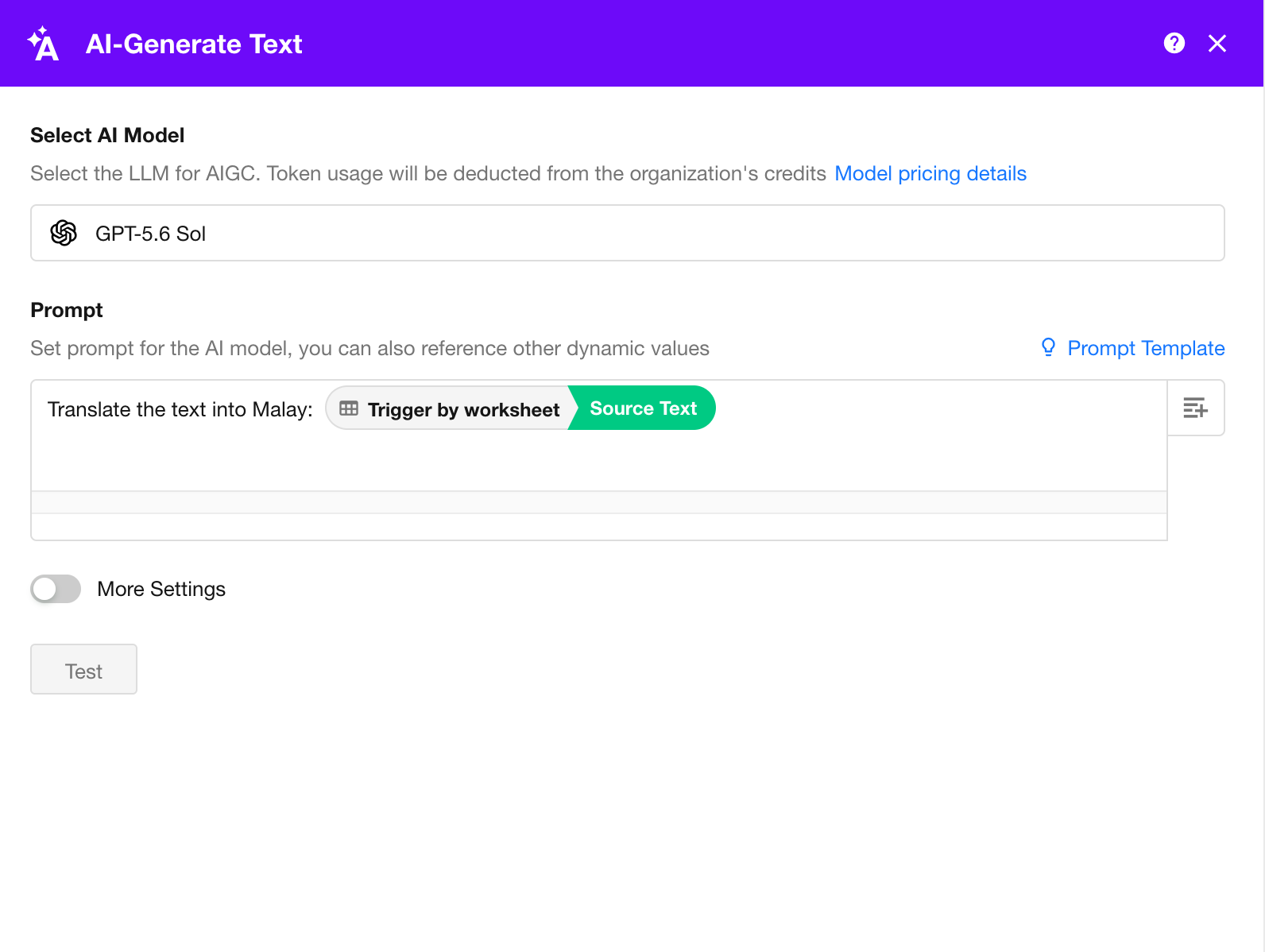
AI Model
Supported models include GPT-4o-mini, GPT-4o, QWen-Turbo, QWen-Plus, QWen-Max, DeepSeek-V3, and others.
Pricing varies by model. After a model is selected, its pricing is displayed in the node configuration. When the node runs, credits are deducted from the organization based on the number of tokens consumed.
Prompt
Enter a prompt based on the task you want the model to perform.
A prompt can include:
- Fixed text
- Dynamic values from workflow nodes
- A combination of both
In this example, enter a fixed instruction and insert the Source Text field from the record.
You can also select a prompt template from the panel on the right and customize it for your use case.
Test
Click Test to run the node with sample input. The generated output and estimated cost are displayed below.
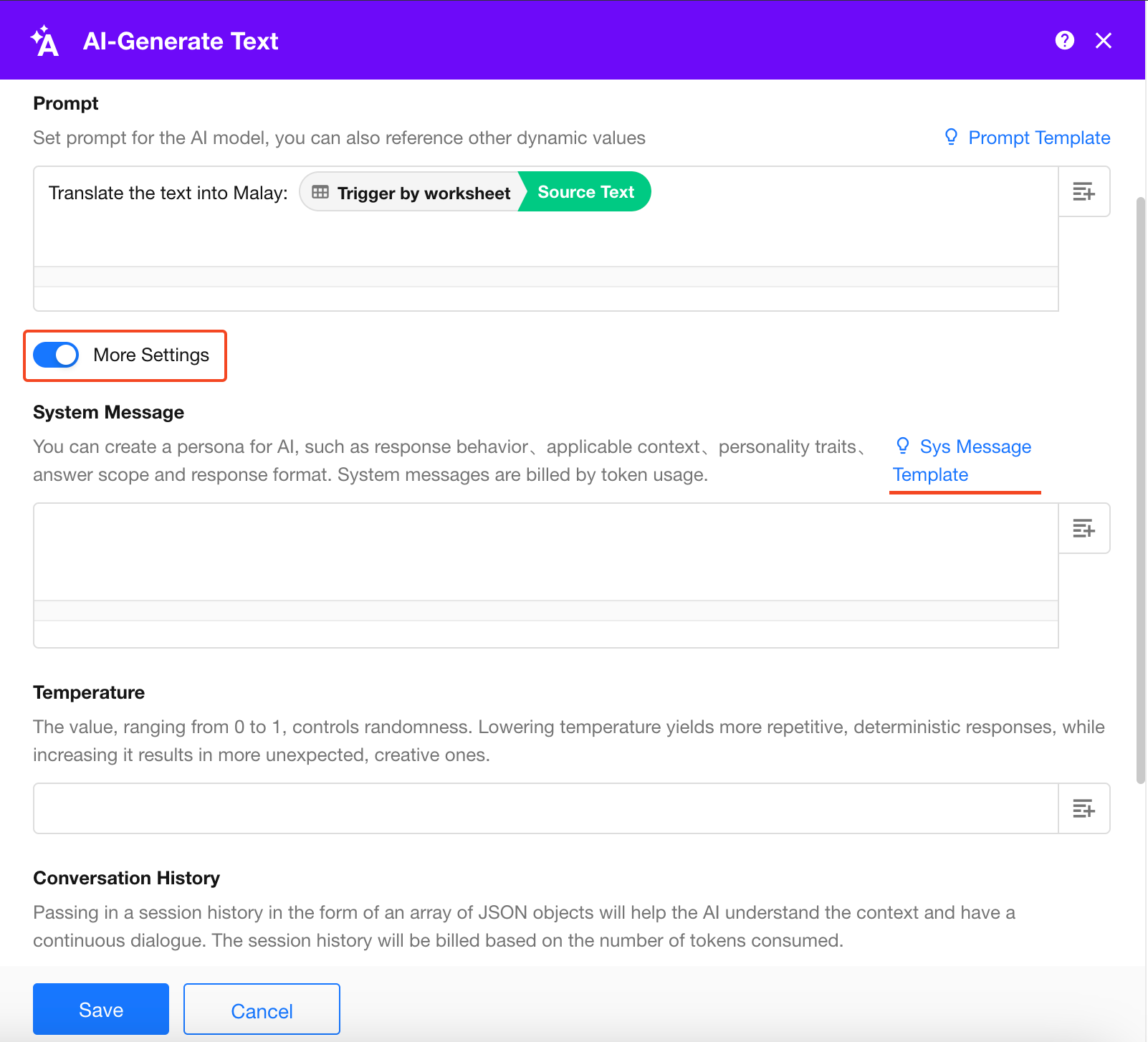
More Settings
Under More Settings, you can further configure the generated output using options such as System Message and Temperature.
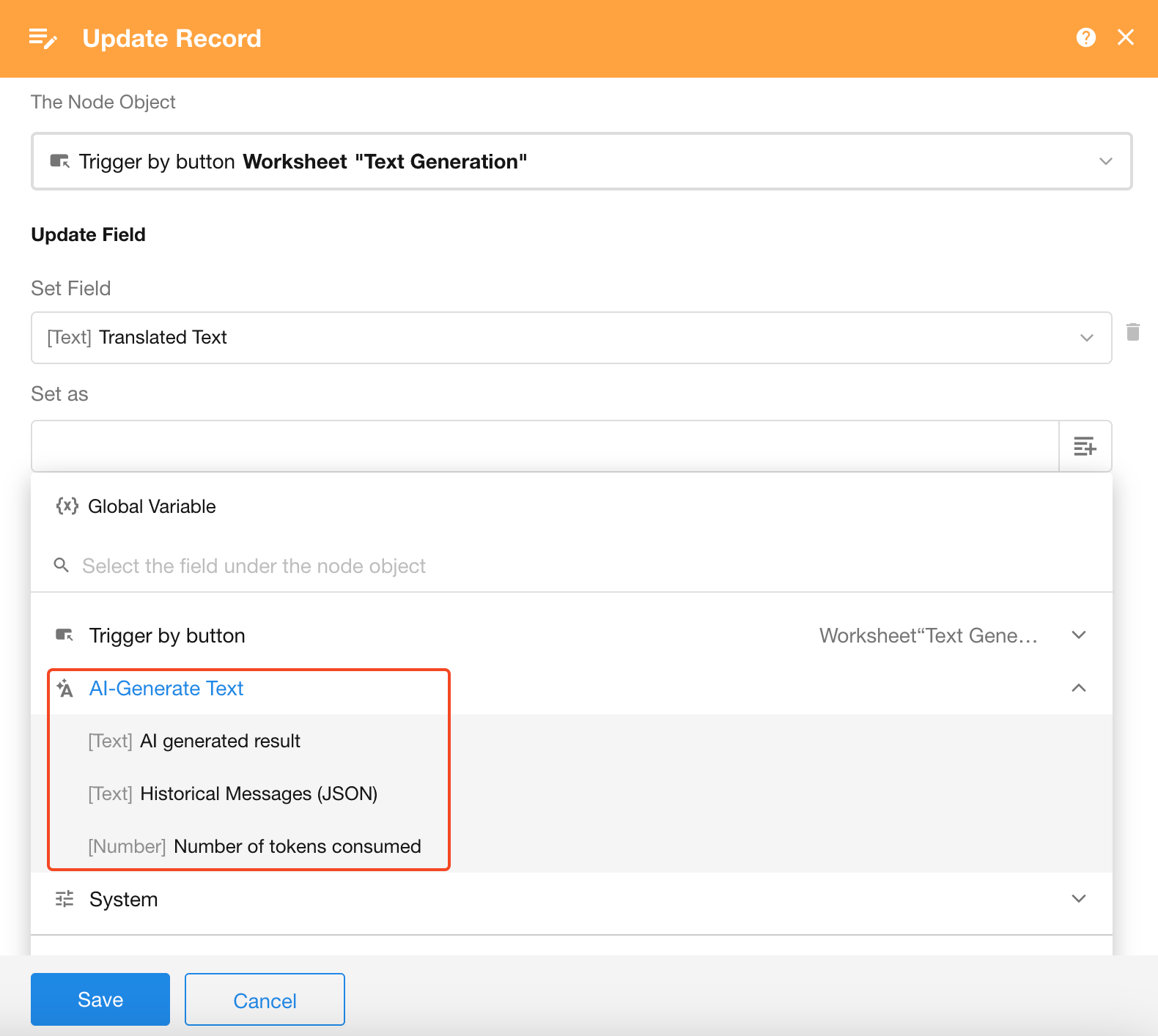
Use the Generated Output
After the node runs, the following outputs can be referenced by subsequent workflow nodes:
- AI-Generated Result
- Historical Message (JSON)
- Tokens Consumed
Was this document helpful?