Node — Send API Request
Node function: This node allows users to retrieve data from external systems via APIs or push data to a specified endpoint.
Examples
- When a purchase request record is approved, push the record data to another system.
- Periodically retrieve order data from an order management system and add it to a worksheet.
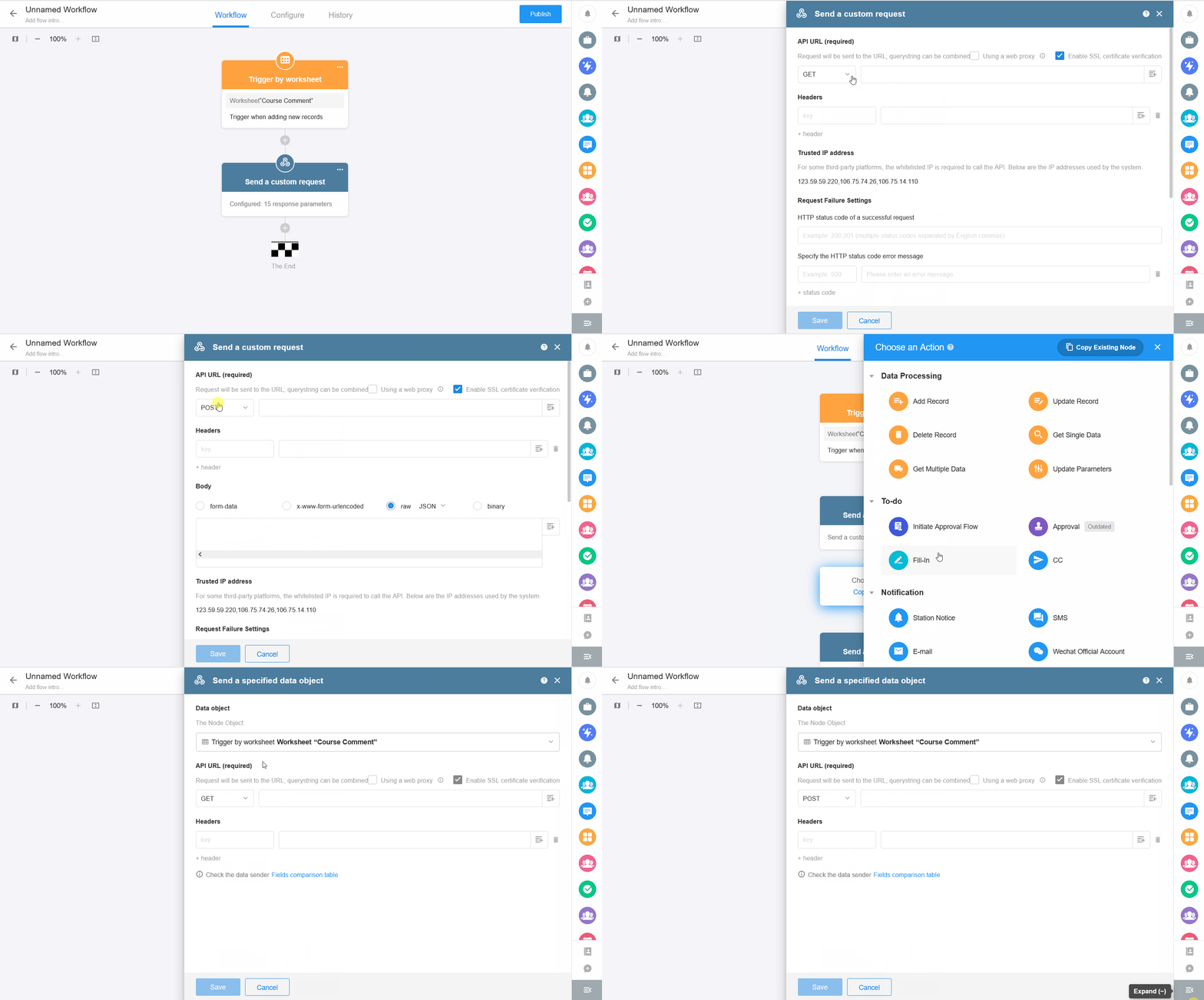
Two data processing modes are supported: Push Data and Fetch Data
-
Send Custom Request:
Send requests to third-party systems to retrieve or push data. Supports GET, POST, PUT, DELETE, HEAD, PATCH methods. -
Send Specified Data Object:
Push worksheet record data directly to a third-party system.
I. Send Custom Request
1.1 GET
Example:
When collecting course feedback publicly, retrieve the user's IP address and use an API service to determine its location, then write the result into a field.

API documentation used: https://www.juhe.cn/docs/api/id/1
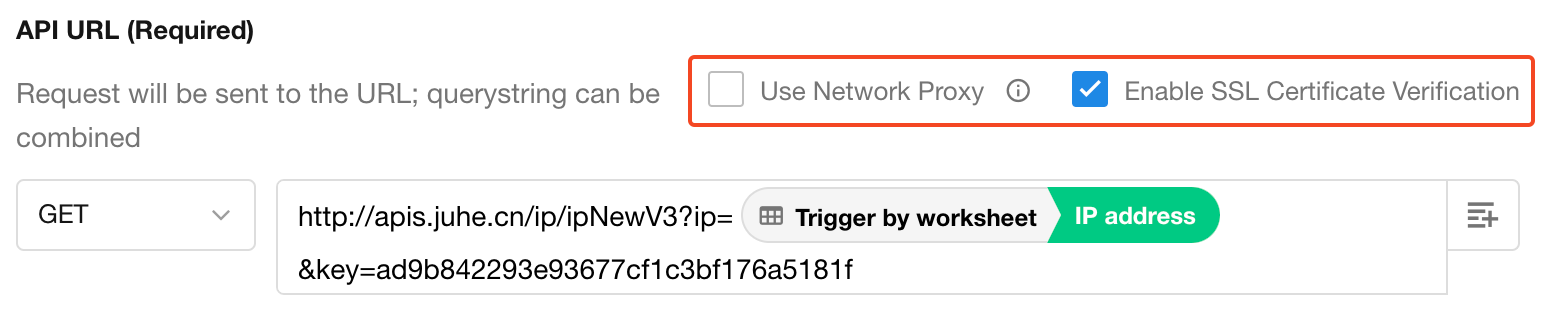
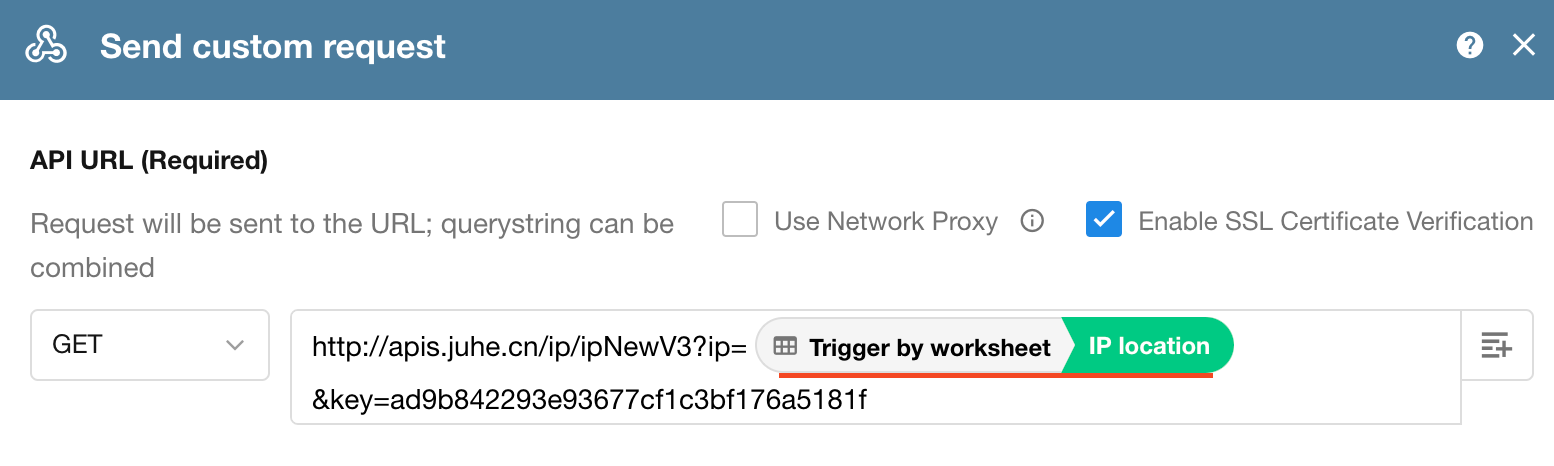
API URL
Paste the API endpoint here. Supports both static and dynamic parameter concatenation.

If a proxy or SSL verification is required, enable the corresponding options.
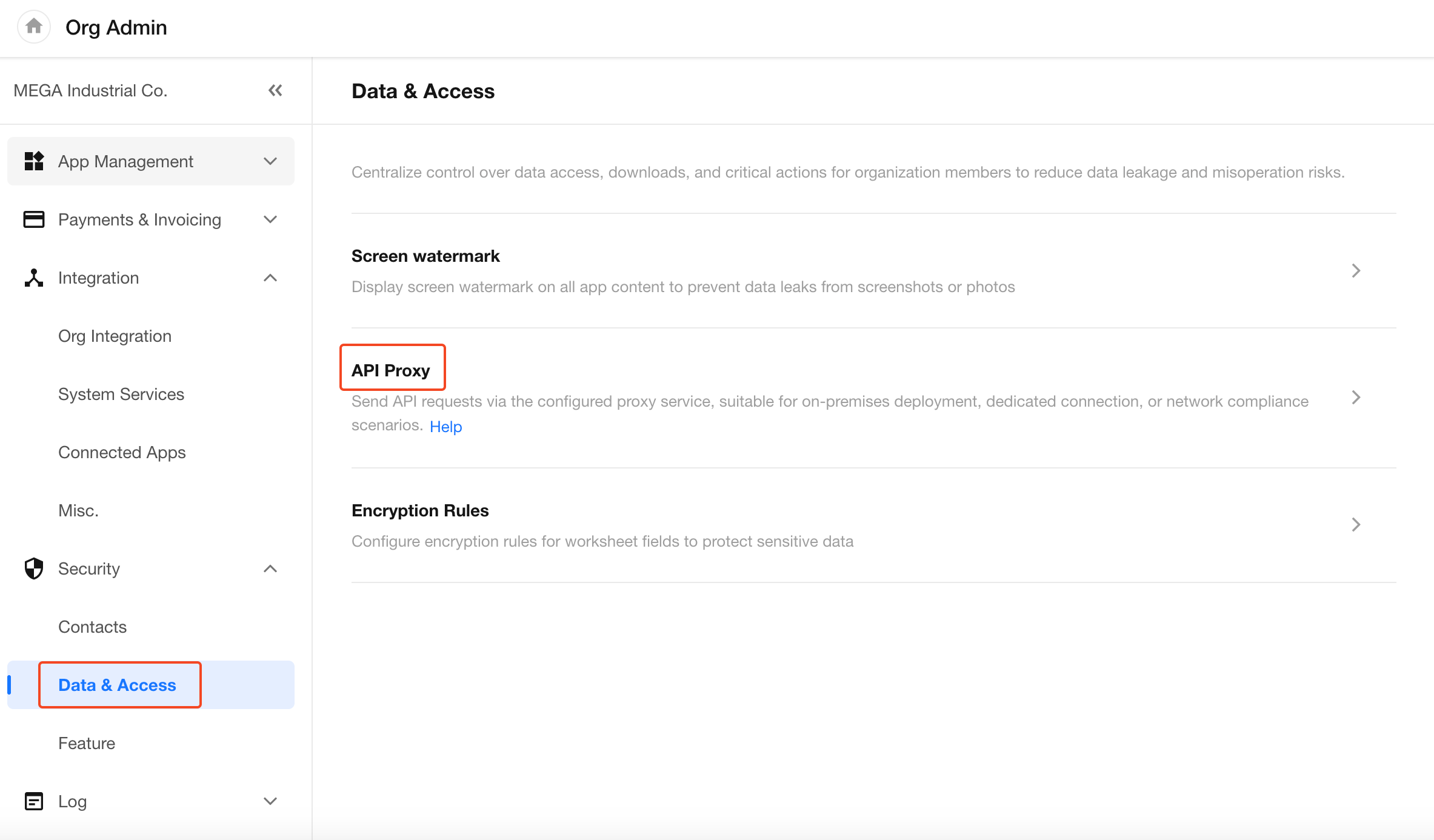
Proxy settings must be configured by an organization admin in: Integration > Security > Data & Access in the Organization Admin Console.
Header Configuration
Some systems require authentication or parameters to be passed in the URL, while others require them in the Header.
Example API:

Configuration:
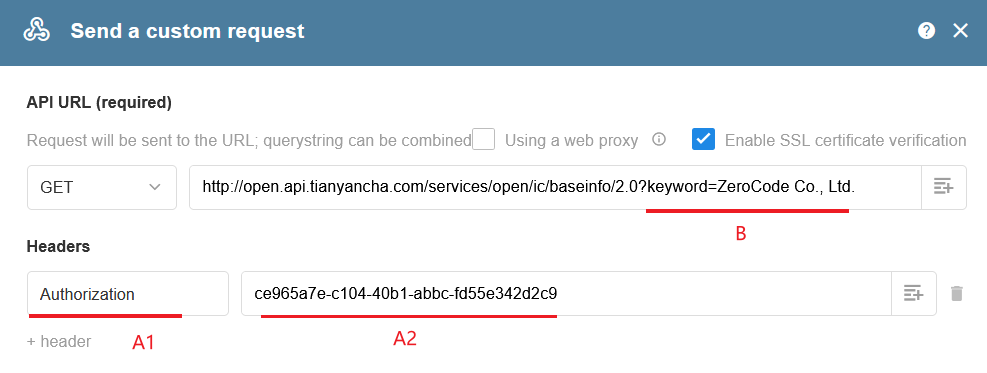
For example, a token is typically passed in the header using:
Authorization: your_token
Trusted IP Addresses
Some third-party platforms require whitelisting trusted IPs.
HAP workflow requests use the following IPs (randomly selected per request):
- 123.59.59.220
- 106.75.14.110

Request Failure Settings
You can define success status codes and error messages.

- Multiple success status codes should be separated by commas
- Error codes and messages are configured separately
Error details appear in the workflow execution history.
Test API
After configuring the request, click Test API to verify.
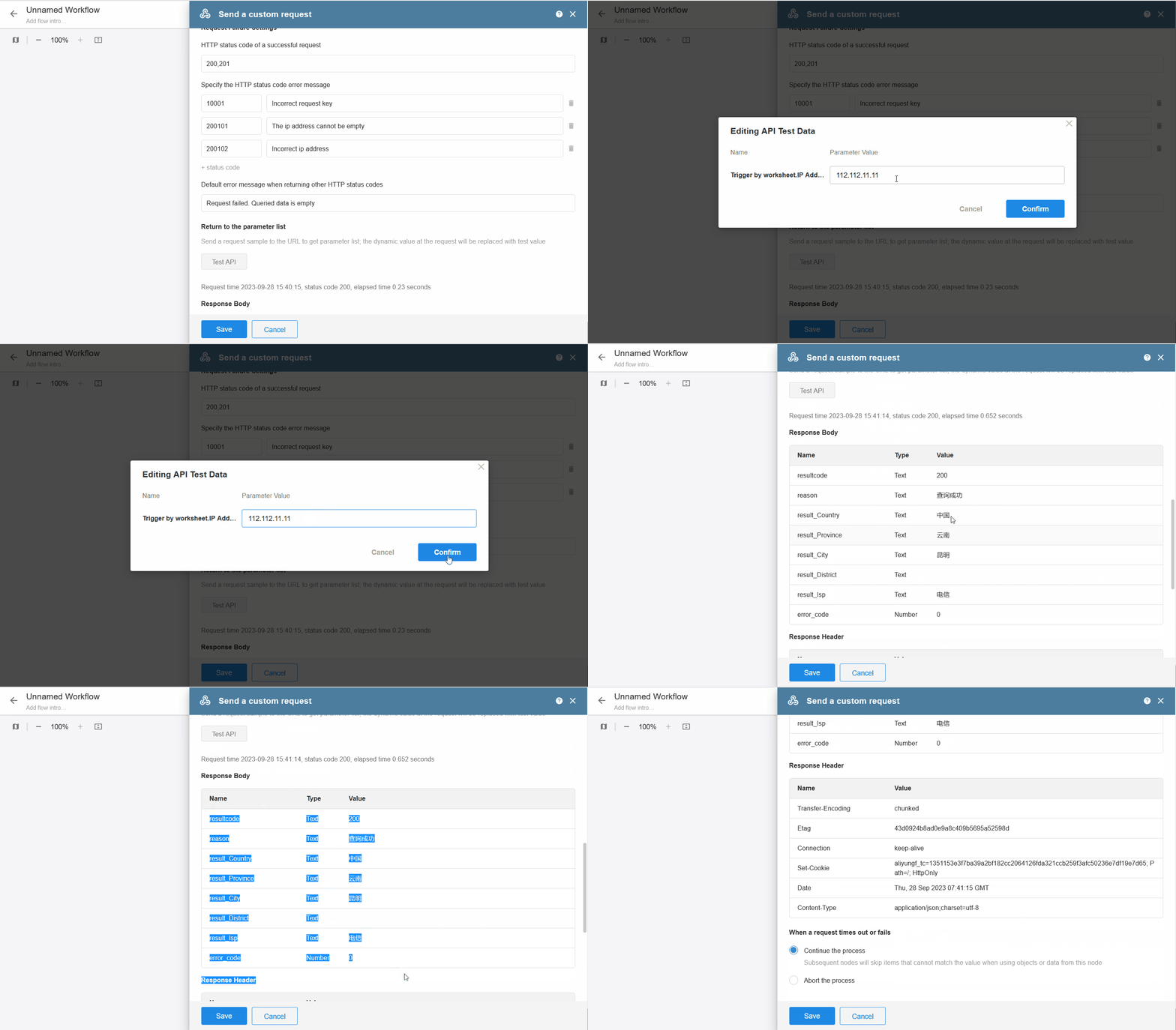
If the request includes dynamic parameters, you will be prompted to provide test values on the first test run. These values will replace dynamic parameters during testing.
All fields are optional—empty values will be sent as-is. The last entered values will be retained for subsequent tests.
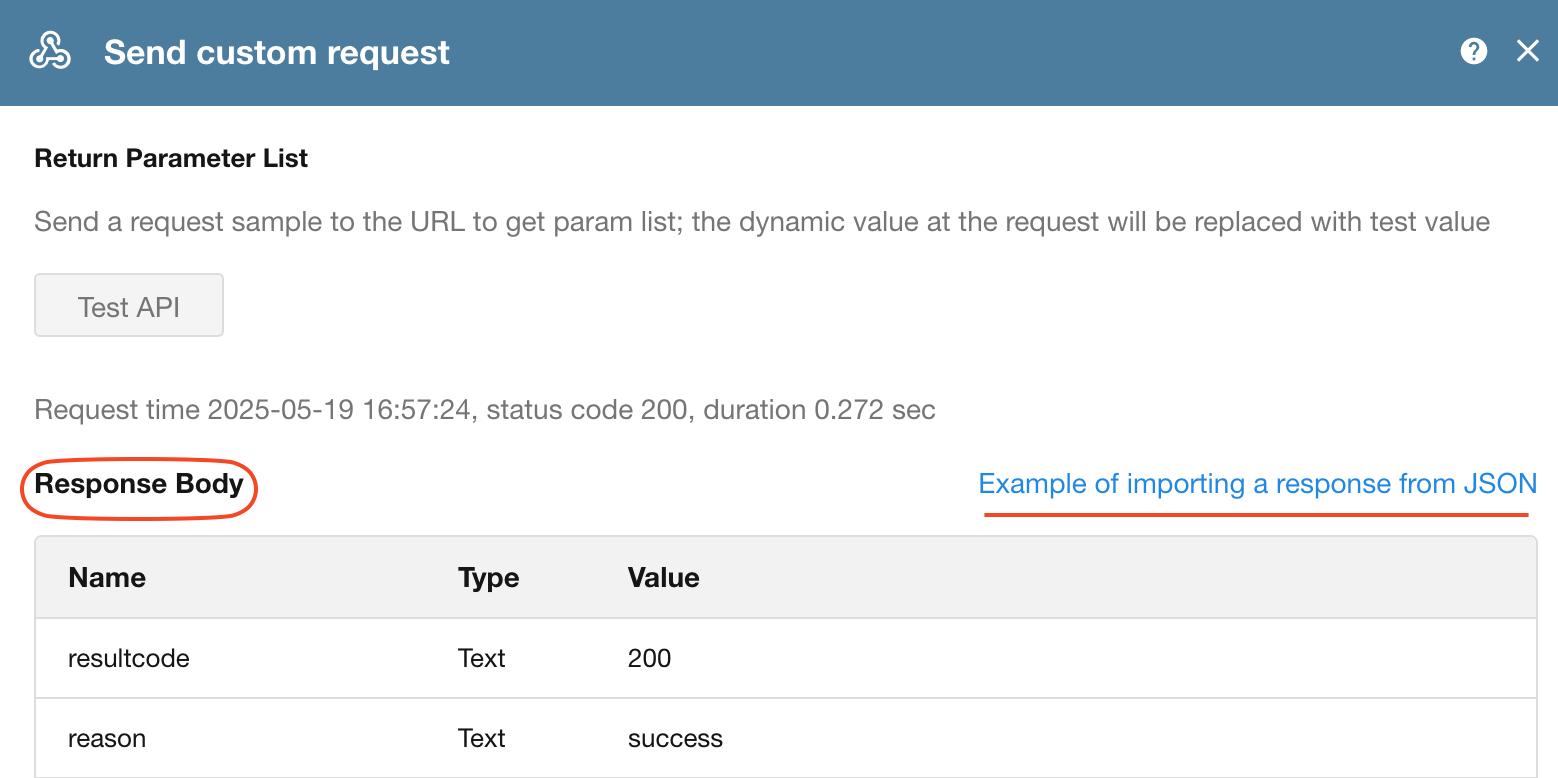
After clicking Test, you can generate the response body structure by selecting Import JSON response sample.
Request Timeout or Failure Handling
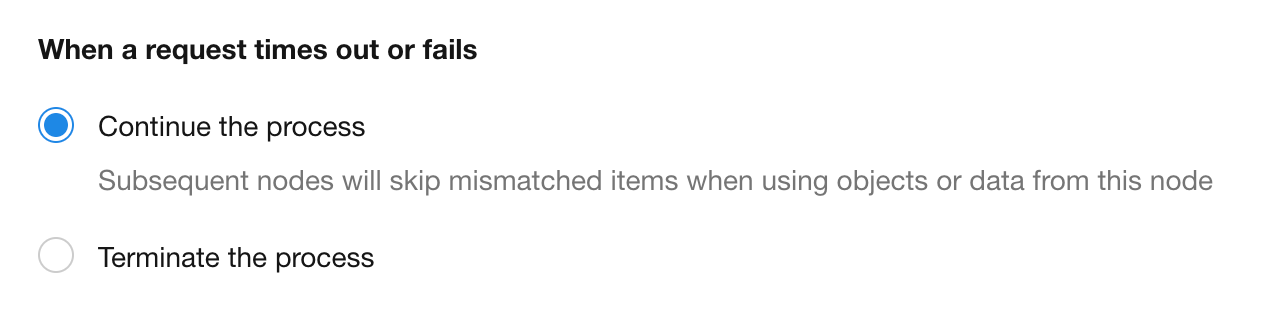
A request exceeding 10 seconds is considered a timeout. When a timeout or failure occurs, you can choose how subsequent nodes behave:
-
Continue Execution
Subsequent nodes will continue. If later nodes reference this node’s data, only the affected fields will be skipped (not the entire node).
For example, if an Update Record node updates 5 fields and only 1 depends on this node’s output, only that field is skipped while others proceed normally. -
Terminate Workflow
The workflow stops at this node, and no subsequent nodes are executed.
1.2 POST Method
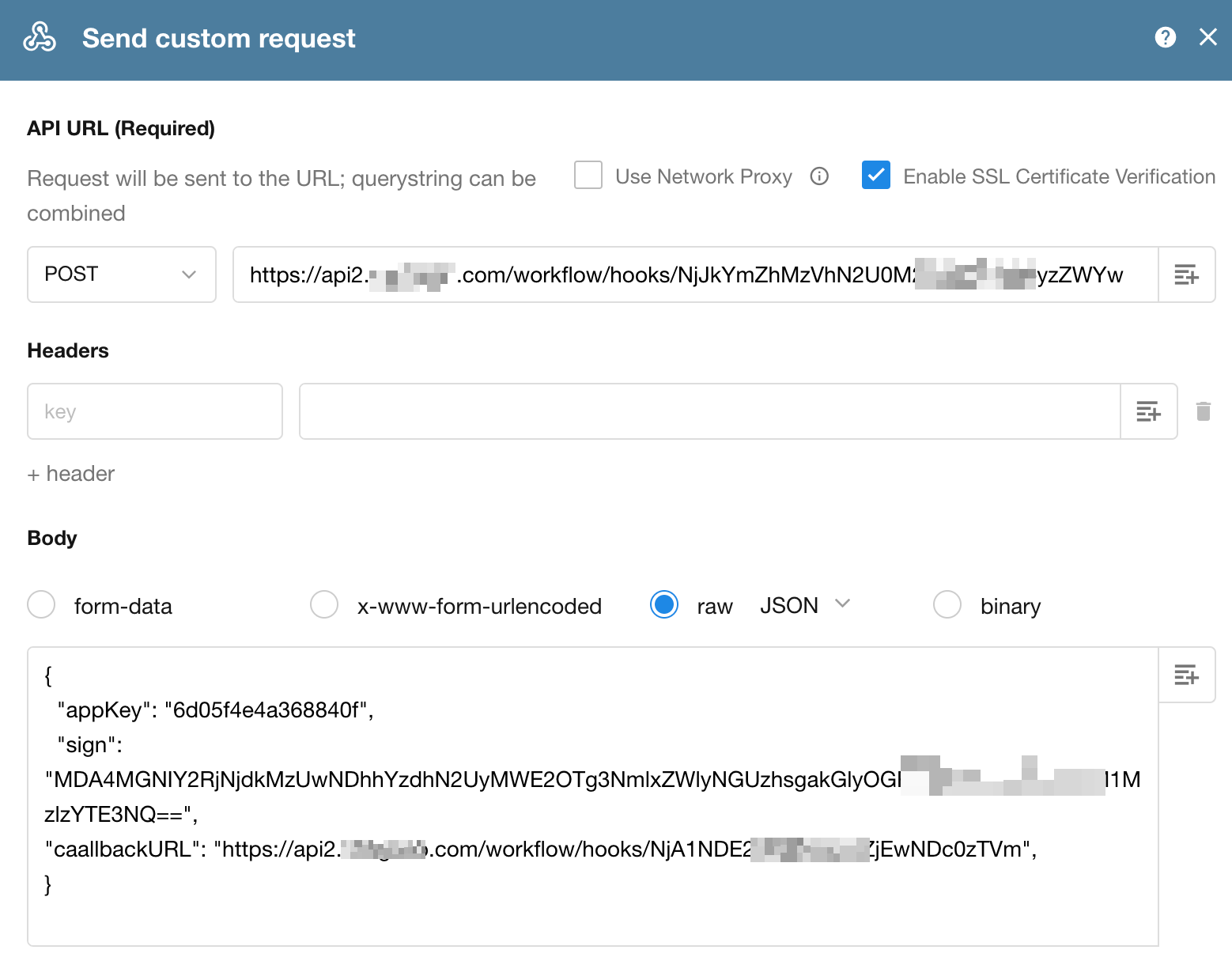
Body: Supports four formats: form-data, x-www-form-urlencoded, raw, and binary.
- When sending attachments using the binary format, the file is transmitted as binary data, and only one file can be selected.
For other request configuration details, refer to the GET method section above.
II. Send Specified Data Object
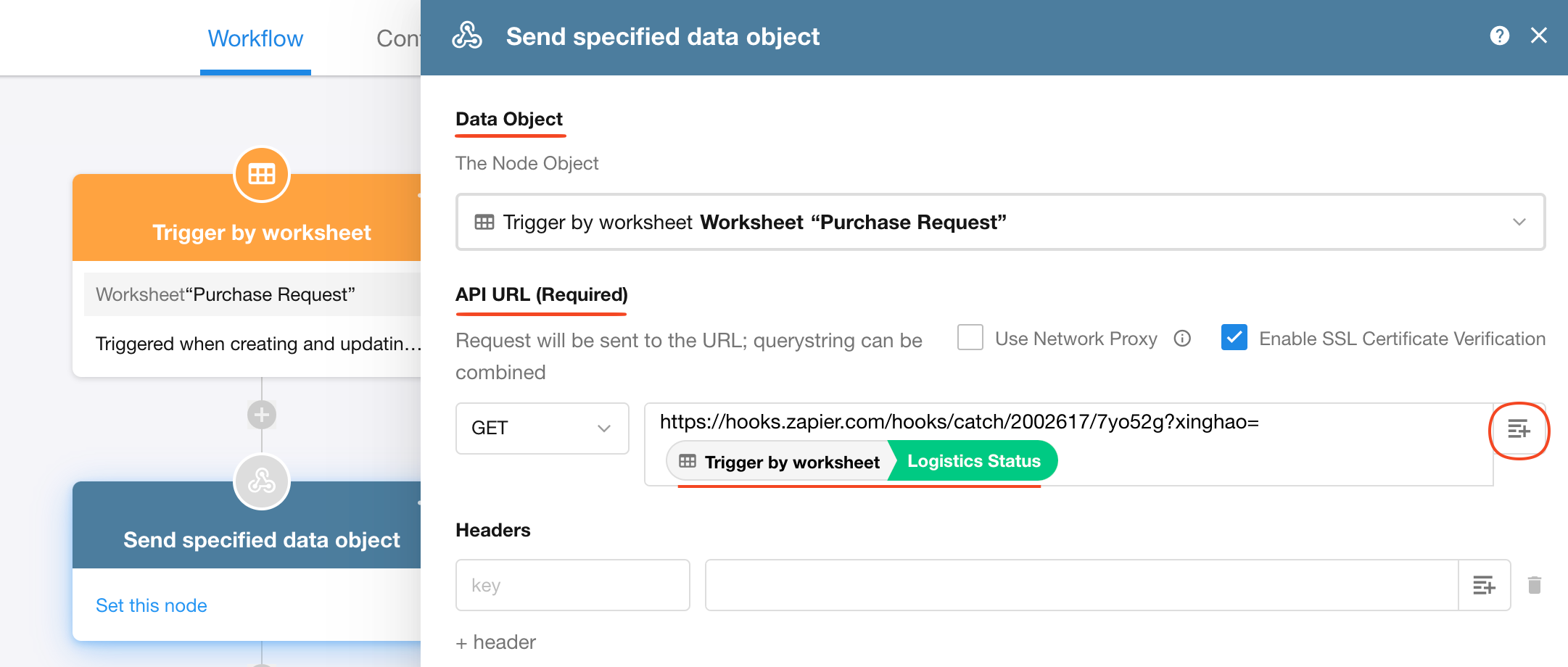
Data Object: Select the record to be pushed, i.e., which node’s record in the workflow will be sent to the external system.
API URL: Supports static or dynamic parameter concatenation, depending on the requirements of the target system.
III. Using Returned Data from the Send API Request Node
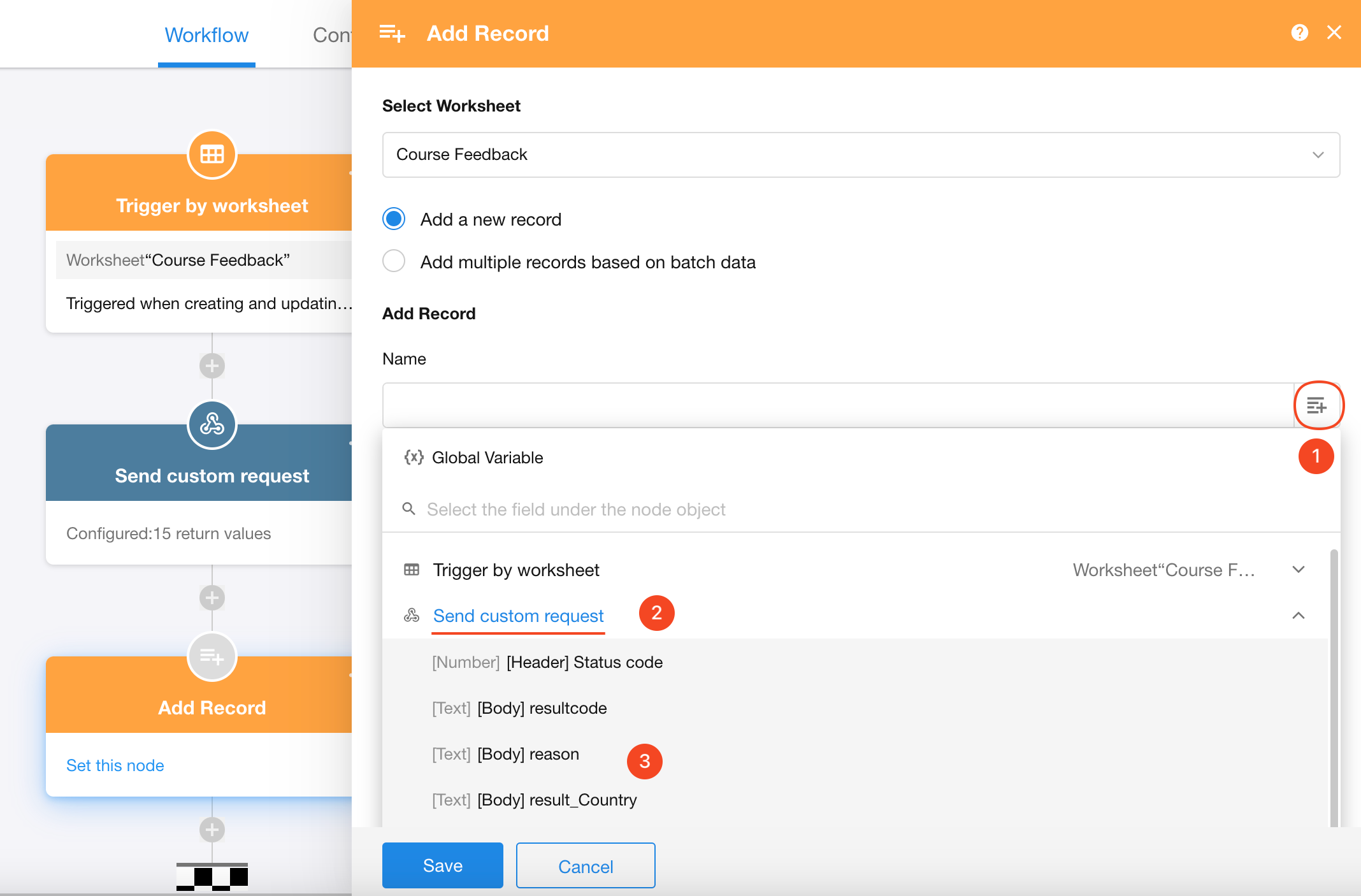
After retrieving data via a custom API request, subsequent nodes can reference the returned data.
3.1 When the response contains single data
The returned data can be directly used in nodes such as Add Record or Update Record.
For example, in an Add Record node, the returned values can be mapped to fields in the newly created record.
3.2 When the response contains array data
If the API returns an array, you need to add a Get Multiple Data node (retrieve from object array) after the API node. This converts the array into workflow-compatible multi-row data for further processing.
Notes:
-
Data will be POSTed to the configured URL. The endpoint must return an HTTP 200 status within 10 seconds to indicate successful receipt.
-
If no HTTP 200 response is received, HAP will retry sending the data to the callback URL.
-
The system will retry up to 10 times. If all attempts fail, the push will be abandoned.
Check out the API Documentation for more API use cases.
Was this document helpful?