Node - Call PBP
Overview
The Call PBP node calls a packaged business process (PBP) within the organization. Depending on the data being processed, the PBP can run once or multiple times.
If you are not familiar with packaged business processes (PBPs), see Packaged Business Process.
Configure the Node
Add a Call PBP Node
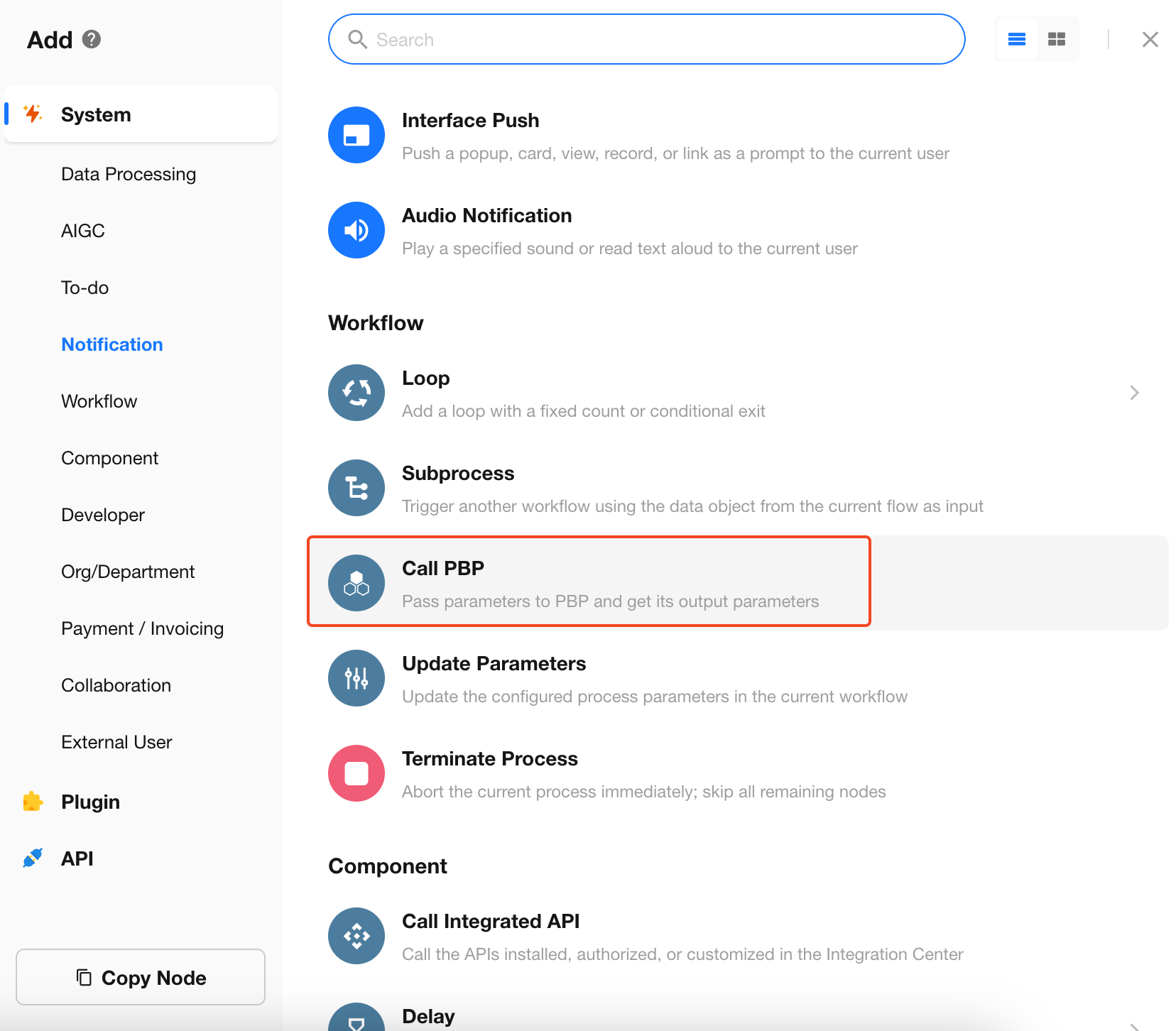
Add a Call PBP node to the workflow.
Select a Packaged Business Process
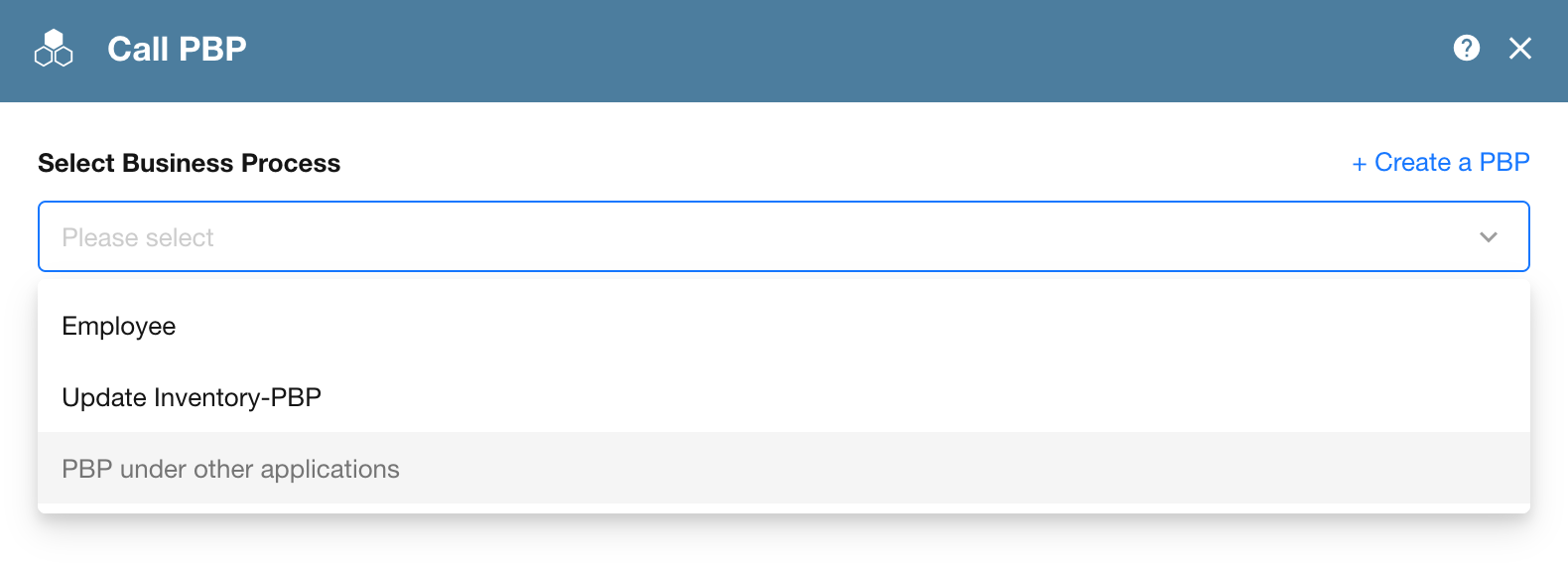
Select a PBP from the current app.
To call a PBP from another app in the organization, click PBP under Other Applications and select the process.
Configure Execution Method
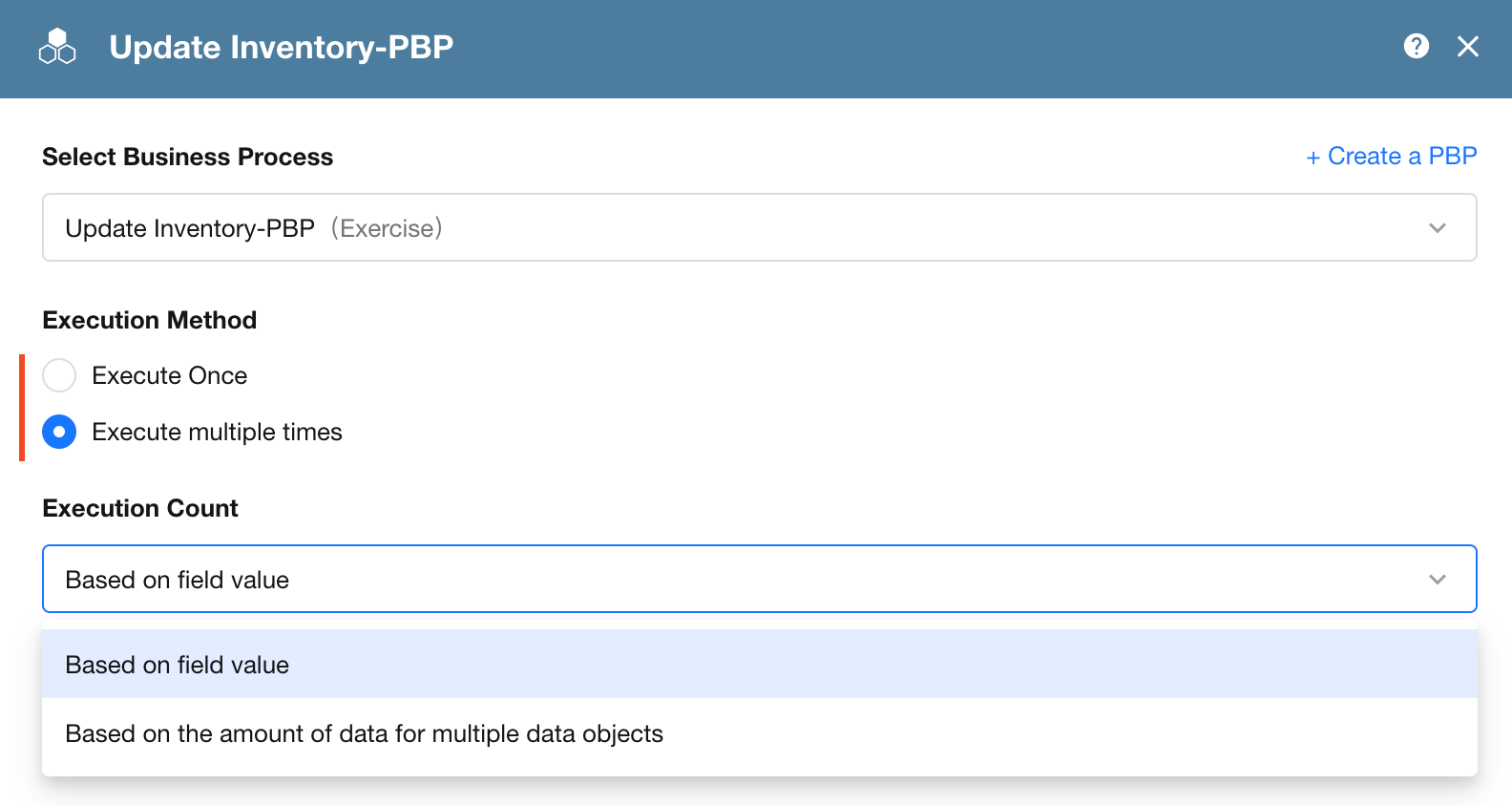
Choose whether to run the PBP once or multiple times based on the data being processed.
Execute Once
Use Execute Once when the PBP needs to process a single set of input data.
Example: A workflow is triggered when a new lead is created and calls a PBP to look up the location associated with the lead's phone number. Because only one phone number needs to be processed, the PBP runs once.
A single PBP execution does not count toward the organization's workflow execution usage.
Execute Multiple Times
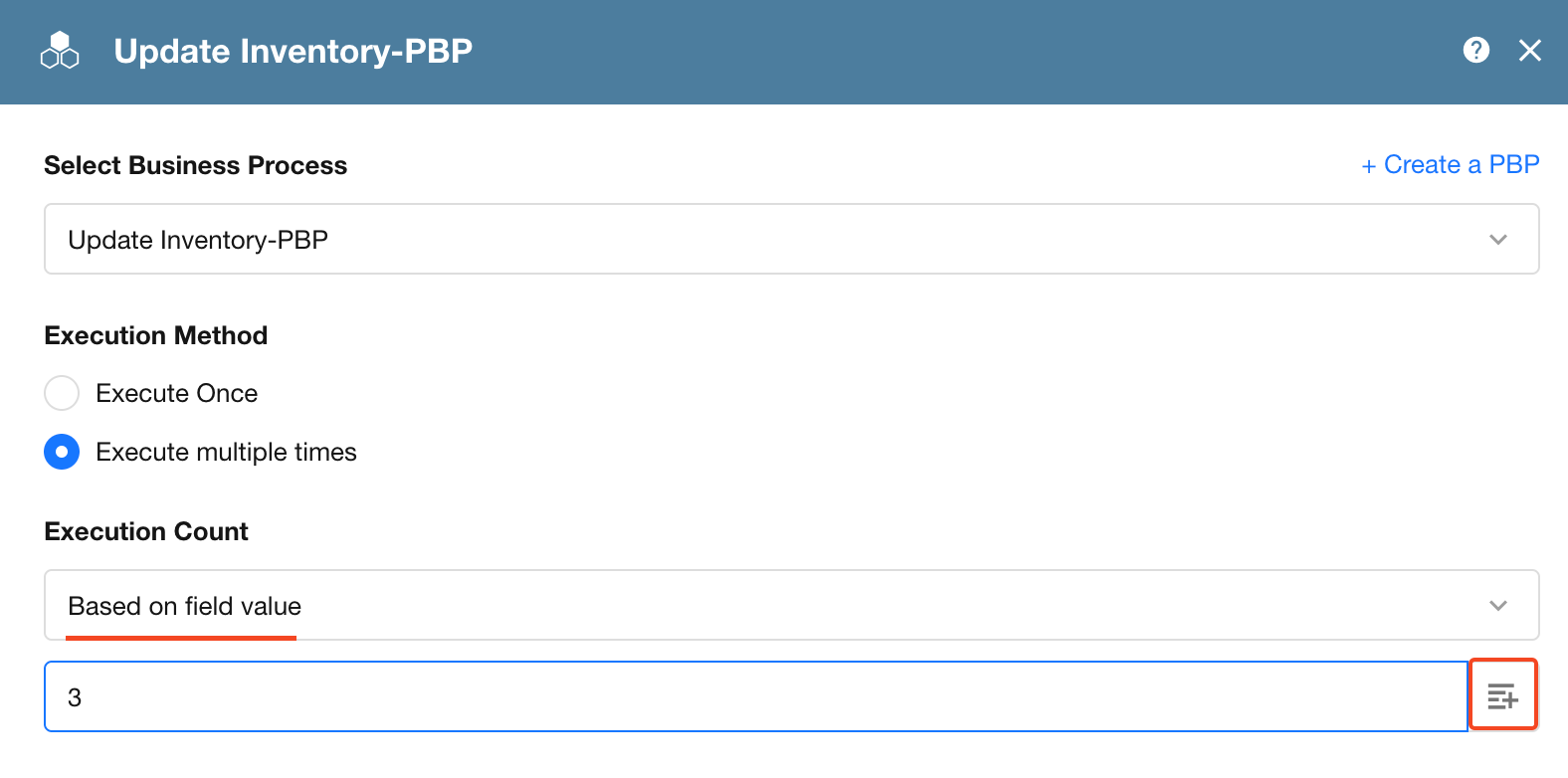
Use Execute Multiple Times when the PBP needs to process multiple records or run a specified number of times.
The number of executions can be determined by:
- The number of source data records
- A specified number, using either a fixed value or a value from a numeric field
Example 1: Process Multiple Records
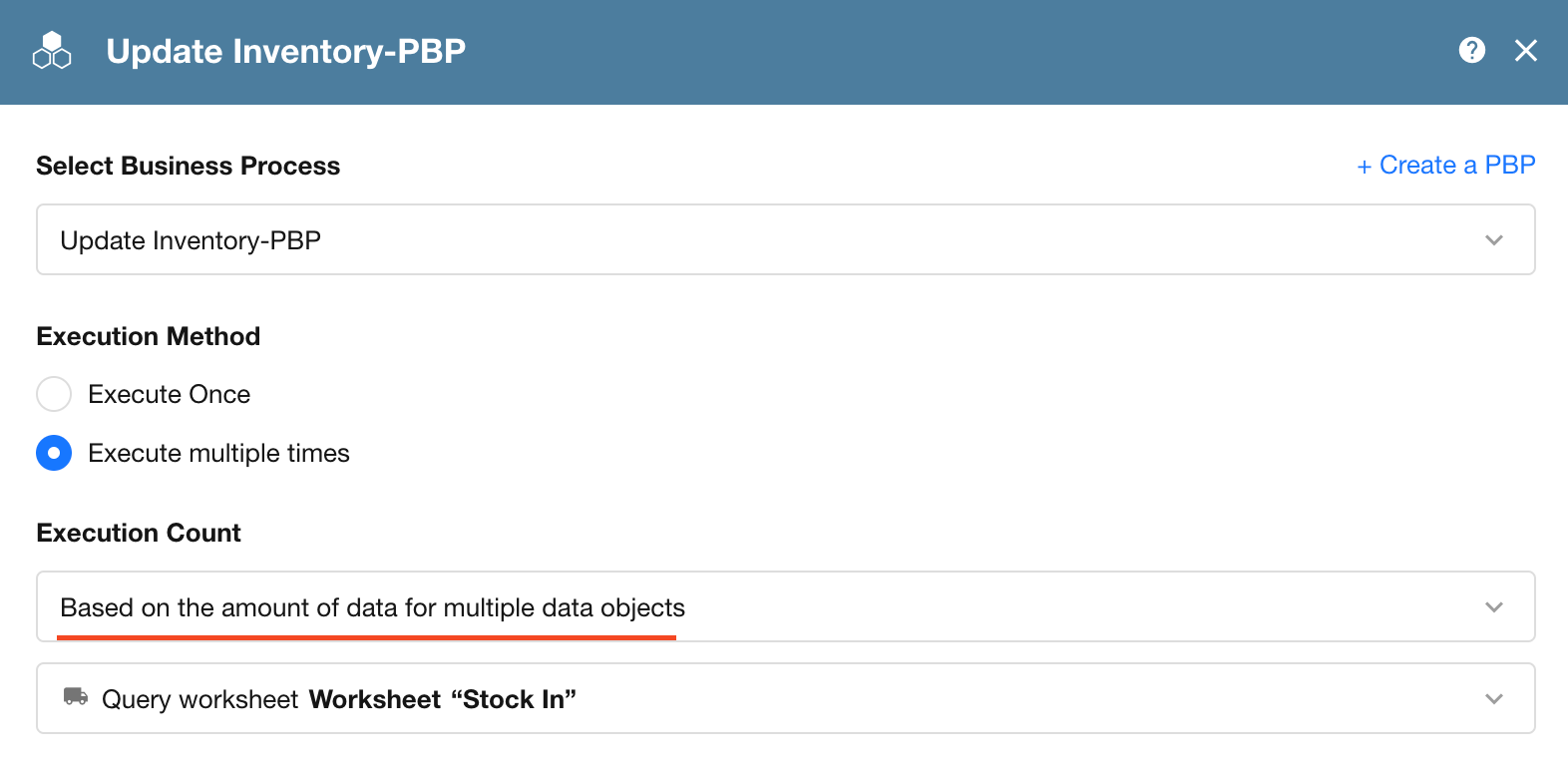
When a user clicks Stock In on an inbound order, the workflow retrieves its line items. Each line item represents a product whose inventory needs to be updated.
To call the Update Inventory PBP once for each line item, select Execute Multiple Times and set the number of executions based on the number of records in the data source.
Example 2: Run a PBP a Specified Number of Times
Suppose a PBP is configured to copy a record. To create multiple copies at once, run the PBP multiple times and specify how many copies to create.
The number of executions can be provided by a numeric field or entered as a fixed value.
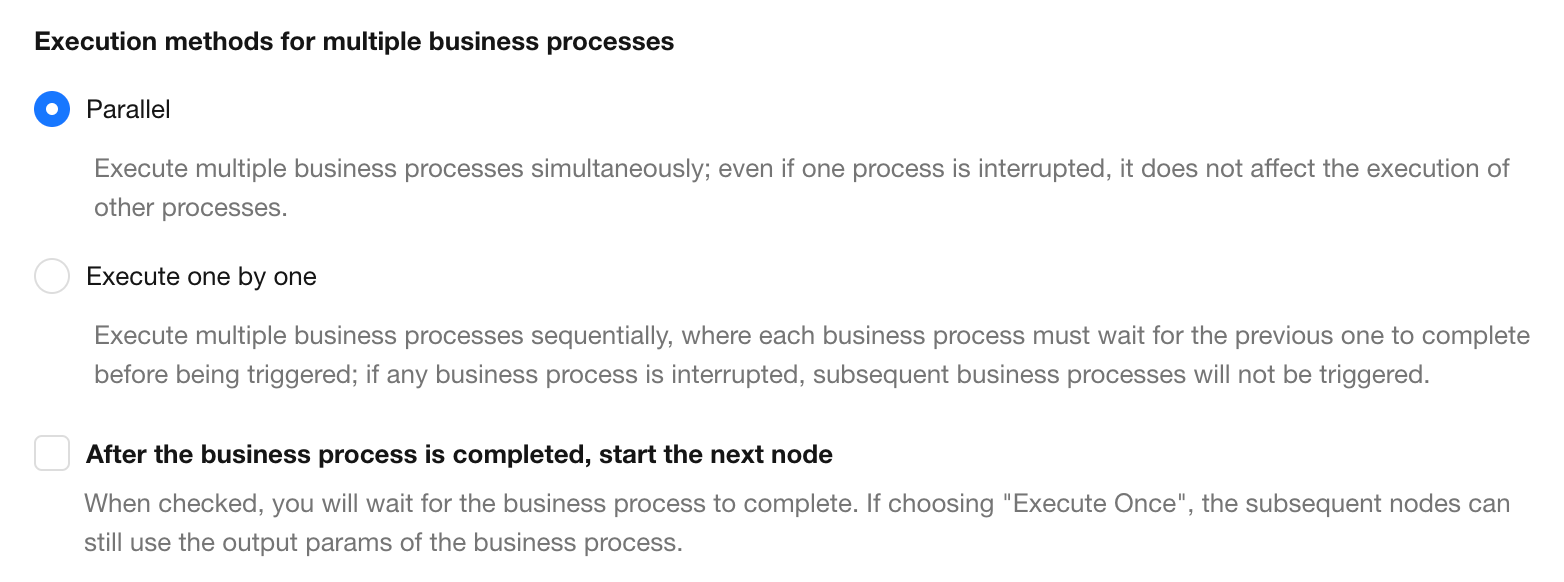
Execution Modes for Multiple Business Processes
-
Parallel: Runs multiple PBP executions concurrently. Use this mode when each execution processes independent data and does not depend on another execution.
-
Execute one by one: Runs PBP executions one at a time and in order. Each execution starts only after the previous one finishes. If an execution is terminated, the remaining executions are not run.
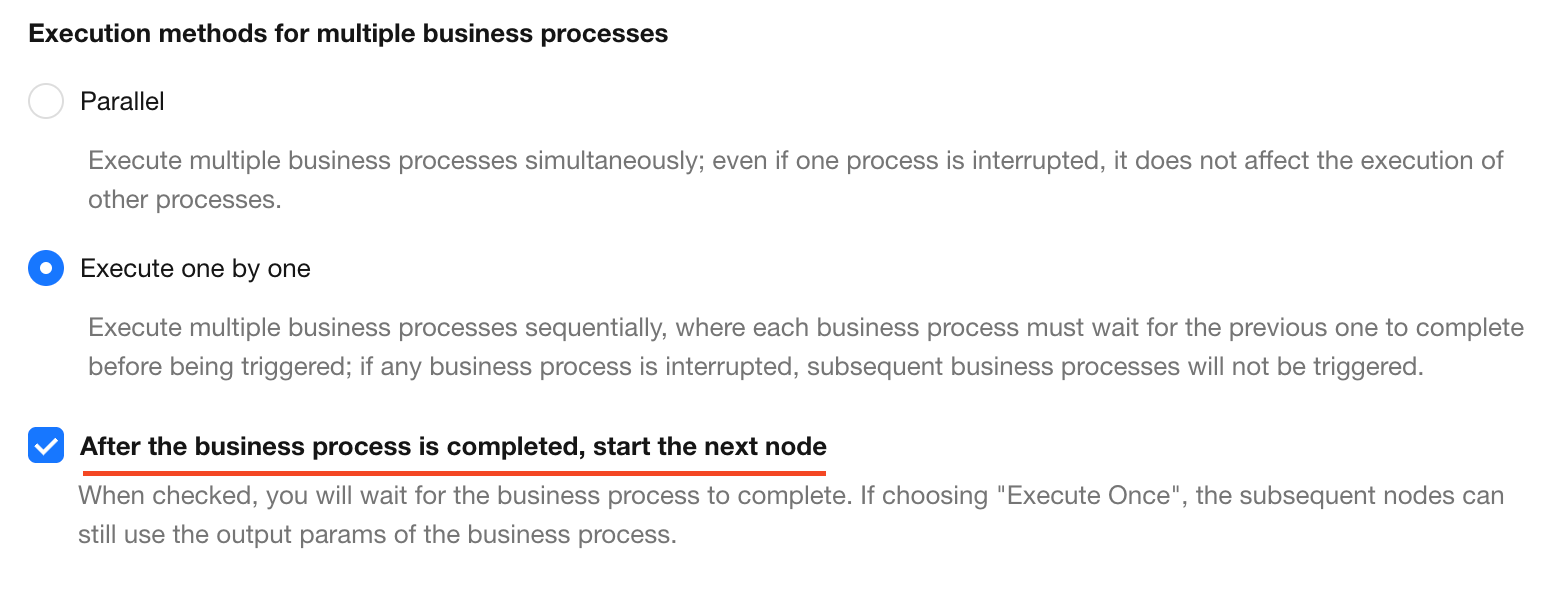
Wait for the PBP to Finish
If subsequent nodes need to reference output parameters from the PBP, configure the workflow to wait for the PBP to finish before continuing.
When this option is disabled, subsequent nodes cannot reference the PBP output parameters.
Pass Input Parameters
Configure the input parameters to pass to the PBP. Parameters marked with an asterisk (*) are required.
Each parameter can use a fixed value or a value from a previous workflow node.
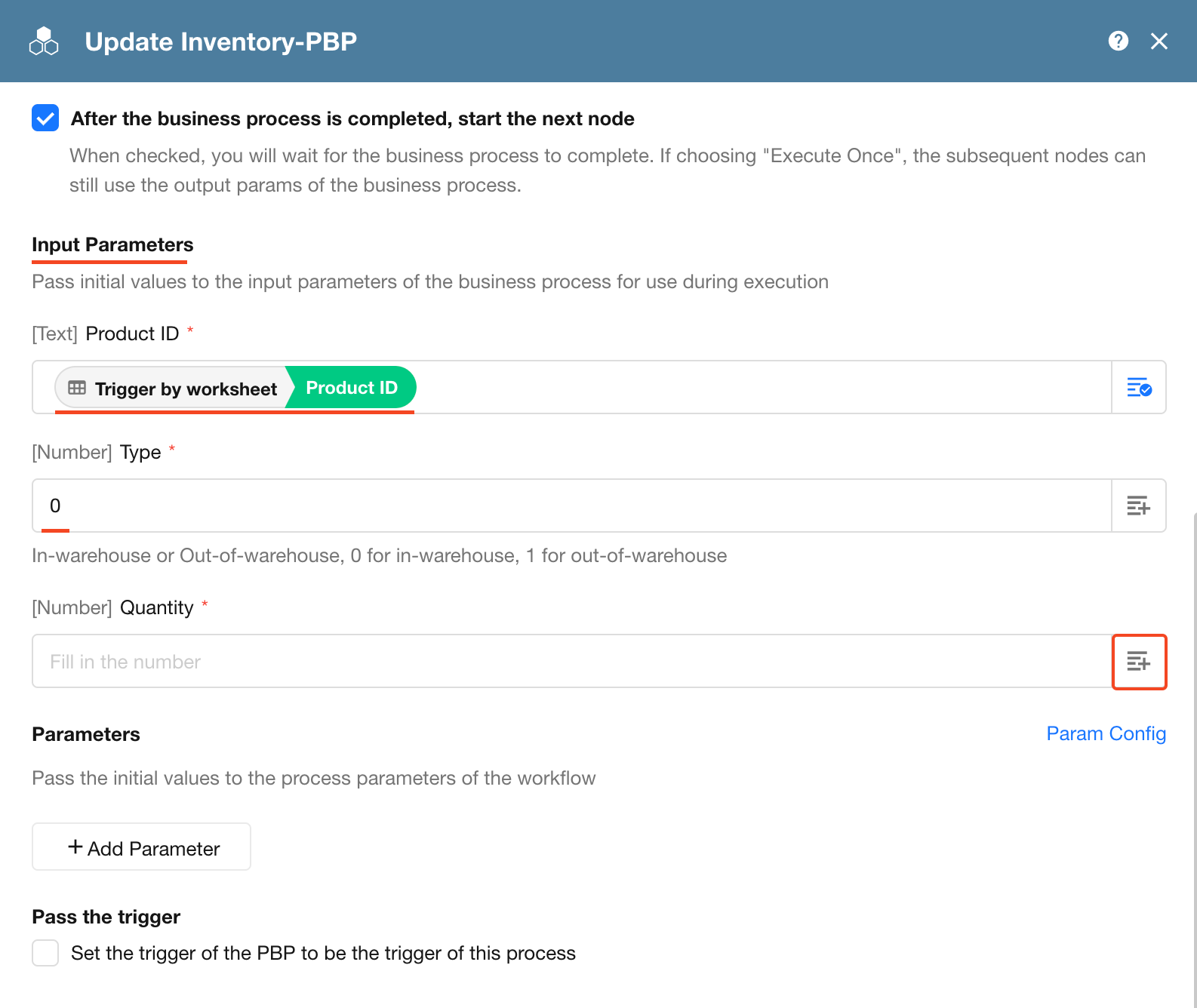
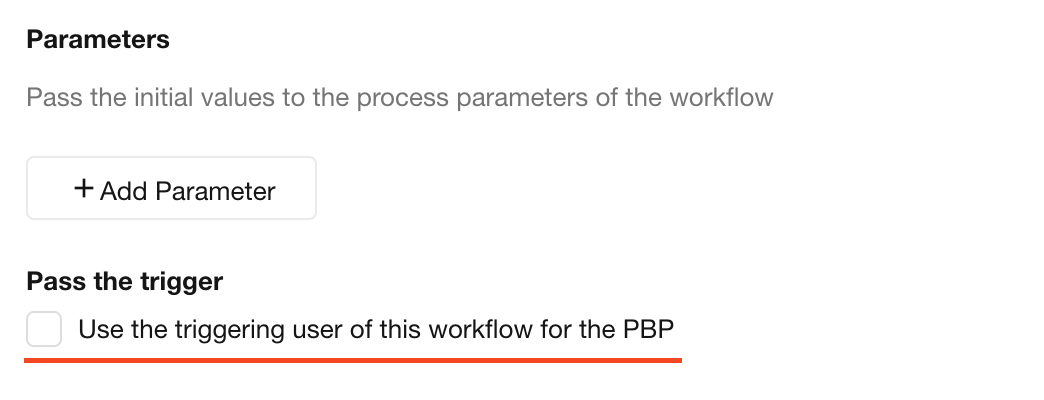
Pass the Triggering User
Set the trigger of the PBP to be the trigger of this process
Enable Use the triggering user of this workflow for the PBP to use the triggering user of the current workflow as the triggering user of the PBP.
If this option is disabled, the triggering user of the PBP is Workflow.
Save the Node
Save the node to complete the configuration.
For more examples, see Packaged Business Process.
Was this document helpful?