Node - Update External User Info
Purpose: This node allows you to directly update external user account information, including the user's name, role, account status, and custom information collection fields.
The external user status can only be switched between Active and Disabled. Users with an Inactive status cannot have their status changed.
Example: Create a worksheet to manage external user information, including user invitations, approval, role assignment, and status management. When a user's status is updated in the worksheet, the change will be synchronized to the corresponding external user account.
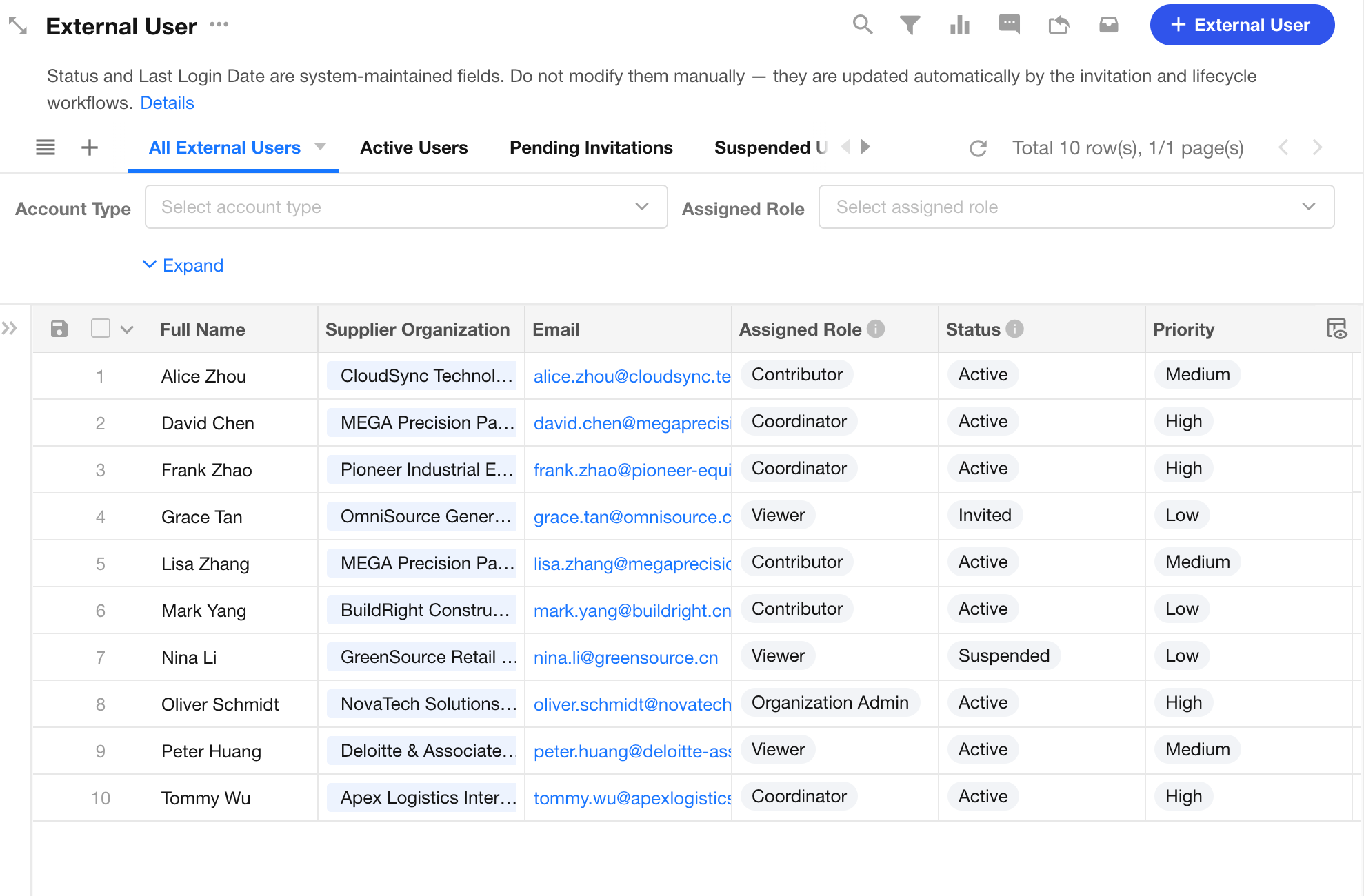
1. Create a Workflow
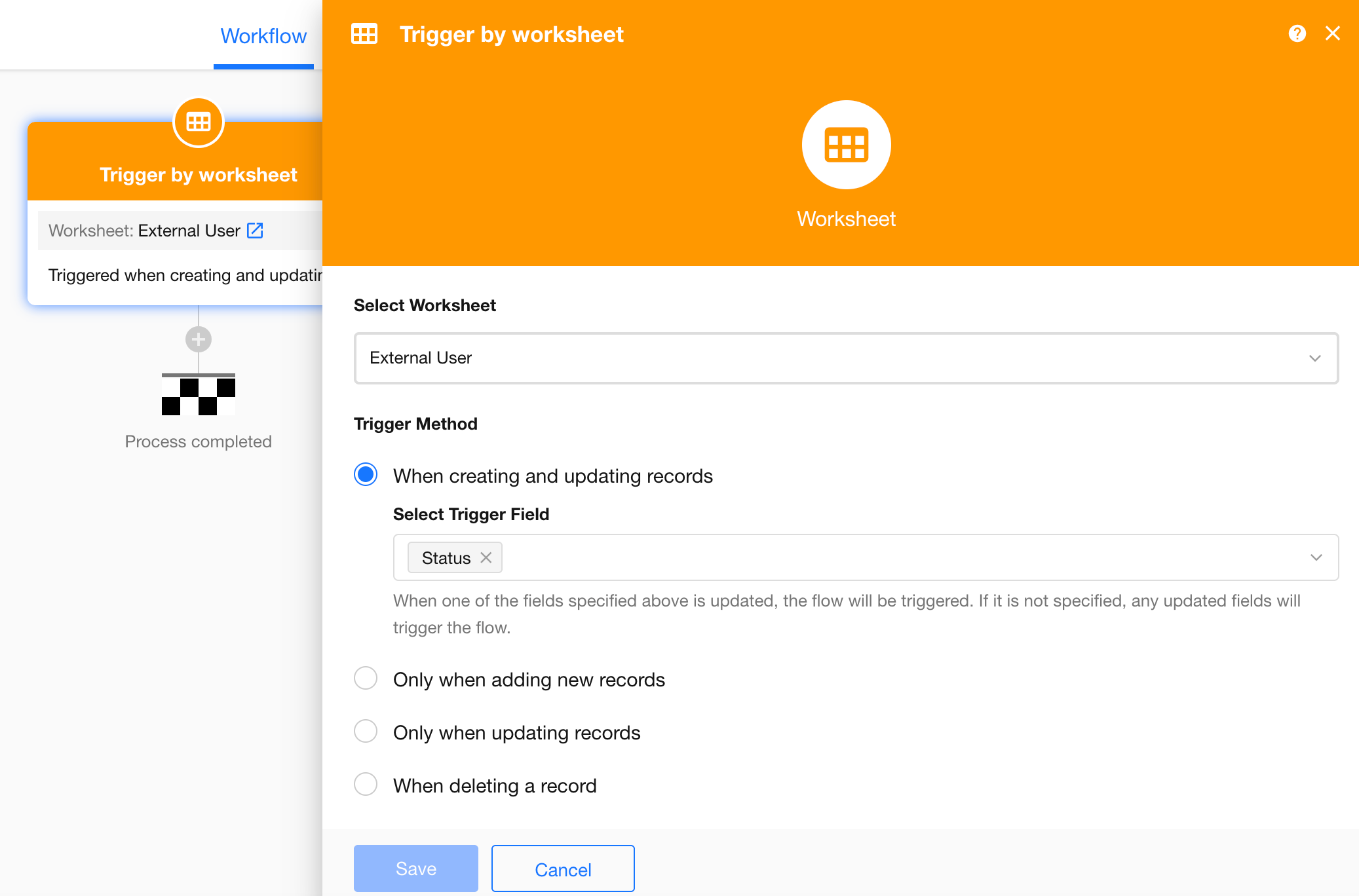
2. Get External User Information
Add the Get Single External User node to retrieve the required external user information. You can retrieve an external user in either of the following ways:
- Retrieve the user directly from an External User field in the record.
- Search for the user from the external user list using the user's mobile number.
-
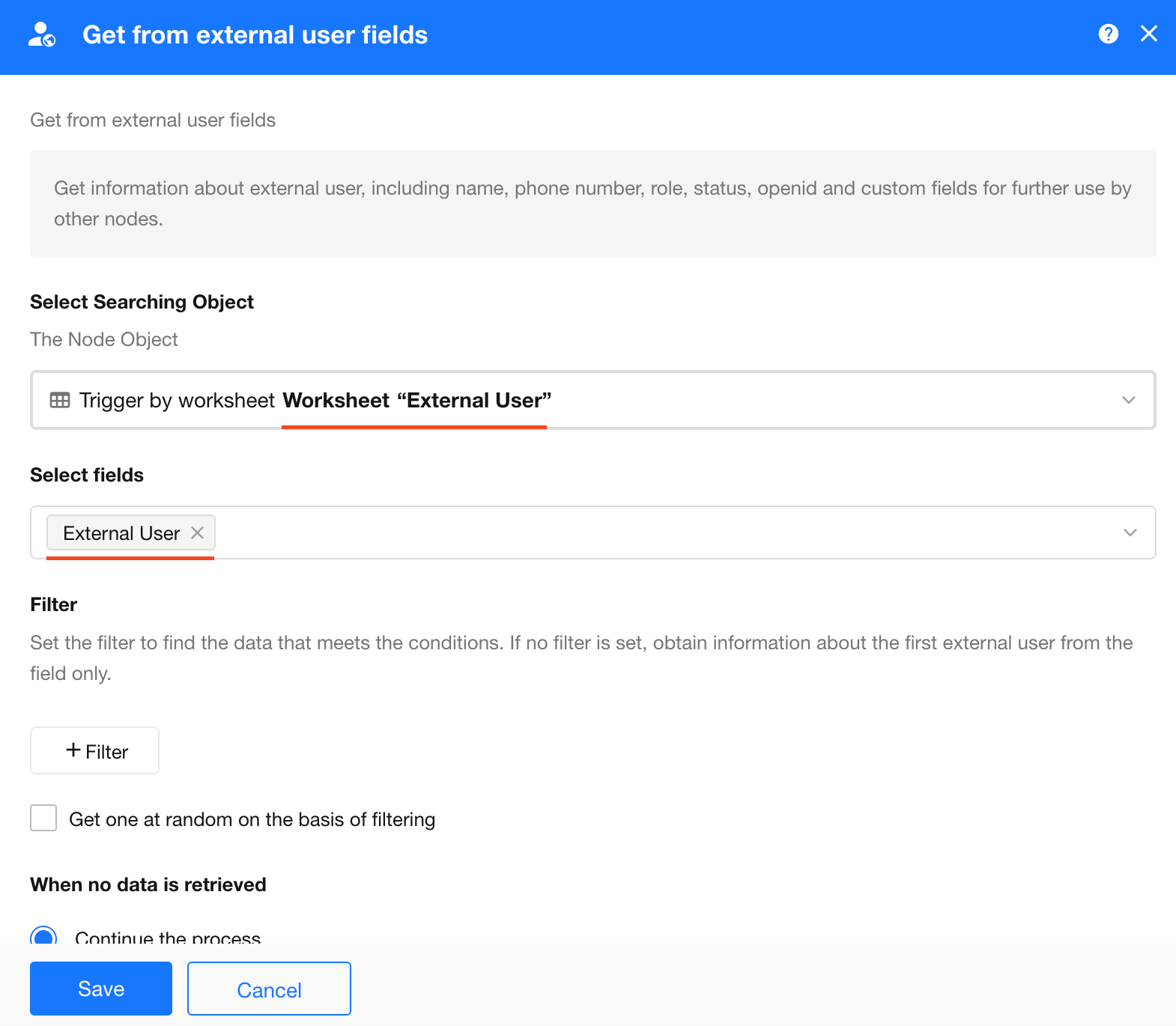
Retrieve from External User Field
As shown below, you can retrieve the external user directly from the member field in the record. The value selected in this member field corresponds to an external user account.
-
Retrieve from External Portal
When retrieving an external user from the external portal, you need to query the user using a unique identifier. In this example, the user's mobile number is used as the query condition.
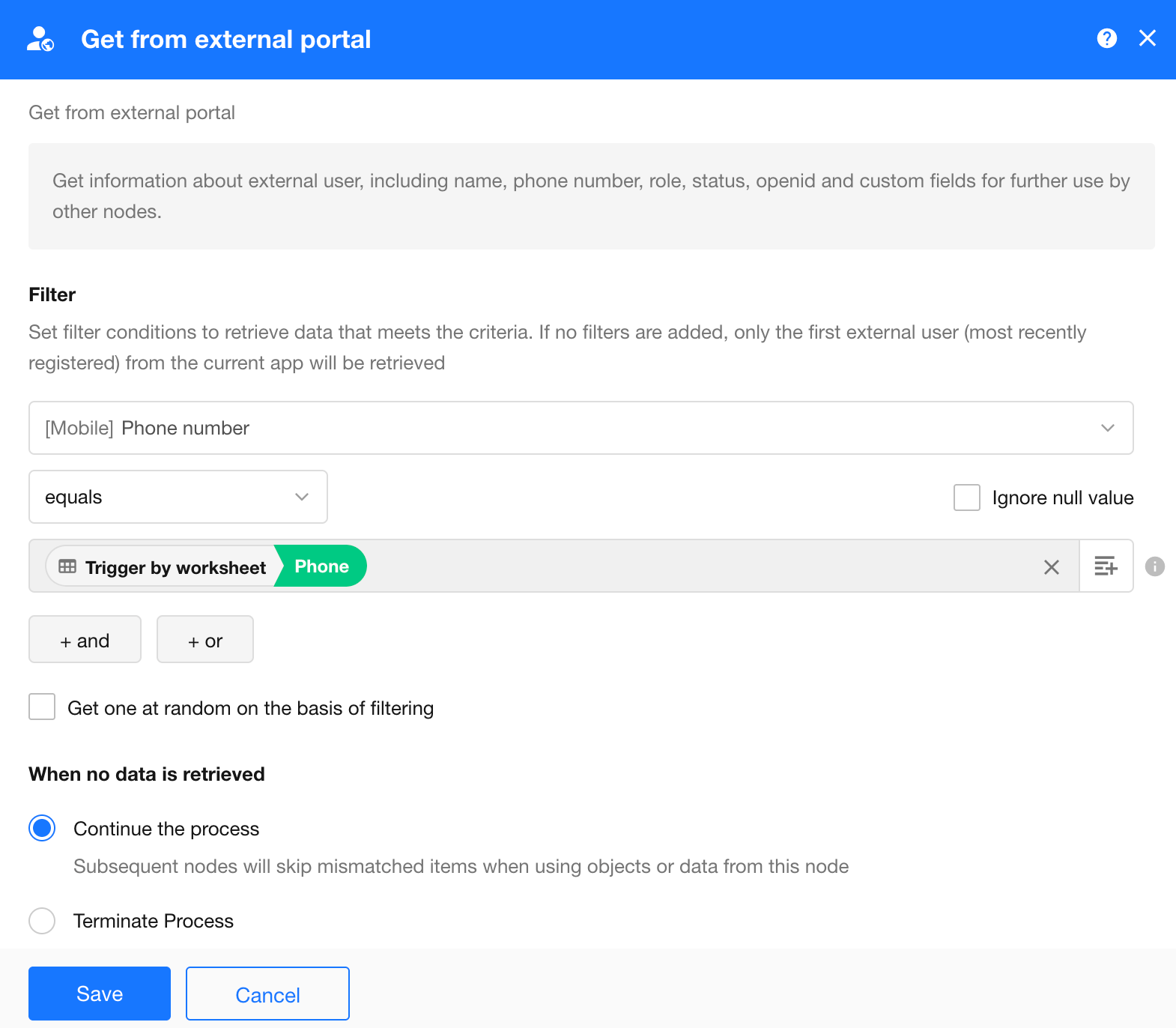
- If multiple users match the query criteria, the system retrieves the external user who registered most recently.
- If Random Selection is enabled, the system randomly retrieves one external user from the matching users.
3. Update External User Information
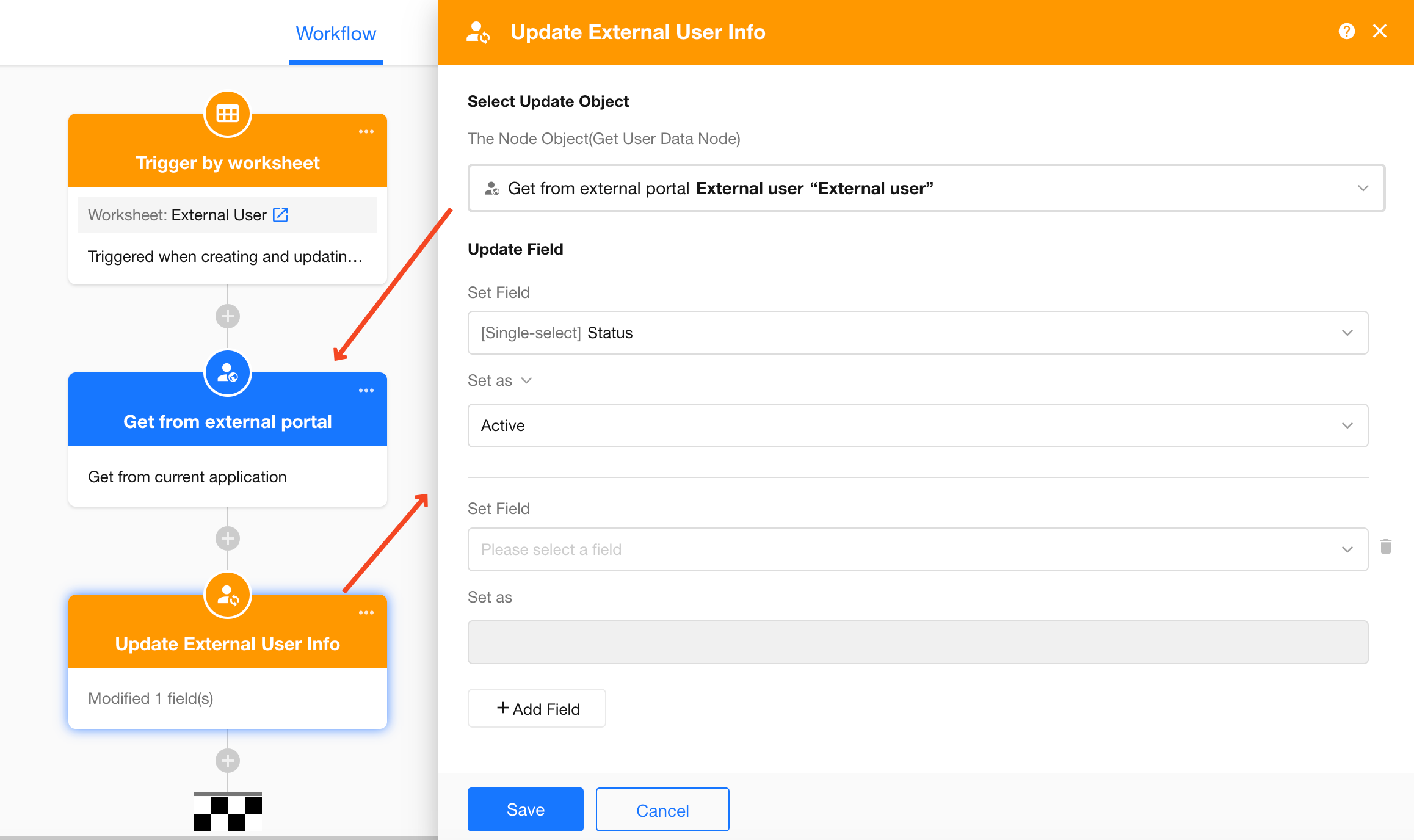
After retrieving the external user information, add the Update External User Info node to update the user's account details.
You can update system fields such as the user's name, role, and account status, as well as custom information collection fields.
Was this document helpful?