Default Value Method 1 — Other Field Values
A field’s default value can be set based on other fields in the current form or fields from related records.
When creating or editing a record, the value updates dynamically based on the selected field values.
Common scenarios
-
When submitting an expense request, the record title can be automatically generated by combining multiple fields, such as: Employee Name - Expense Request. The value can still be edited if needed.
-
When creating an order record, after selecting a customer, the Account Executive field can default to the Account Owner of that customer.
How to configure default values
1. Use values from fields in the current worksheet
Example: The title of an expense record is automatically generated by combining values from other fields.
Configuration steps:
Click the Dynamic Default Value button in the right panel → select Other field values → choose one or more fields from the current worksheet.
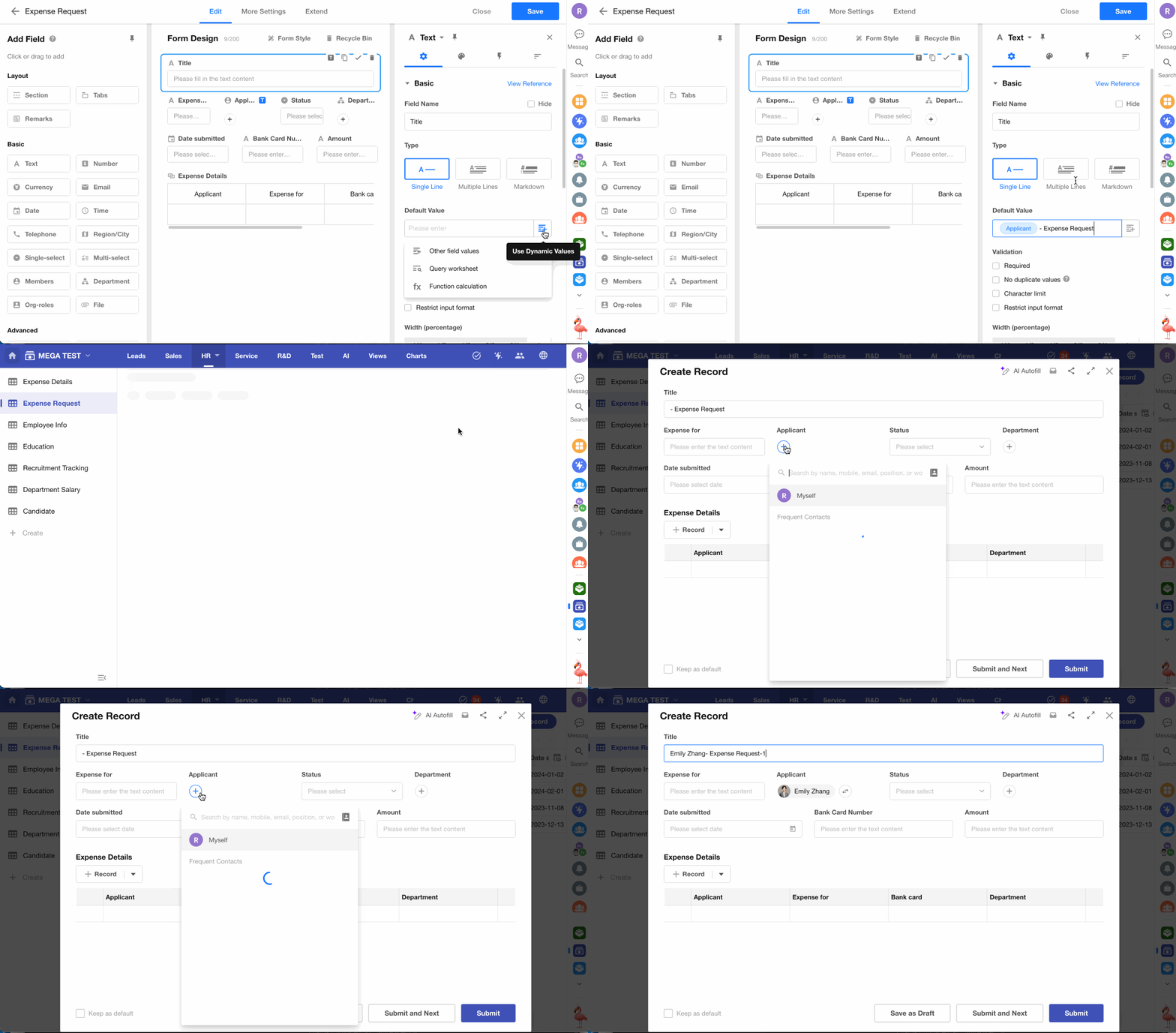
Due to differences in field types:
- Some fields support selecting multiple field values
- Others support selecting only a single field value
For example:
- A Text field can combine multiple field values with fixed text
- Fields such as Date or Phone can only reference a single field
2. Use values from related records
Example: When creating an order record, the Account Executive defaults to the Account Owner from the selected customer.
In many scenarios, once a record is created and finalized, certain values should remain unchanged (such as the assigned sales representative or pricing).
If a foreign field is used, the value will continue to update when the source data changes (for example, if the Account Owner changes).
To preserve the value at the time of creation, use a dynamic default value instead.
Configuration steps:
Click the Dynamic Default Value button in the right panel → select Other field values → choose a field from the related record (e.g., Customer).
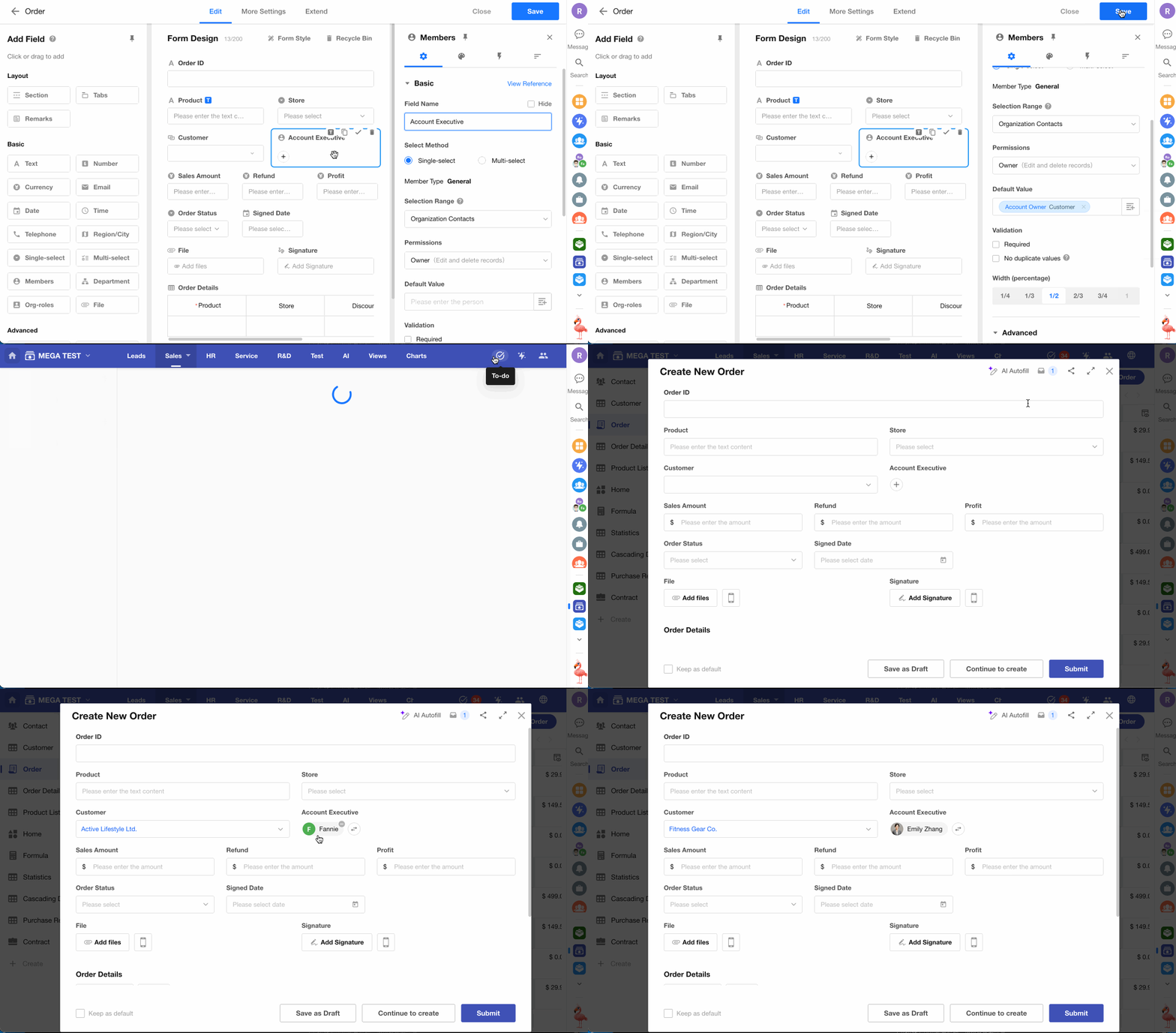
If no default value is displayed, check whether the selected field in the related record contains a value.
Similar scenarios
An order may include multiple products, requiring corresponding order line items.
In the order details:
- The product Unit Price should default to the value from the Product record
- It should not use a foreign field, to prevent changes when the product price is updated later
Default value configuration in the order details worksheet
Structure:
Order worksheet → Order Details worksheet (1:N)
Order Details worksheet → Product (N:1)
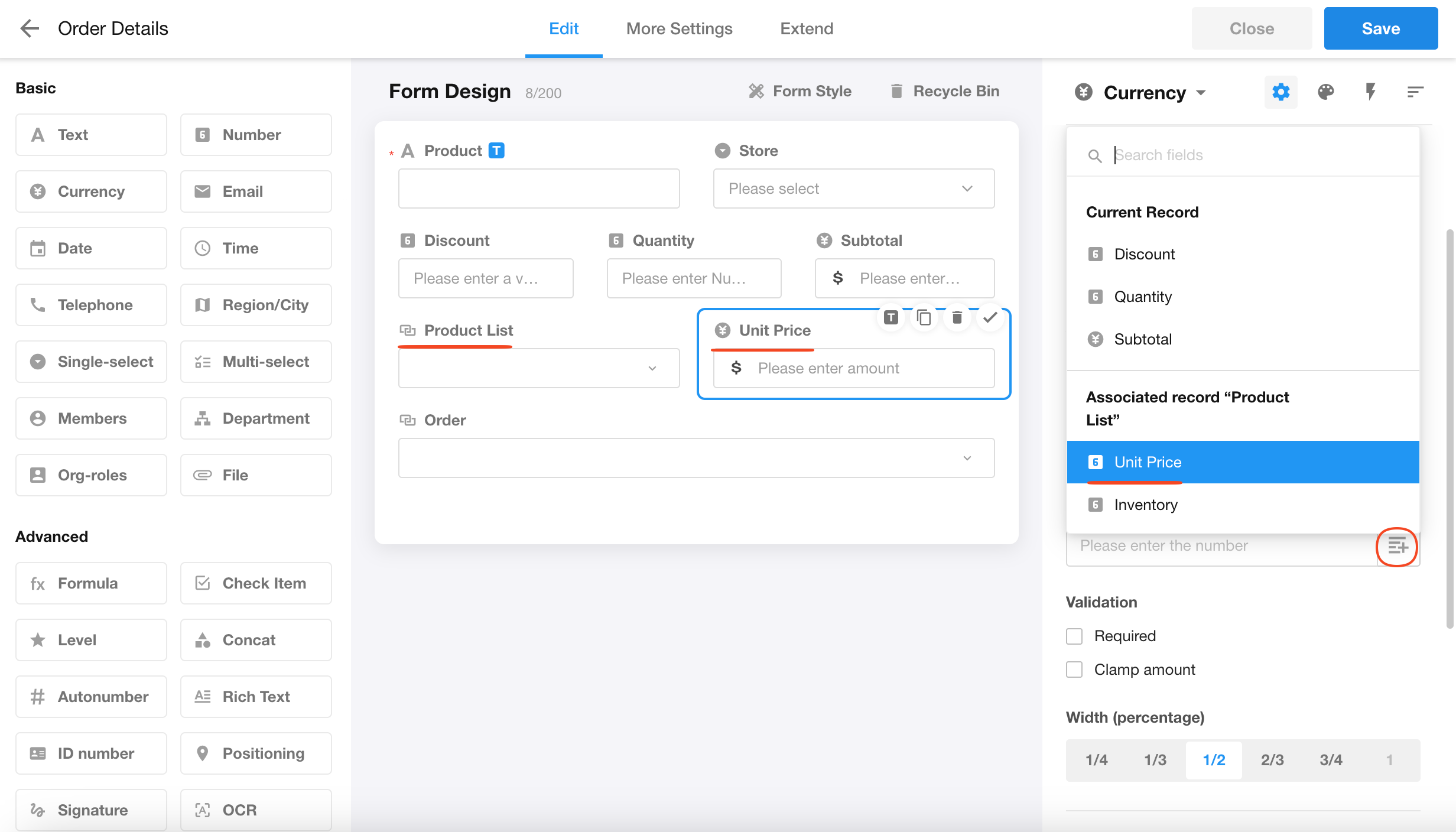
This configuration is only supported for physical worksheets.
Default values in empty subforms do not support selecting fields from related records.
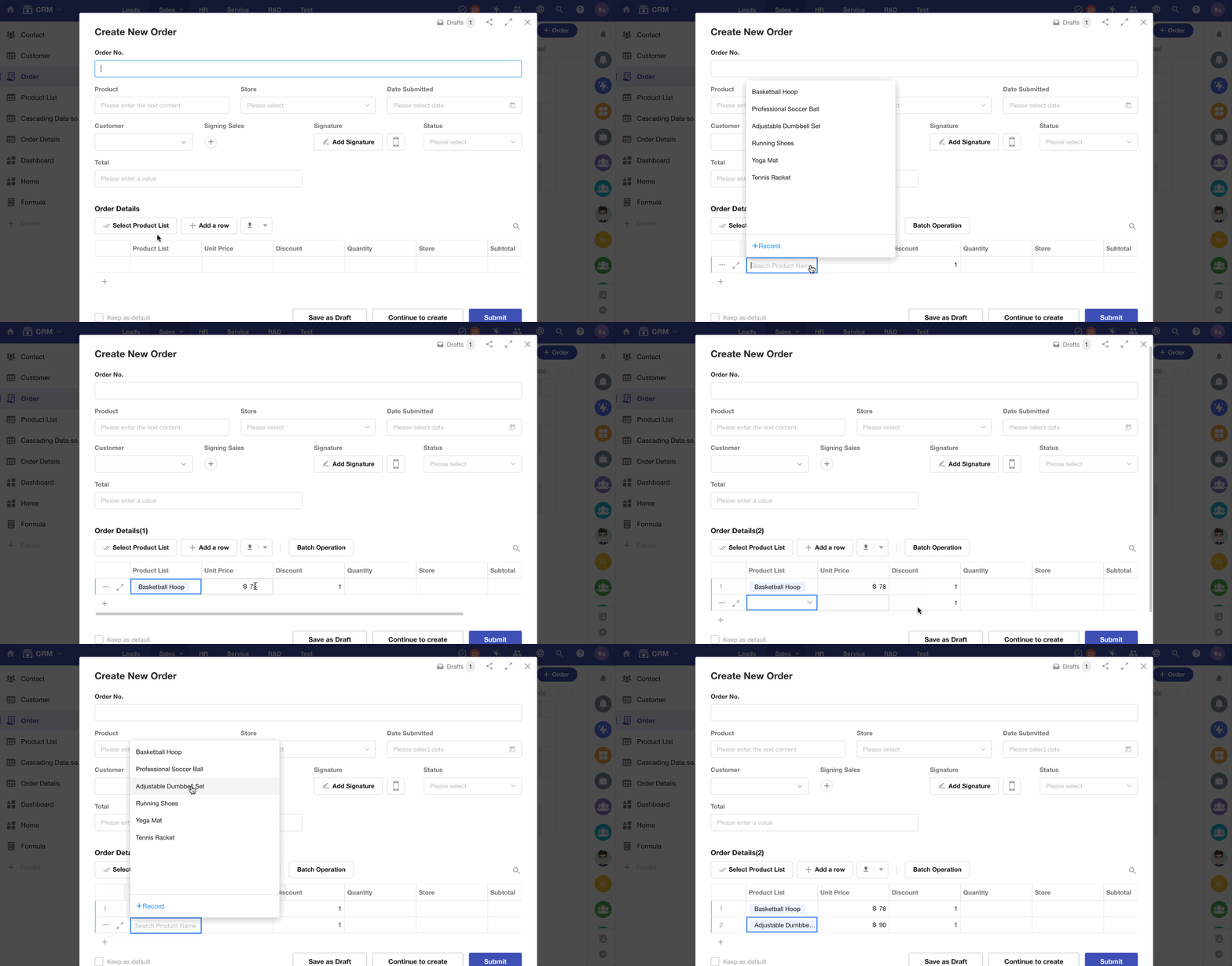
Was this document helpful?