Worksheet and Field References
Worksheets can be referenced by workflows or other fields. Fields can be used in workflows, business rules, views, and other fields as filter conditions or as sources for assigning values.
Any deletion or configuration change to a worksheet or field may affect related features. To help users evaluate potential impacts before making changes, HAP provides worksheet and field reference details, allowing users to quickly identify where a worksheet or field is referenced and assess the possible impact before modifying or deleting configurations.
Worksheet References
View Worksheet References
-
Click the operation menu next to the worksheet name, then select View Reference.
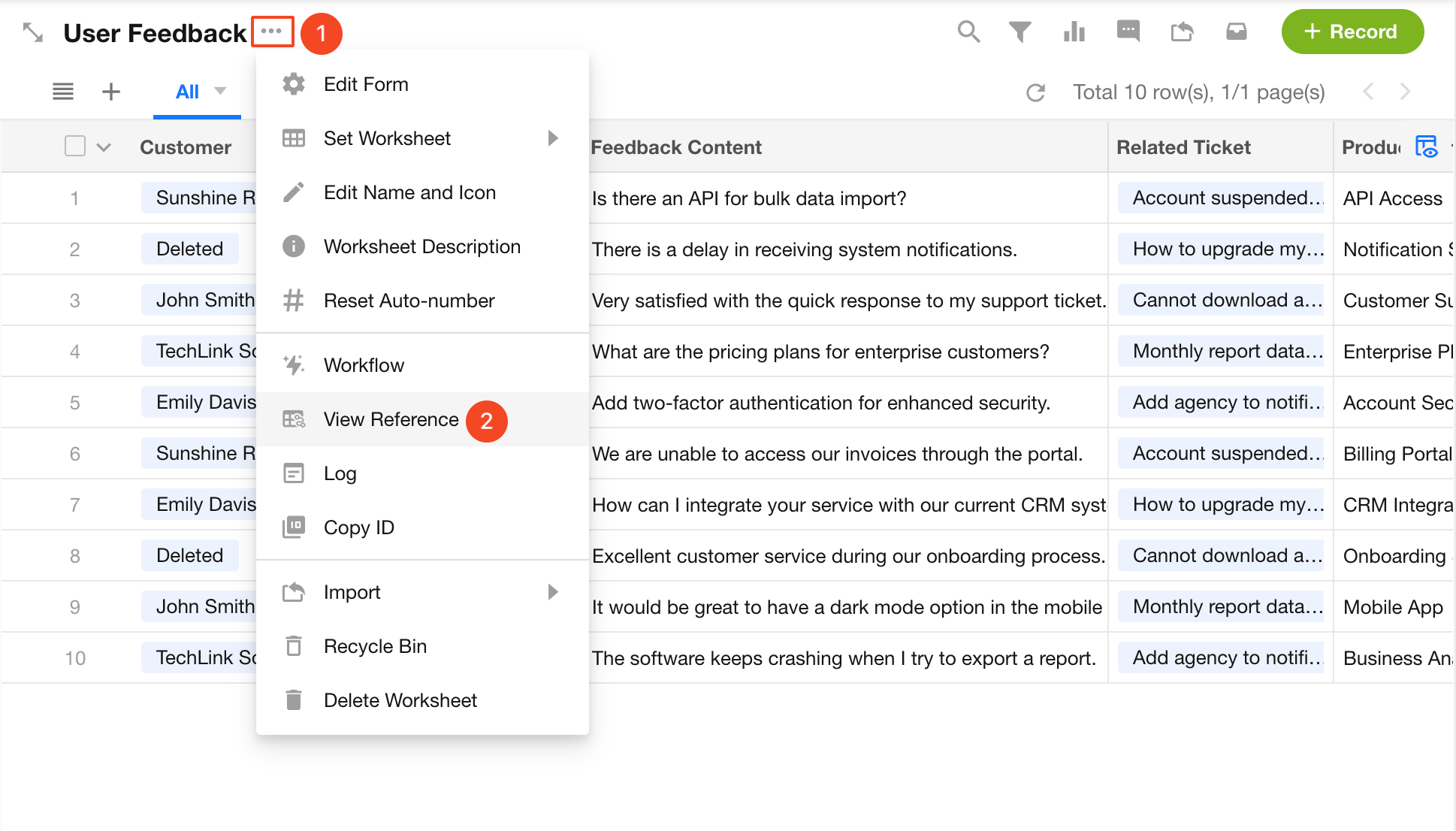
-
You can also view references for each worksheet in App Management > ER Diagram.
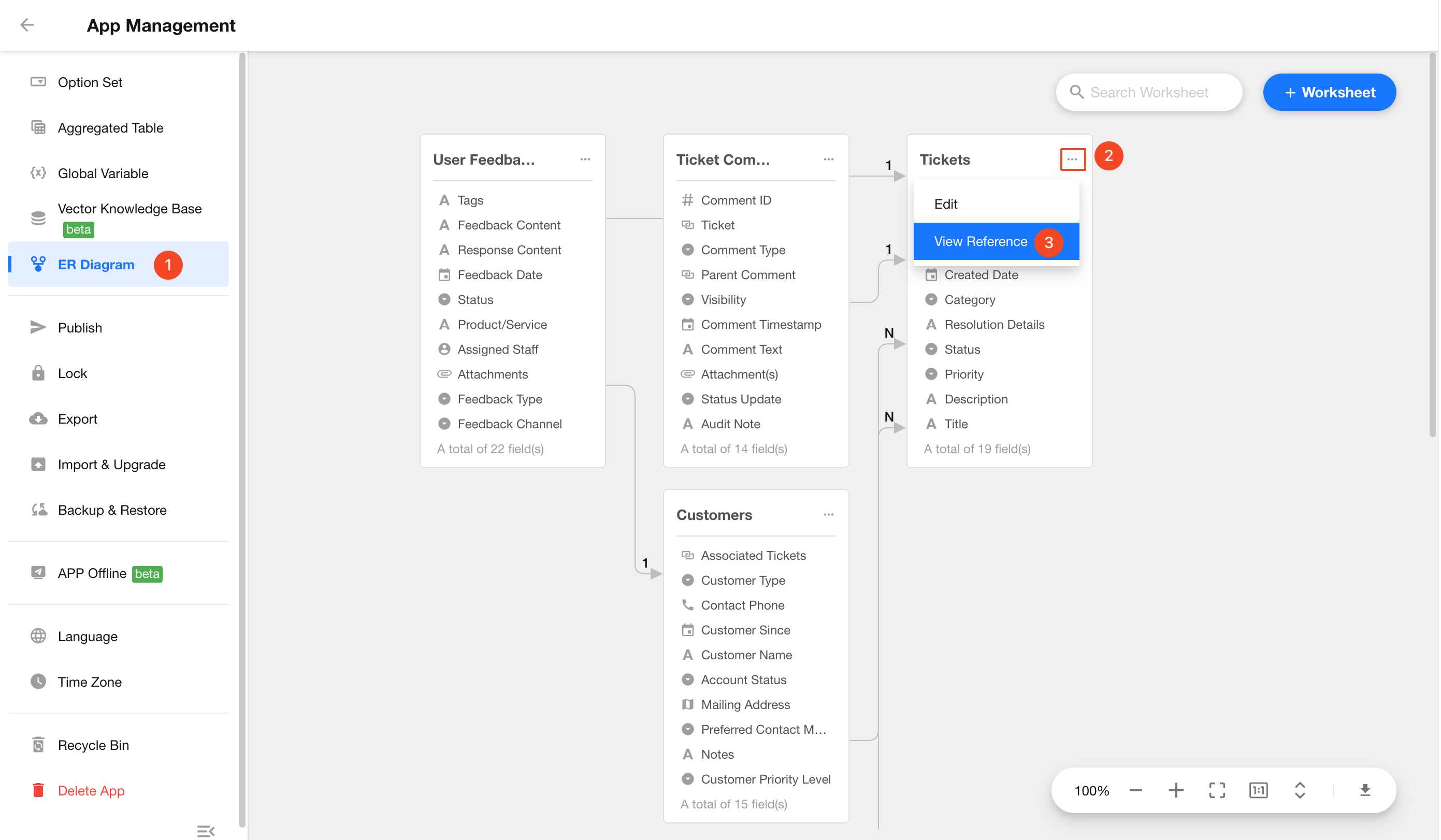
Worksheet Reference Scope
Worksheets are mainly referenced in the following scenarios:
- Associations, queries, and data interactions between worksheets.
- Data queries, value assignment, approvals, form filling, and CC operations in workflows.
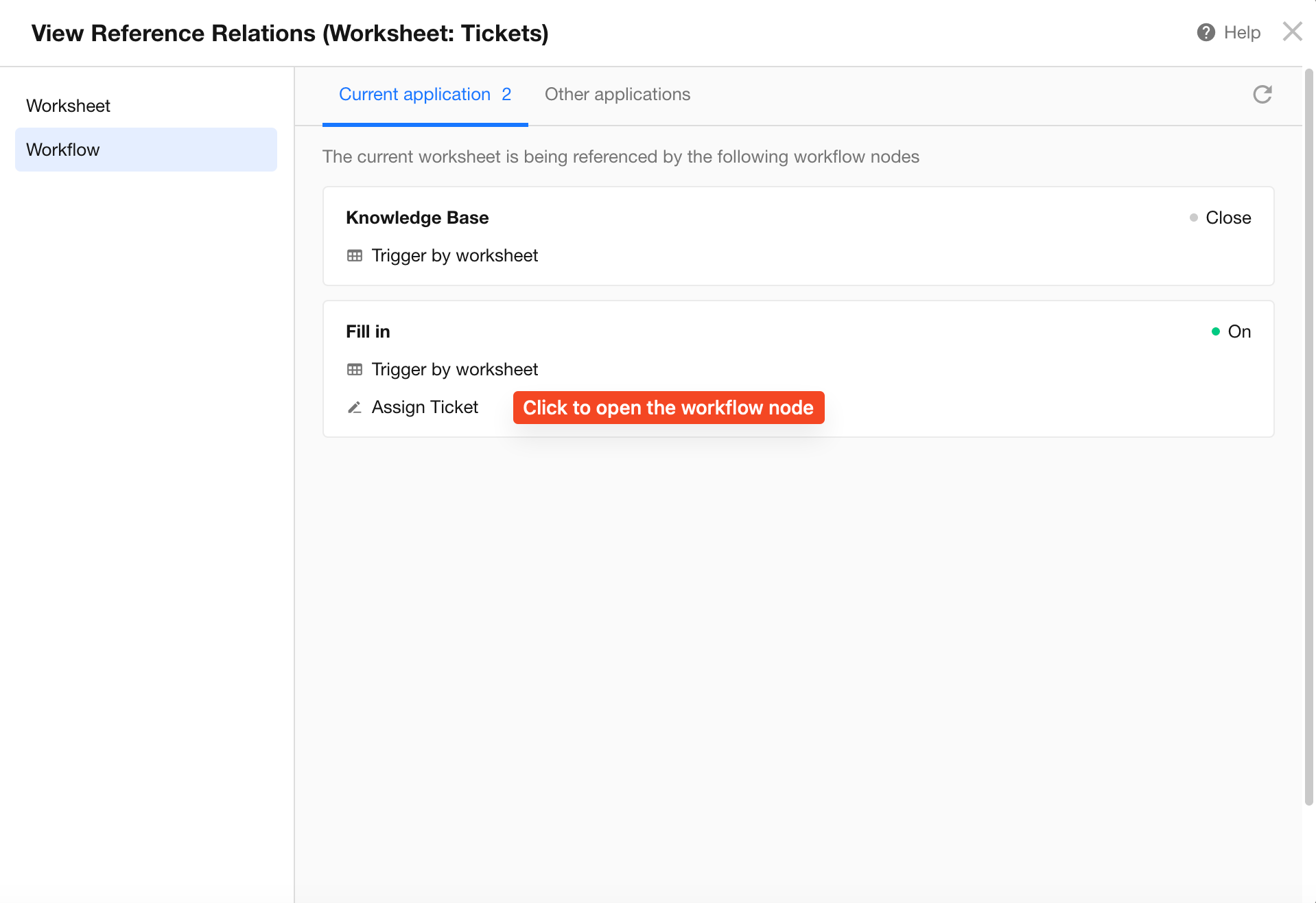
Field References
View Field References
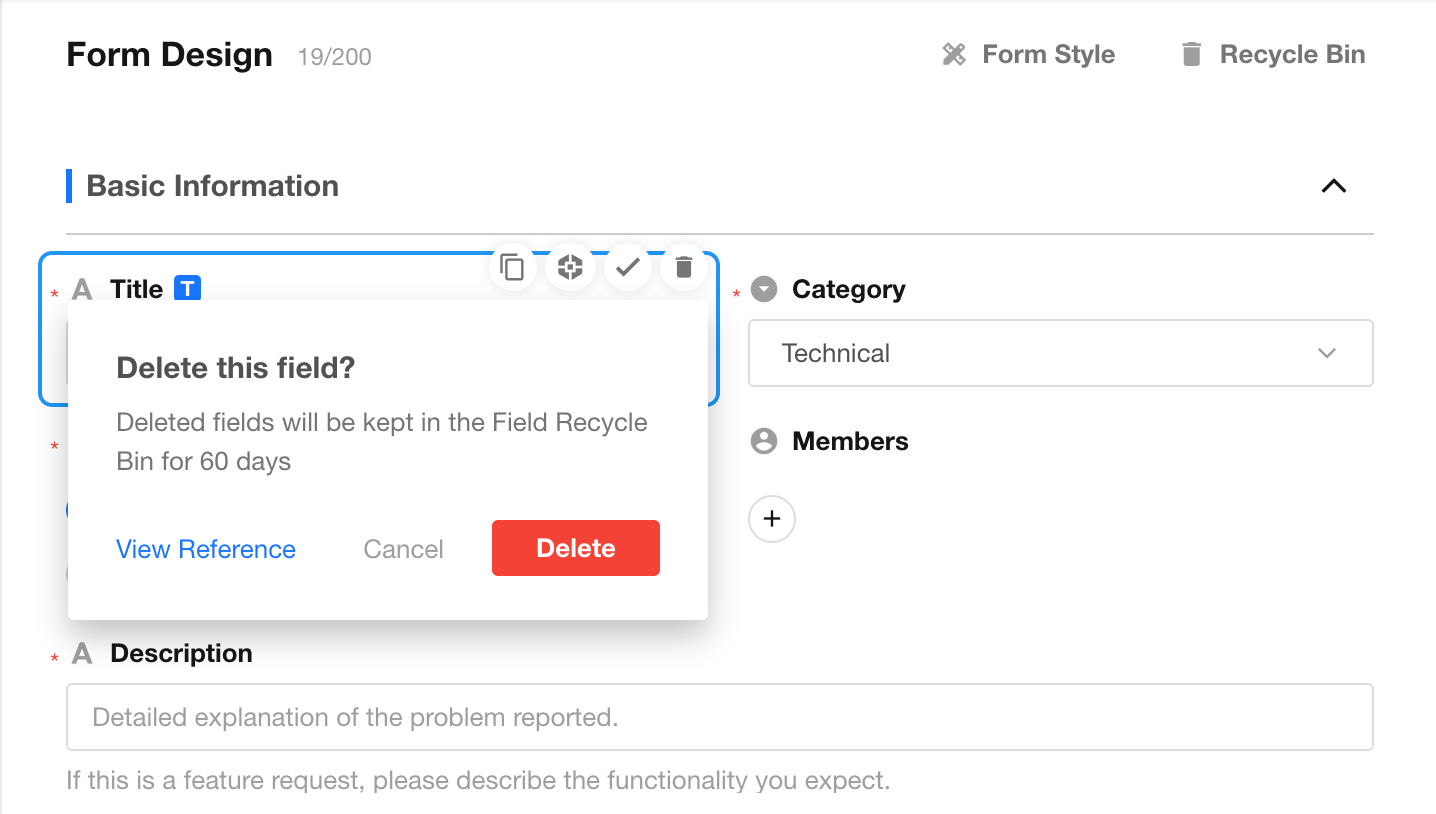
A View References button is available in the upper-right corner of the field settings panel. Click it to view detailed reference information for the field.
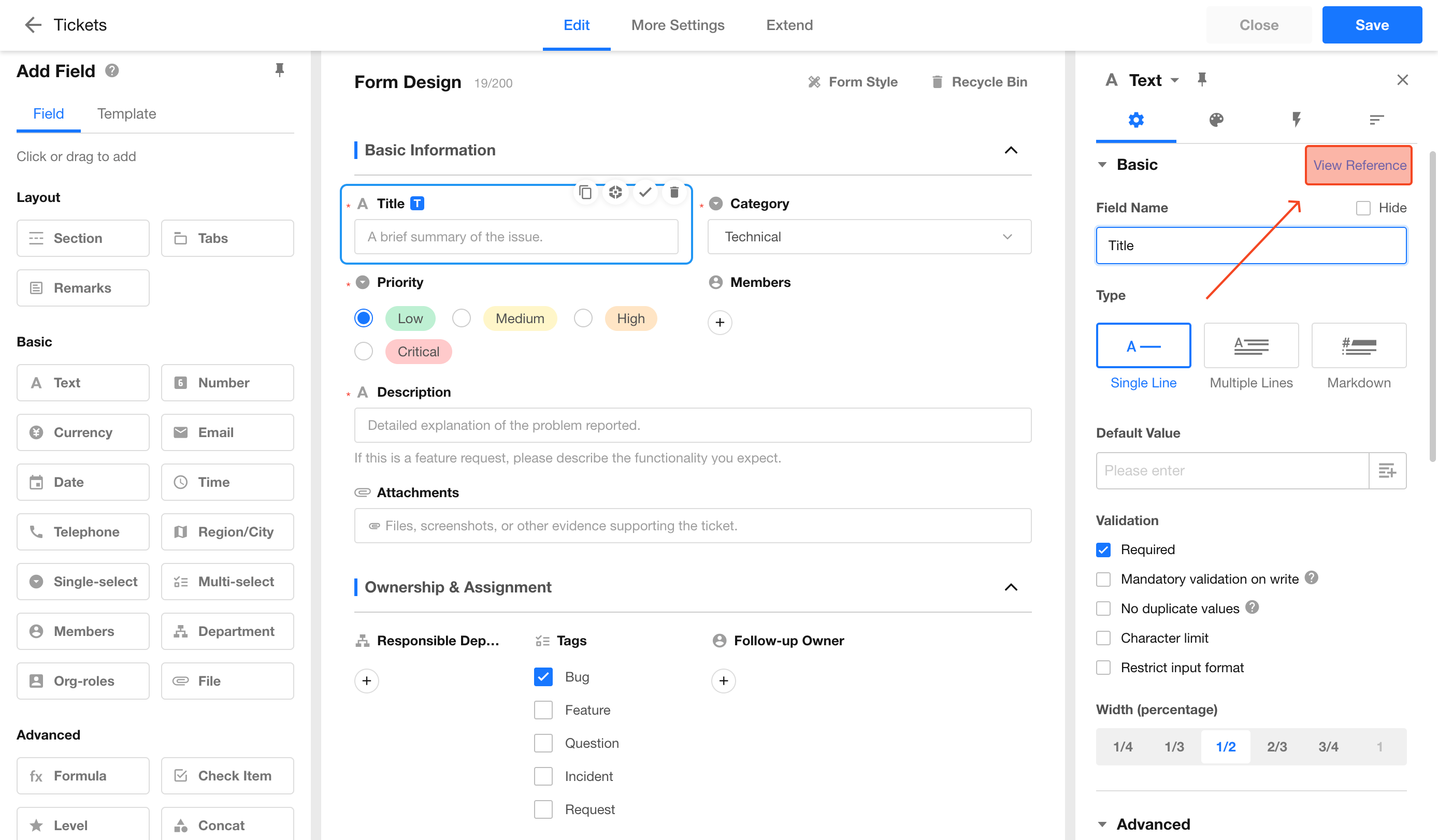
When deleting a field, a shortcut to view field references is also available.
Field Reference Scope
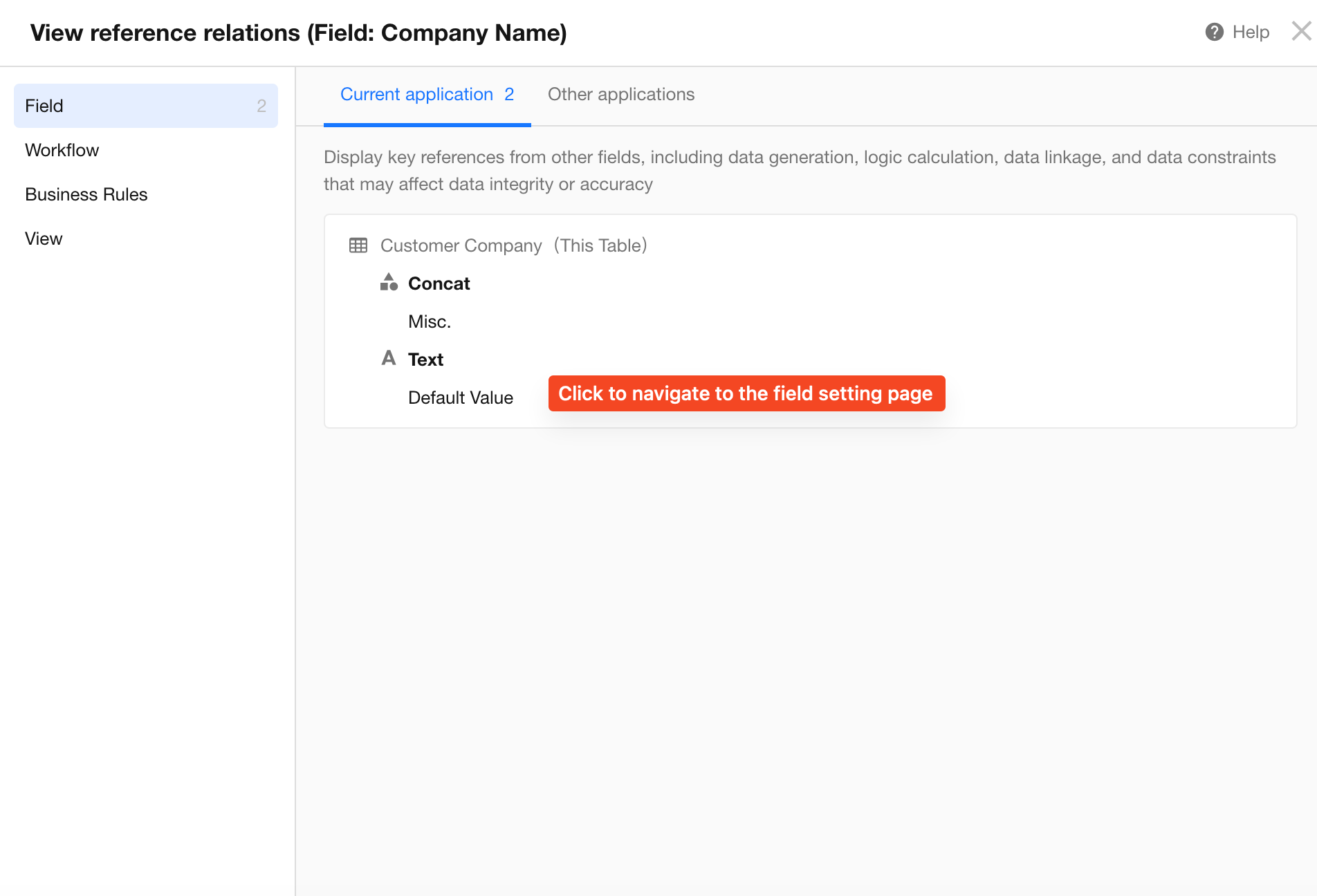
Fields are mainly referenced in other fields, workflows, business rules, and view filter conditions.
-
Fields
When referenced by other fields, fields are commonly used in:
- Default values
- Formula fields
- Concat fields
- Auto Number fields
- OCR fields
- API Query fields
- Barcode fields
- Subform fields (with duplicate value restrictions)
- Relationship fields (selection scope)
- Cascading fields
- Query Records fields (query conditions)
- Foreign fields
- Rollup fields
References from both the current application and other applications are displayed.
-
Workflows
Fields can be referenced in:
- Filter conditions of workflow nodes
- Code Block nodes
- Branch nodes
- Formula nodes
References from workflows in both the current application and other applications are displayed.
-
Business Rule Filter Conditions
Fields are displayed only when they are referenced as conditions.
Fields referenced in business rule actions are not displayed.
-
View Filter Conditions
Was this document helpful?