Application Time Zone
Overview
The application time zone serves as a unified time reference for cross-timezone collaboration. It ensures that when filtering worksheet records by date and time, all team members see consistent results regardless of their personal time zones.
For example, you and a colleague may be in different time zones—Beijing and New York—with a 13-hour difference. When viewing records in a worksheet, the date and time will be displayed based on your personal time zone settings.
However, when filtering data by date/time, a common baseline is needed.
Suppose someone registered for an event at 8:00 AM on June 1, 2024 (Beijing Time). A colleague in New York, with their personal time zone applied, will see this timestamp as 7:00 PM on May 31, 2024.
To ensure both users get the same filtered results—e.g., "registrations on June 1"—the filter must rely on the application time zone. This is the purpose of configuring an application time zone.
Set the Application Time Zone
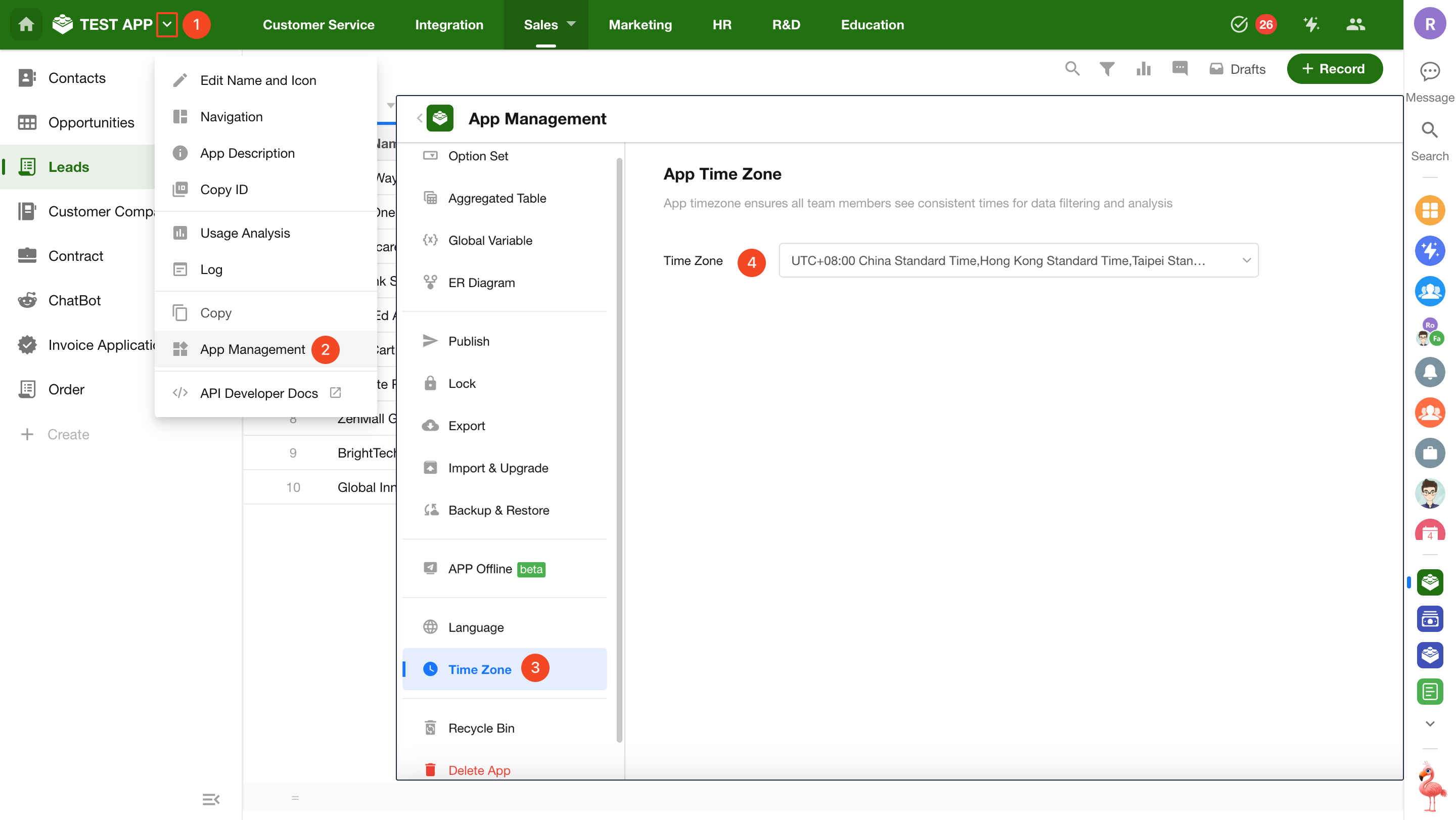
Application administrators can set the time zone by navigating to [App Management] > [Time Zone].
Using the Application Time Zone
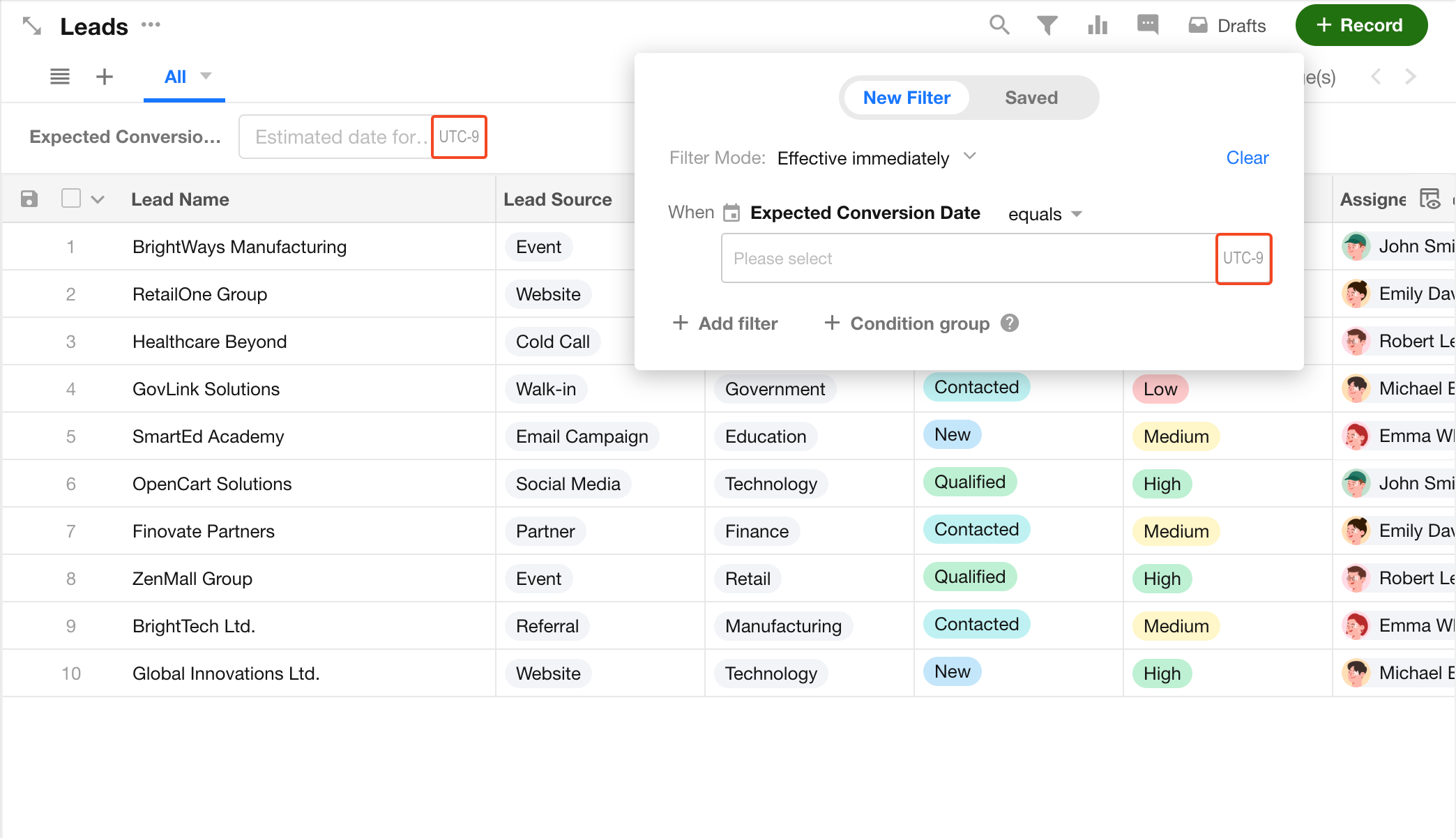
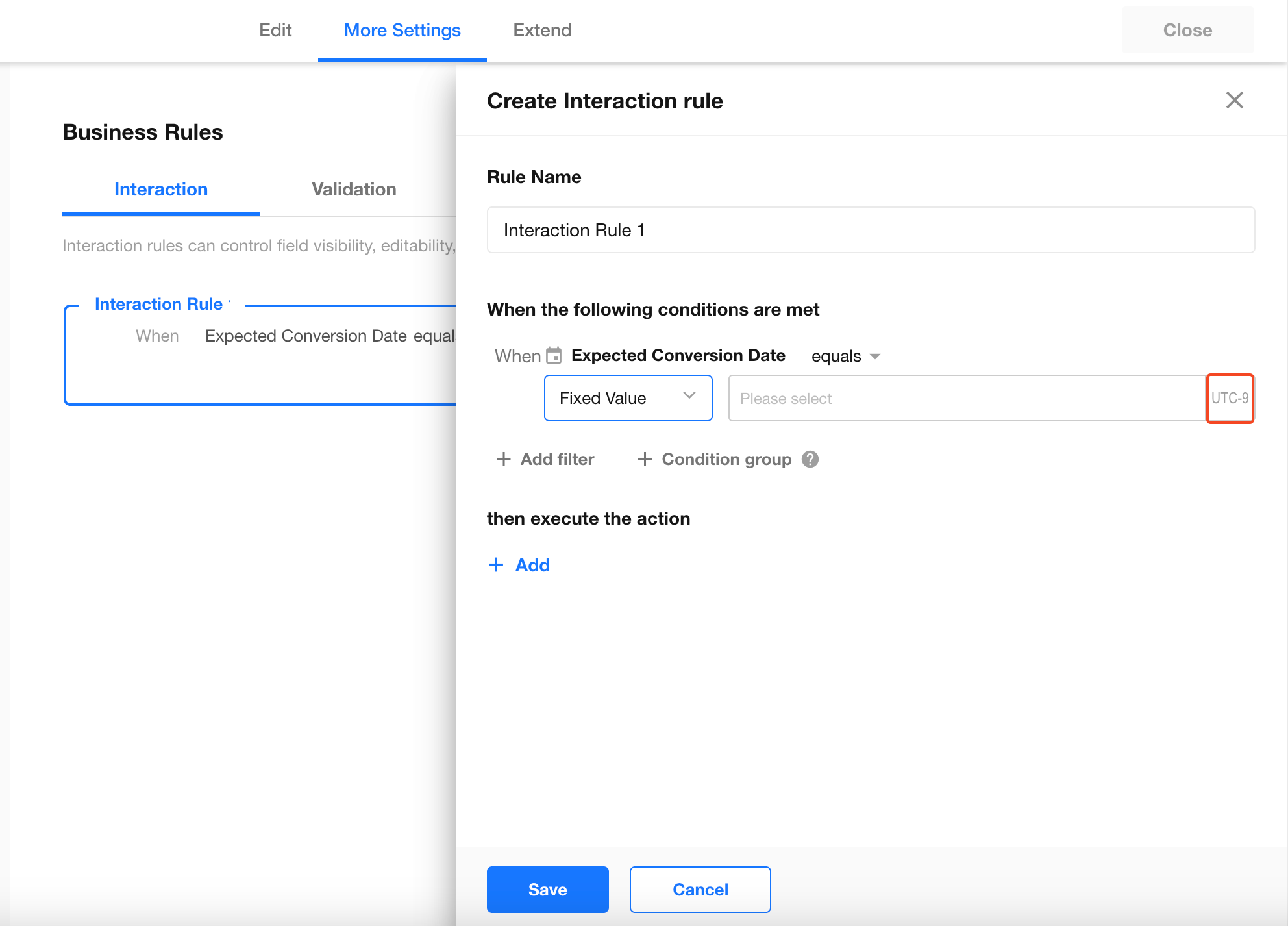
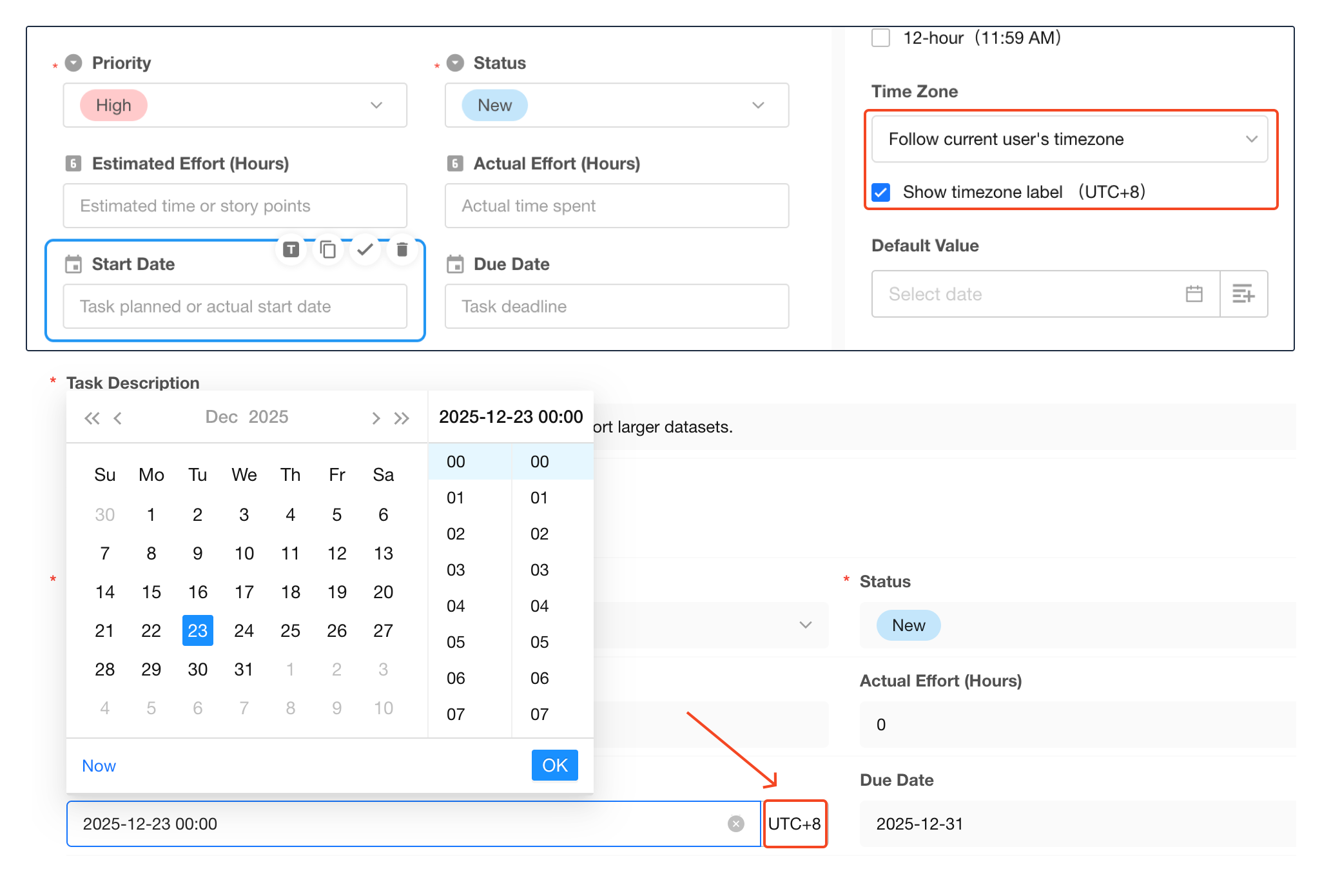
When filtering records by date/time in worksheets or charts, users will see a reminder indicating that unselected date/time values are based on the application time zone. If a user's personal time zone differs from the application time zone, a label will be shown to indicate the application time zone being used in the filter.
-
Filter in Worksheet:
-
Filter in Business Rule:
-
Date/Time Fields:
-
Filter in Chart:
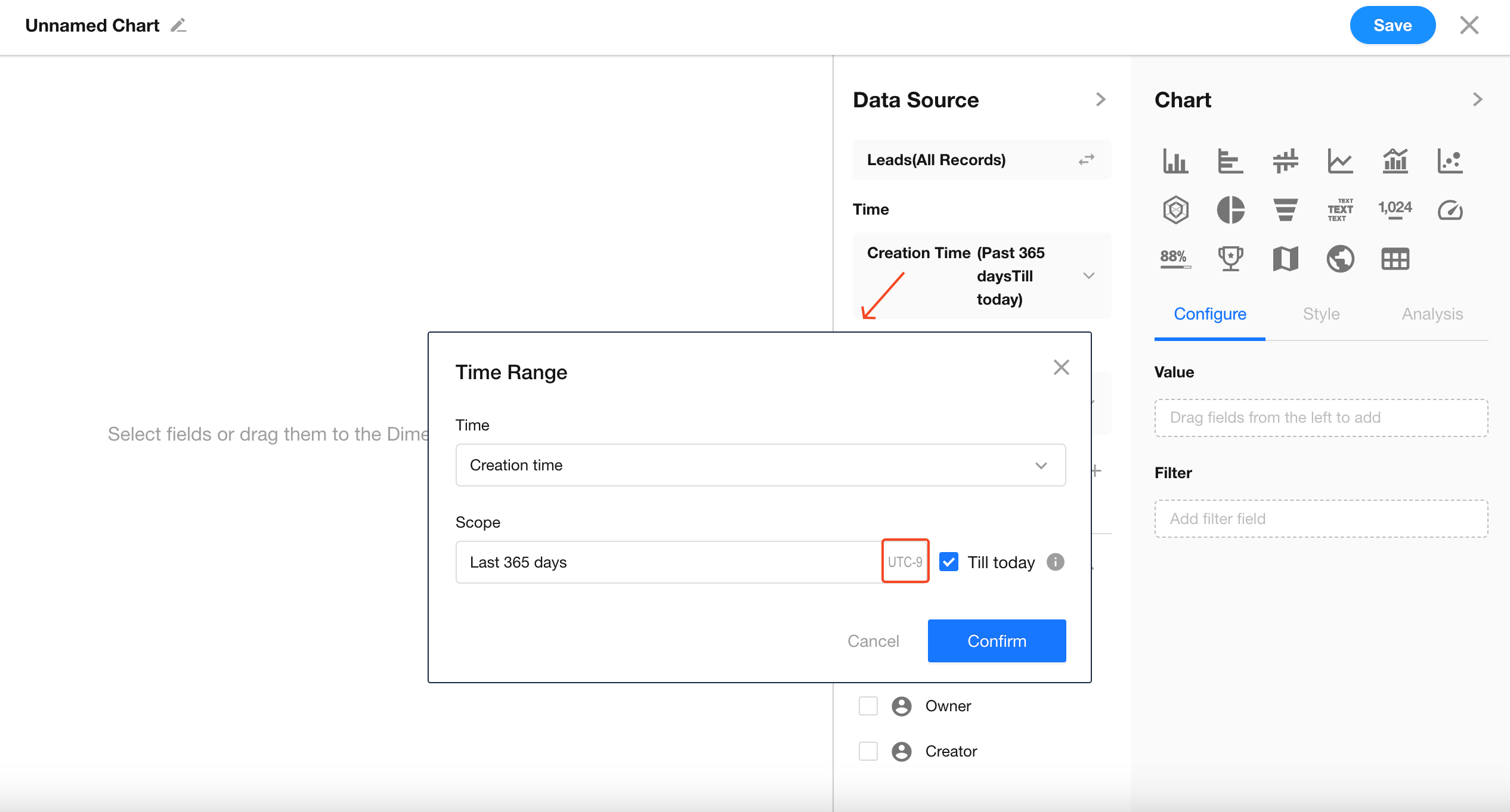
When filtering by fixed time values such as "Today", "Tomorrow", or "Yesterday", the application time zone will be used.
This applies primarily to filters in worksheets, views, and charts.
Was this document helpful?