Personal Status
Set a personal status when you're on leave, out of the office, or in a meeting, so your colleagues can quickly see your current availability in chats, on your profile card, or on your profile page.
Set a Personal Status
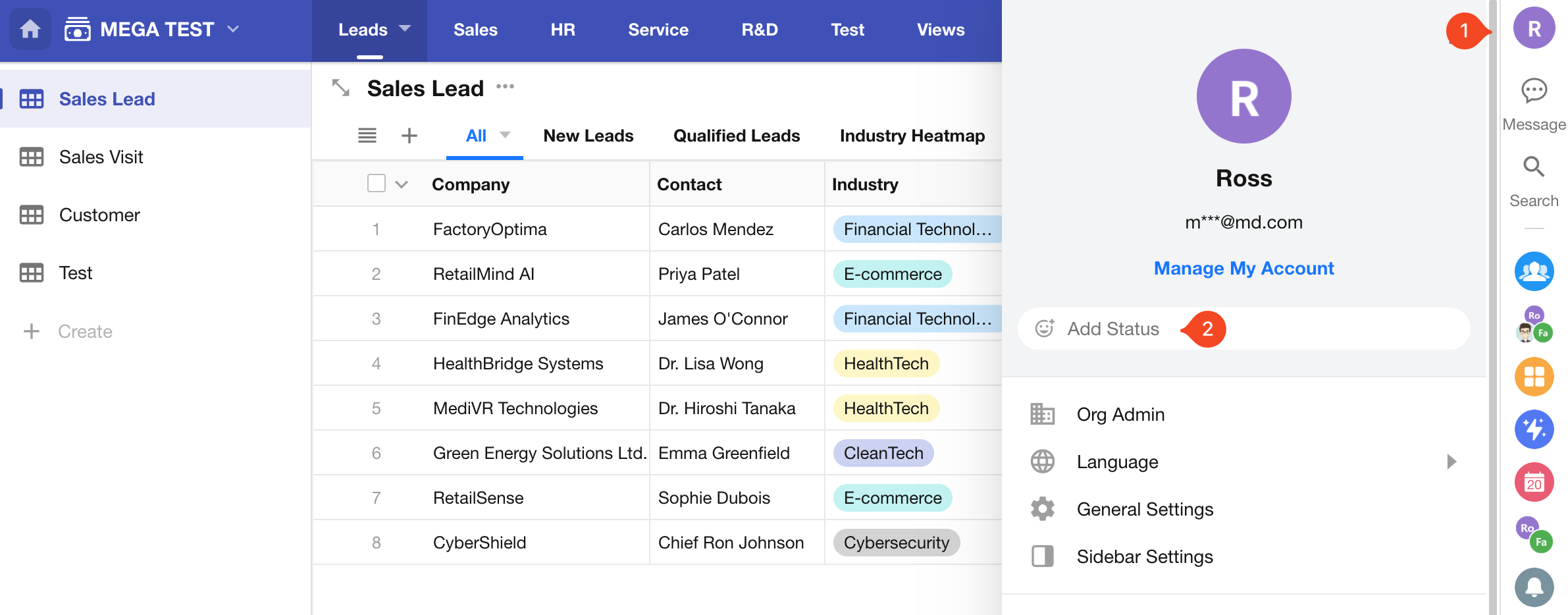
Path: Click your profile picture and select Add Status.
-
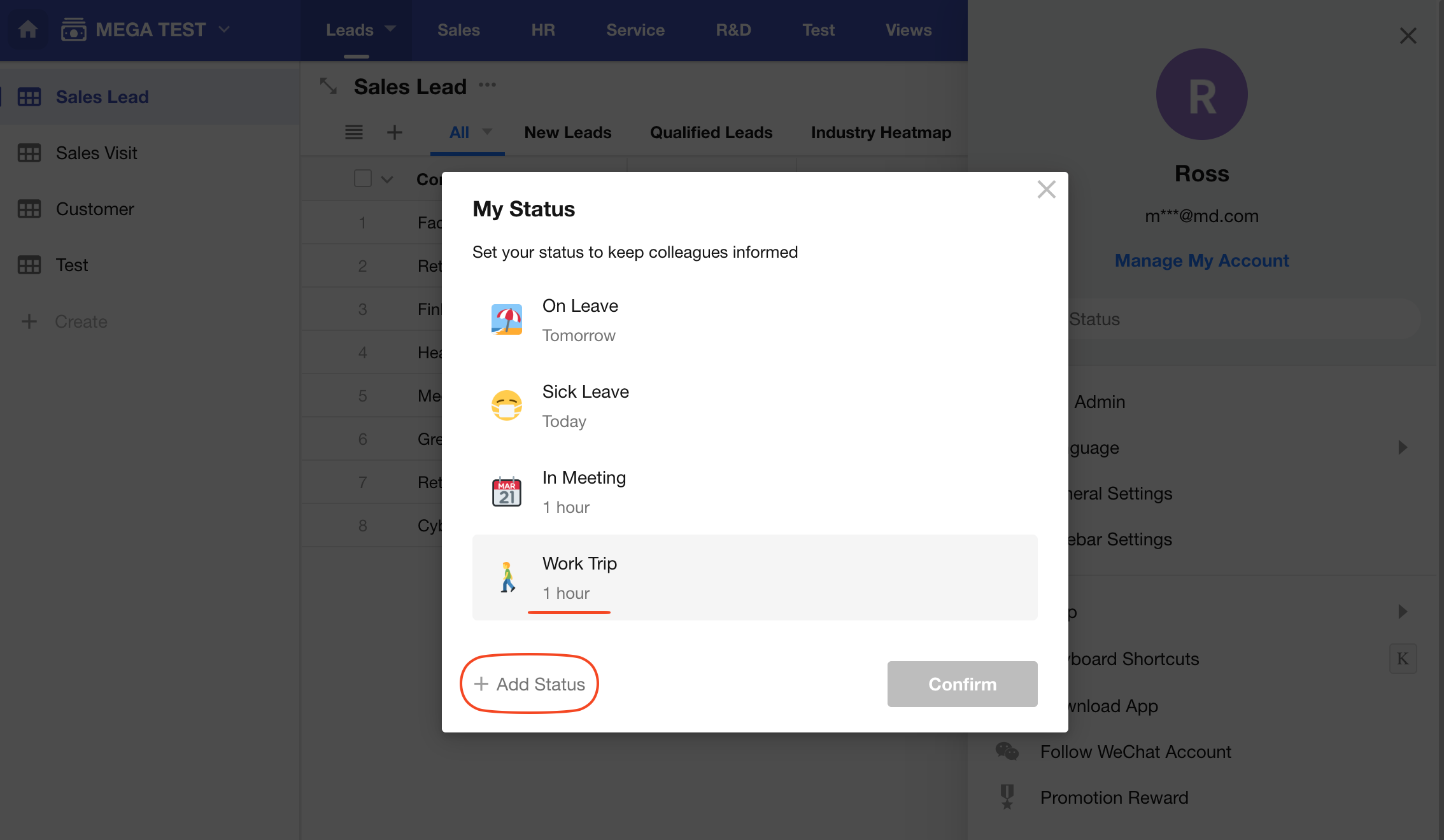
Select a status. HAP provides four default options: On Leave, Sick Leave, In Meeting, and Work Trip. You can also click Add Status to create a custom status and choose an icon.
-
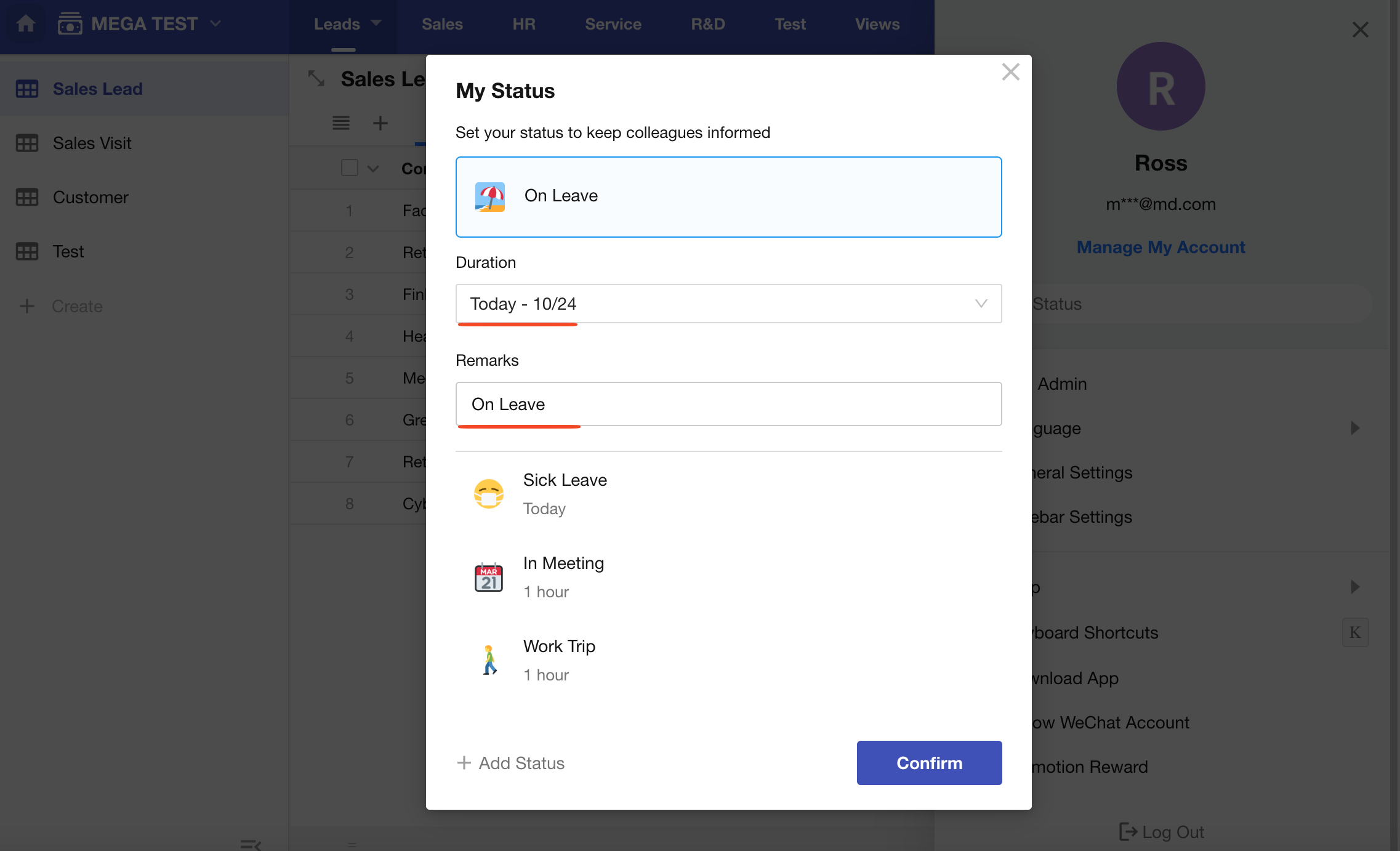
Set the duration and add a note if needed. The status is automatically cleared when the specified duration ends.
Where Your Status Is Displayed
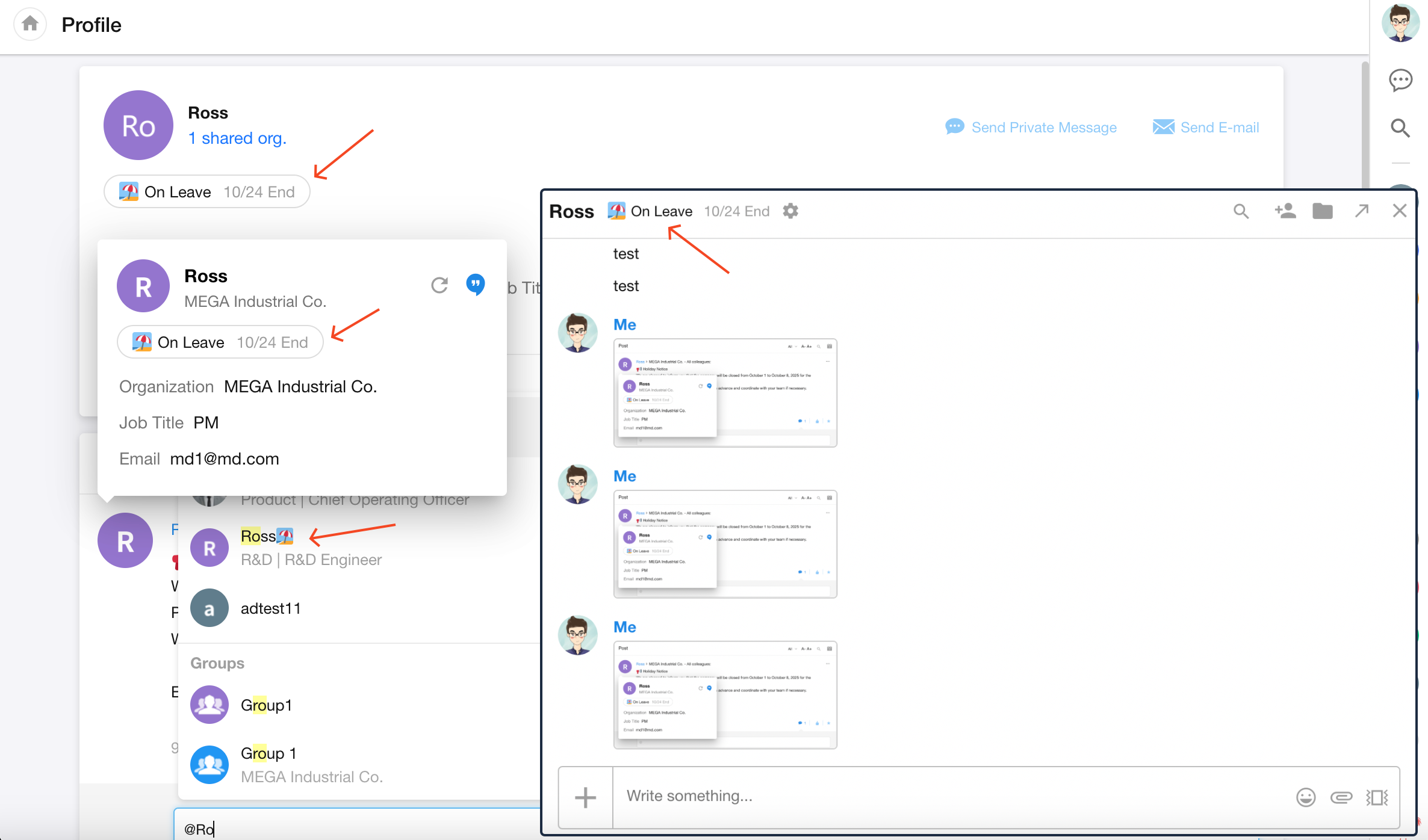
Your colleagues can see your status in the following places:
- One-on-one chat window
- User lists for @mentions in records, group chats, and other areas
- Your profile page
- Your profile card
Your status is displayed only during the specified duration. It is not shown before the start time or after the end time.
Was this document helpful?